






No more SIM kiosks
Skip the airport queues. Install your eSIM at home, activate when you land.


Land connected. No SIM kiosk hunt, no roaming charges, no setup at the airport. One plan covers your whole trip.
 United States / Harry Reid International Airport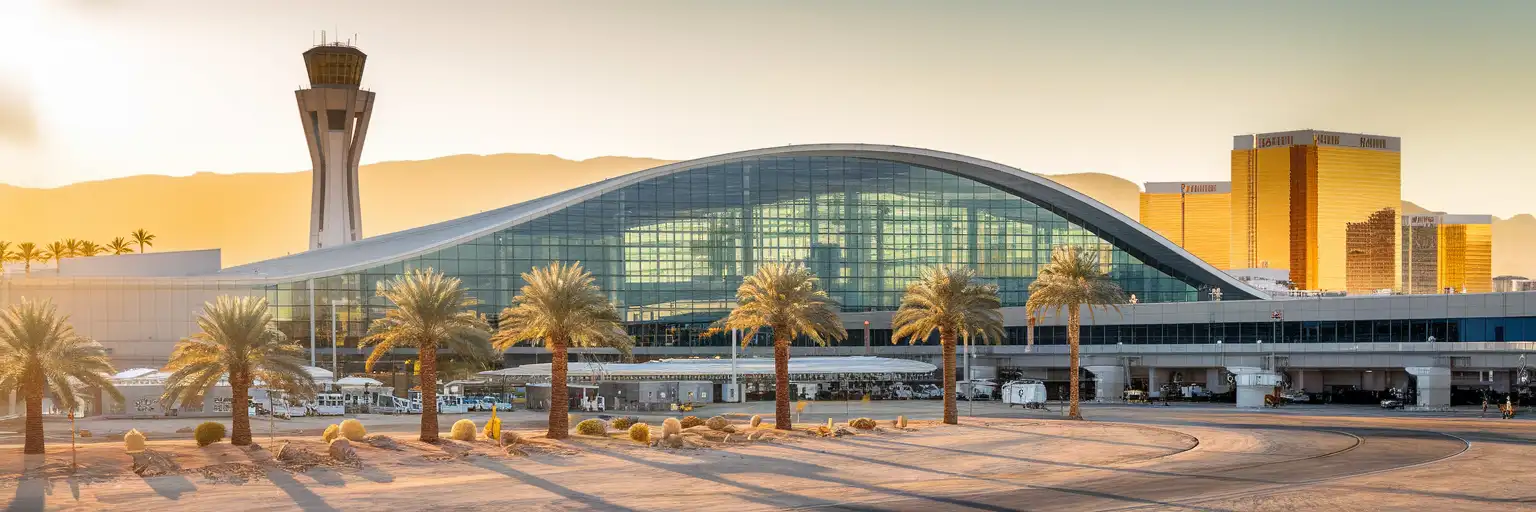
Tell us what you'll do and how long you'll be away — we'll highlight the right plan.
What will you do?

Harry Reid International Airport — still known to locals by its former name McCarran — processes arrival banks that can put 2,000+ passengers into the terminal within a 30-minute window. Convention crowds from CES, MAGIC, and NAB stack onto weekend leisure traffic, and the free terminal WiFi buckles under the load. Captive-portal signup asks for an email, throttles speed after a few minutes, and drops connections when you walk between concourses. An eSIM bypasses all of that: your phone connects to AT&T or Verizon cell towers the moment you switch off airplane mode, and the signal stays strong whether you're in the A Gates, the C Gates tram, or the baggage carousel.
Uber and Lyft pickups at LAS happen on Level 2M of the parking garages — a location that confuses first-time visitors who expect curbside pickup. With working data, you can check the app's map overlay showing the exact walking path from baggage claim, confirm your driver's ETA, and message them if you're delayed at the carousel. Surge pricing spikes during major convention closings and post-midnight flight banks; real-time fare comparison across Uber, Lyft, and taxi apps requires data that airport WiFi can't reliably deliver.
Your eSIMno plans for Harry Reid International Airport, Las Vegas, Nevada, United States keep working long after you leave the airport. Pull up Google Maps for the drive to the Las Vegas Strip, check mobile tickets for the High Roller observation wheel, message your group about dinner reservations at the Grand Canal Shoppes, or book a last-minute day trip to Red Rock Canyon. The same data plan that connected you at LAS covers every mile of your Vegas trip — and every mile beyond if you extend to California, Arizona, or anywhere else in the country.
LAS operates two passenger terminals that are not connected airside. Terminal 1 houses Southwest Airlines across the A and B Gates, plus budget carriers (Allegiant, Frontier, Spirit) in the C Gates. Terminal 3 handles Delta, American, United, and all international arrivals through the D Gates. If your itinerary involves a connection between terminals, plan for at least 90 minutes: you'll exit security, take the inter-terminal shuttle (7-10 minutes), and clear TSA screening again.
International arrivals clear U.S. Customs and Border Protection at Terminal 3's E Gates. Global Entry kiosks and Mobile Passport Control are available, but immigration queue times during peak hours can stretch to 45-60 minutes. Having data means you can message whoever's meeting you with real-time updates on your queue position — or pull up your connecting gate information if you're transiting onward.
The airport sits 8 km south of the Las Vegas Strip. Taxi flat fares to most Strip resorts run $20-30 plus a $2 airport surcharge. Rideshare fares fluctuate with demand but average $15-25 to mid-Strip hotels during non-surge windows. RTC bus Route 109 connects Terminal 1 to downtown Las Vegas in 45-60 minutes for around $4-8 depending on pass type — real-time arrival info loads on the RTC app if you have data.

 Recommended Recommended | Local SIM / Operator | Roaming | |
|---|---|---|---|
| FEATURES | |||
| Setup time | Few minutes | Store visit + paperwork | Auto |
| No local ID needed | Online checkout | SSN/Credit check | Use home account |
| Speed | 4G/5G | Carrier-grade | Partner-dependent |
| Travel support | English support 24/7 | English only | Home carrier hours |
| Keep home number | Dual SIM | Replaces it | Same number |
| Cost predictability | Fixed price | Bills can spike | Bill-shock risk |
| PRICING | |||
5GB / 30 daysLight traveler | 15GB / 30 days ₺2106.38 TL ~$45.00/mo + taxes & fees. | $12-18 / day ₺702.13 TL Typical day-pass tariff varies by home carrier | |
10GB / 30 daysStandard travelerMost popular | |||
20GB / 30 daysHeavy traveler | |||
No more SIM kiosks
Skip the airport queues. Install your eSIM at home, activate when you land.

No roaming surprises
Forget the $200 phone bill three weeks after your trip. Plain pricing, no hidden fees.

Keep your home number
Dual-SIM means your physical SIM stays active for calls and texts. eSIM handles only data.

Setup in 2 minutes
Scan QR code, follow on-screen steps, you're connected. Works on any eSIM-compatible phone.


Experience seamless global connectivity with our personal eSIM service. Enjoy faster speeds, wider coverage, and the convenience of online purchasing.

Buy a Data Plan
Search for your destination and pick any data plan
Step 1
Install your eSIM
Easy installation via qr code
Step 2
Activate Your eSIM
Only active when you are ready to use data
Step 3
24/7 Customer Support
Reach our team via WhatsApp and email during business hours. Quick answers to common questions available anytime through our automated assistant.
Immediate delivery
Your eSIM arrives by email within minutes. Install it before you board your flight.
Worldwide Coverage
One eSIM, 160+ countries. Land anywhere and connect instantly — no SIM swapping, no roaming charges.
Check Compatibility
Before buying and installing an eSim, check if your phone supports one
As you feel the need to use eSIM on your phone, the first question that arises is: does your mobile support eSIMs? And do eSIM-compatible devices work in all regions worldwide?
Find helpful information to answer your questions

Refer
A FRIEND
Step into the world of E-SIM, bring your friends and benefit together!