




No more SIM kiosks
Skip the airport queues. Install your eSIM at home, activate when you land.


Land connected. No SIM kiosk hunt, no roaming charges, no setup at the airport. One plan covers your whole trip.
 United Kingdom / Heathrow Airport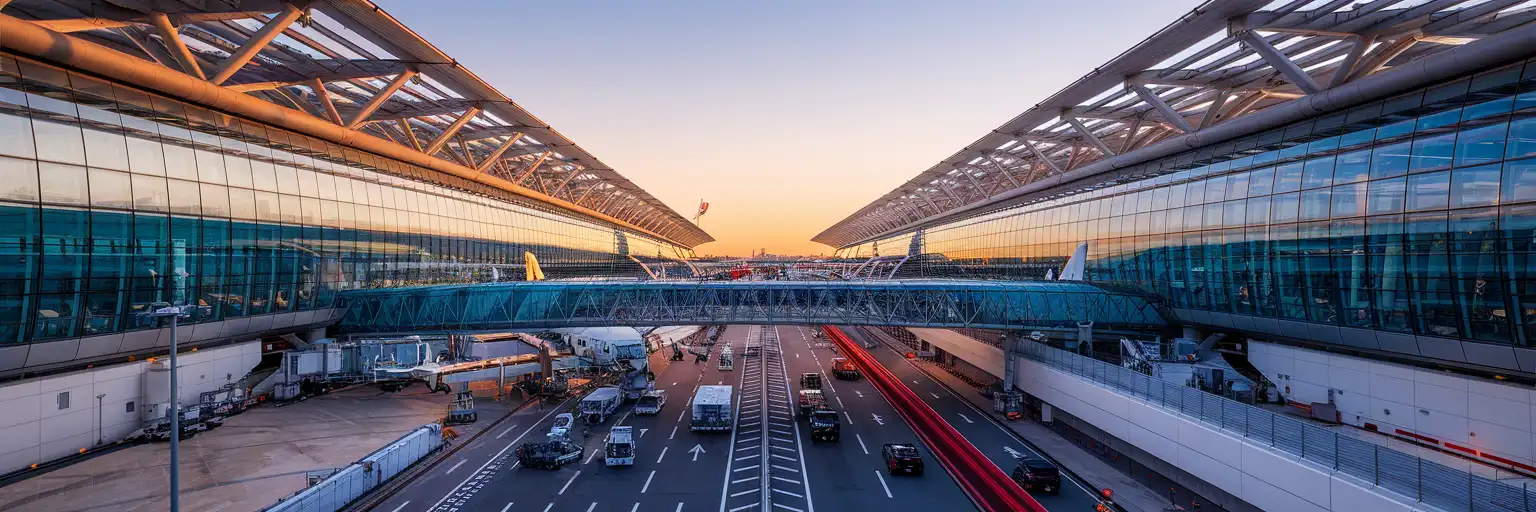
Tell us what you'll do and how long you'll be away — we'll highlight the right plan.
What will you do?

Heathrow Airport is not a place where you want to lose ten minutes hunting a signal. At LHR, your first data tasks start fast: checking whether your bag is delayed, sending an arrival message, opening the pickup note from a driver, or confirming whether you are staying at the airport or going straight to Oxford. If you are connecting, London Heathrow Airport can also mean a terminal change, another security check, and a long walk toward the next gate. Mobile data matters because these decisions happen in motion, not from a comfortable seat near a power socket.
That is why travelers buy eSIMno plans for Heathrow Airport, Oxford, United Kingdom before departure. Instead of joining a queue after customs, you can switch on your eSIM after landing and move straight into the next step of the trip. At Heathrow Airport, that may mean opening the Heathrow Express booking page, checking the Elizabeth line route to Paddington, or pulling up the Airline coach details for Oxford. If your meeting location changes, Google Maps, Citymapper, Uber, and train booking confirmations all need data right away. A stable connection also helps when LHR arrivals are busy and you need to coordinate with colleagues through WhatsApp or email while walking through the terminal.
The other reason is that your trip does not end at London Heathrow Airport. A Heathrow Airport eSIM is really your first-day UK setup. You may start at LHR, continue to Oxford in 80-100 minutes by coach, then head onward to central London, Cambridge, or a second city later in the week. Buying once and using the same plan across the country is simpler than treating Heathrow Airport as a one-off airport problem. You skip the physical SIM swap, keep your main number available for incoming calls on your home SIM, and handle all the internet-heavy parts of arrival on one data plan from the moment you step into the terminal.
Heathrow Airport runs as a four-terminal passenger airport: Terminals 2, 3, 4, and 5. For arrivals, the key practical detail is not sightseeing but flow. Terminal 2 and Terminal 3 sit close together, while Terminal 4 and Terminal 5 require extra transfer time if you need to move across the airport. If you are meeting a driver, hotel shuttle, or colleague, confirm the terminal in your booking before you leave the arrivals area because pickup instructions differ by terminal and Heathrow uses controlled forecourts.
If your trip continues to Oxford, the simplest path is usually the direct coach rather than doubling back into central London first. If your flight lands late in the evening, check that day’s final departures before you board the coach area escalator; very late arrivals can make an airport hotel the cleaner option. For business travelers with a layover, Heathrow Airport lounges and seating areas are useful for charging devices, but it is still smart to rely on mobile data as the backup for boarding passes, gate changes, and work messages while moving between concourses. The airport is built for volume, so the fastest traveler is the one whose phone works immediately.

 Recommended Recommended | Local SIM / Operator | Roaming | |
|---|---|---|---|
| FEATURES | |||
| Setup time | Few minutes | Store visit + paperwork | Auto |
| No local ID needed | Online checkout | Local ID required | Use home account |
| Speed | 4G/5G | Carrier-grade | Partner-dependent |
| Travel support | English support 24/7 | English only | Home carrier hours |
| Keep home number | Dual SIM | Replaces it | Same number |
| Cost predictability | Fixed price | Bills can spike | Bill-shock risk |
| PRICING | |||
Typical pricing | See plans below | — | $12-18 / day Typical day-pass tariff varies by home carrier |
No more SIM kiosks
Skip the airport queues. Install your eSIM at home, activate when you land.

No roaming surprises
Forget the $200 phone bill three weeks after your trip. Plain pricing, no hidden fees.

Keep your home number
Dual-SIM means your physical SIM stays active for calls and texts. eSIM handles only data.

Setup in 2 minutes
Scan QR code, follow on-screen steps, you're connected. Works on any eSIM-compatible phone.


Experience seamless global connectivity with our personal eSIM service. Enjoy faster speeds, wider coverage, and the convenience of online purchasing.

Buy a Data Plan
Search for your destination and pick any data plan
Step 1
Install your eSIM
Easy installation via qr code
Step 2
Activate Your eSIM
Only active when you are ready to use data
Step 3
24/7 Customer Support
Reach our team via WhatsApp and email during business hours. Quick answers to common questions available anytime through our automated assistant.
Immediate delivery
Your eSIM arrives by email within minutes. Install it before you board your flight.
Worldwide Coverage
One eSIM, 160+ countries. Land anywhere and connect instantly — no SIM swapping, no roaming charges.
Check Compatibility
Before buying and installing an eSim, check if your phone supports one
As you feel the need to use eSIM on your phone, the first question that arises is: does your mobile support eSIMs? And do eSIM-compatible devices work in all regions worldwide?
Find helpful information to answer your questions

Refer
A FRIEND
Step into the world of E-SIM, bring your friends and benefit together!