


Review Your Cart

Your cart is empty.

You haven't added any eSIM packages yet. Start exploring our plans to get connected!

Browse our eSIM Packages
🎉 Welcome offer: 20% off with promo code FIRSTWELCOME20

Thailand Thailand   / U-Tapao Rayong-Pattaya International Airport

Wide exterior view of U-Tapao Rayong-Pattaya International Airport in Pattaya, Thailand at golden hour

UTP Airport eSIM: Pattaya Data That Works Across Thailand

You step into arrivals at U-Tapao Rayong-Pattaya International Airport with immigration, baggage claim, your hotel pickup, and the road into Pattaya all happening at once. eSIMno lets you buy your Thailand eSIM in advance, install it in minutes, and switch it on after landing so your phone is ready for Grab, hotel messages, and live directions not just around UTP, but across the rest of Thailand too.
View Plans
GET A FULL20%OFFon your first order
Use code: FIRSTWELCOME20

Stay connected,
wherever you go

Seamless global eSIM coverage

Explore our plans below

Plan Your Trip

Tell us what you'll do and how long you'll be away — we'll highlight the right plan.

7 days
1102030

What will you do?

Tap an activity above to see which plan fits your trip

Already a customer?

EARN UP TOON EVERY FRIEND'S PURCHASE
NETWORK: True Move H The speed may vary depending on the location.

Quick Facts

Language
Thai (ภาษาไทย)
Currency
Thai Baht (THB, ฿)
Time Zone
Indochina Time (UTC+7)
Dialing Code
+66
Power Plug
Multiple plug types in use — bring a universal travel adapter
Emergency
191 (police), 1669 (ambulance)
eSIMno Networks
True Move H

How to Get Your eSIM

  1. Choose Your Thailand Plan Before Travel
    Pick the data amount that fits your arrival at U-Tapao Rayong-Pattaya International Airport and the rest of your Thailand trip. If you are heading straight to Pattaya, Jomtien, Rayong, or onward to Bangkok, buy one plan now instead of sorting connectivity at UTP arrivals.
  2. Install It While You Still Have Reliable WiFi
    Open the QR code email and add the eSIM profile before departure or during a stable layover connection. That keeps setup out of the arrivals flow at U-Tapao Rayong-Pattaya International Airport, where you will want your phone free for immigration details, pickup messages, and transport bookings.
  3. Keep It Ready But Do Not Turn It On Yet
    Finish installation, label the line as Thailand, and leave it idle until after landing. This keeps activation timing clean and means your plan starts when you need it, right as you arrive at UTP and leave airplane mode behind.
  4. Activate After Landing At UTP
    Once you are at the gate or in the terminal at U-Tapao Rayong-Pattaya International Airport, switch on the eSIM and mobile data. By baggage claim or the arrivals curb, your phone can already load Grab, hotel chat threads, Google Maps, and translation tools for the drive south or north along the coast.
  5. Use Your Home SIM For Voice, eSIMno For Data
    eSIMno is data-only. Your home SIM can stay active for incoming calls with no extra setup needed, while apps like WhatsApp, FaceTime, Telegram, and Google Meet use your eSIM data for internet calls and messages. That setup works well if your driver, hotel, or travel group needs to reach you as you leave UTP.

Traveler Tips

  • If you land late at U-Tapao Rayong-Pattaya International Airport, pre-book your transfer before wheels-in and keep the confirmation on your phone. Public road options thin out after the evening arrival bank, so working data at the curb saves time fast.
  • The drive from UTP to central Pattaya is about 40-45 km and can stretch to 60-90 minutes in heavier traffic on Sukhumvit Road. Keep Google Maps or Grab open so you can watch the route and update your hotel with an accurate ETA.
  • Grab is the first app to open after landing at U-Tapao Rayong-Pattaya International Airport. Even if you end up taking a taxi or hotel car, seeing the live fare and pickup flow on your phone gives you a price reference before you leave the terminal.
  • Carry a small amount of Thai baht for the first hour at UTP, especially if you are paying a driver, buying water, or using a smaller transport provider. ATMs are available, but a working data connection makes it easier to compare route options before spending cash.
  • If you are meeting friends in Pattaya, share your live location once you leave U-Tapao Rayong-Pattaya International Airport instead of sending text updates from memory. The road split toward Pattaya, Jomtien, and Bang Saray is easier to explain with a map pin than with landmark descriptions alone.

Why You Need an eSIM at UTP

U-Tapao Rayong-Pattaya International Airport is small enough that your arrival decisions happen quickly. At a huge hub, you might have 30-40 minutes to sort your phone before you reach public transport. At UTP, you can be through the terminal and at the curb in a short window, which makes mobile data useful immediately. The first tasks are practical: open Grab, check Google Maps traffic toward Pattaya, reply to your hotel on WhatsApp, and translate a driver message if the pickup note arrives in Thai. This is exactly where eSIMno plans for U-Tapao Rayong-Pattaya International Airport, Pattaya, Thailand make sense: you skip the SIM kiosk stop and go straight from arrival to transport.

UTP is also road-first. There is no airport rail line into the city, so the route from U-Tapao Rayong-Pattaya International Airport to Pattaya depends on live road conditions, not a fixed train timetable. A drive that looks simple on a static map can stretch when traffic builds near Sukhumvit Road, holiday arrivals stack up, or your accommodation turns out to be in Jomtien instead of central Pattaya. Data lets you compare Grab with a pre-booked transfer, send your exact hotel pin, and keep an eye on the ETA rather than guessing. If your trip continues to Terminal 21 Pattaya, the Sanctuary of Truth, or a beachfront hotel check-in, your phone keeps doing the work all day: directions, bookings, messaging, and internet calls.

UTP also appears on search in three forms: UTP, U-Tapao Rayong-Pattaya International Airport, and Pattaya airport. Travelers use all three because the airport serves a compact coastal corridor rather than one single downtown. A Thailand eSIM fits that reality better than arrival-only WiFi. You buy it for UTP, activate after landing, and keep the same data line working on the drive to Pattaya, on day trips, and on any onward leg across the country.

Visiting U-Tapao Rayong-Pattaya International Airport

For a smooth arrival at U-Tapao Rayong-Pattaya International Airport, think in phases rather than terminal numbers. UTP works as one compact commercial passenger building, so your priority is not finding the right terminal train or people mover. Your priority is moving cleanly through immigration, baggage claim, customs, and curbside pickup without losing time to setup tasks on your phone. Walking distances stay short inside the airport, and that makes preparation more important because the pace from aircraft door to ground transport is quick.

Food, seating, and lounge options at U-Tapao Rayong-Pattaya International Airport are limited compared with Bangkok’s major airports, and outlet hours track flight banks more than all-day demand. If your flight lands off-peak, do not plan on solving connectivity, meals, and transport in one stop after arrival. Have your eSIM installed, your accommodation address saved, and your transfer details easy to reach before the plane lands. That way, even a short queue at arrivals does not slow the rest of the journey.

If UTP is only your entry point and not your final stop, keep your next destination details organized before opening the terminal doors. Hotel names, condo numbers, and beach properties in Pattaya and Jomtien are easier for drivers to follow when you can show a live map pin instead of a screenshot or partial address.

Arrival Hall Connectivity

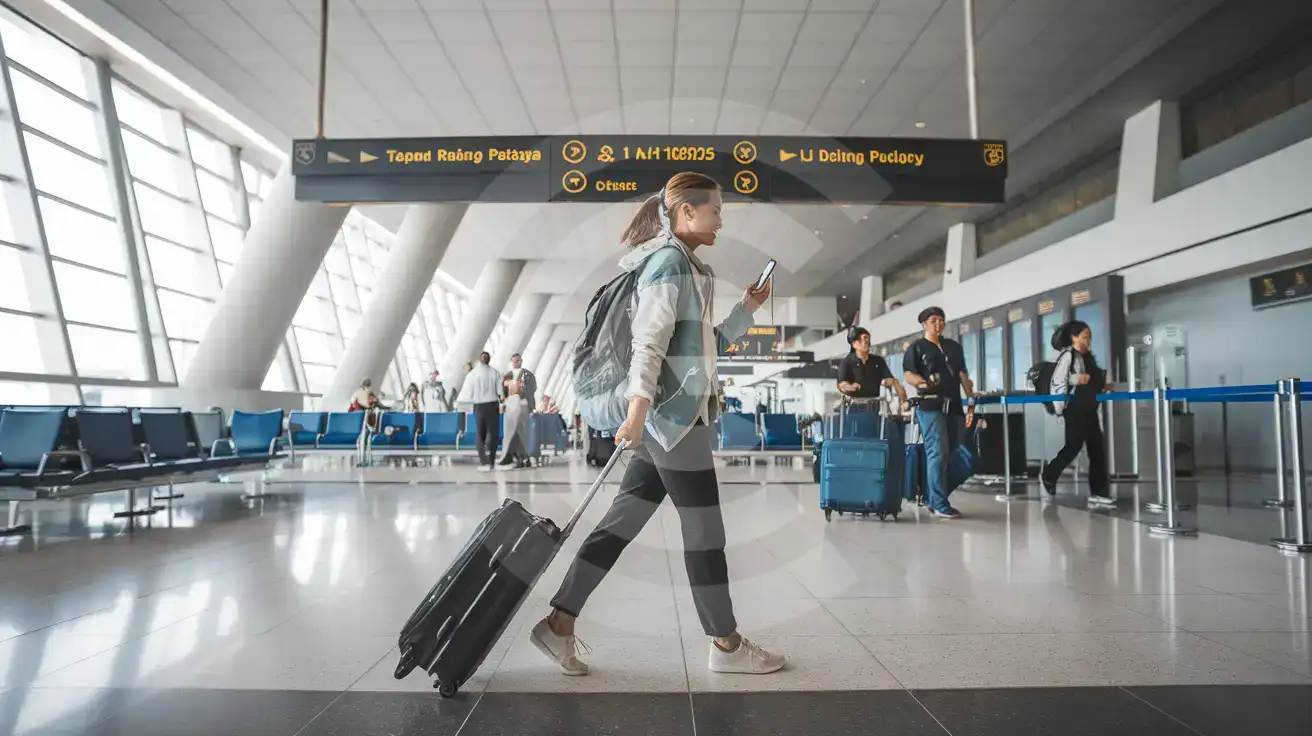
Solo female traveler walking through the arrivals concourse at U-Tapao Rayong-Pattaya International Airport in Pattaya, Thailand
At U-Tapao Rayong-Pattaya International Airport, activate after landing so rides and hotel messages load before you hit the curb.

Compare eSIM Options at U-Tapao Rayong-Pattaya International Airport

Recommended
Local SIM / Operator
Roaming
Setup timeStore visit + paperworkAuto
No local ID neededLocal ID requiredUse home account
SpeedCarrier-gradePartner-dependent
Travel supportThai onlyHome carrier hours
Keep home numberReplaces itSame number
Cost predictabilityBills can spikeBill-shock risk
Typical pricing
$12-18 / day
Typical day-pass tariff varies by home carrier

PRICING — PICK YOUR ESIMNO PLAN

Light traveler
5GB / 30d
$15.90
20% off with code FIRSTWELCOME20on your first order
≈ $12.72 USD with code
Buy now
Heavy traveler
20GB / 30d
$30.90
20% off with code FIRSTWELCOME20on your first order
≈ $24.72 USD with code
Buy now

Frequently Asked Questions (FAQs)

Install it before the trip, then switch it on after landing at U-Tapao Rayong-Pattaya International Airport. That timing lines up with the moment you need Grab, Google Maps, and pickup messages for the 40-45 km road trip toward Pattaya.

Yes — this is a Thailand travel data setup, so it keeps working after you leave U-Tapao Rayong-Pattaya International Airport for Pattaya, Jomtien, Rayong, or onward to Bangkok. That is useful if UTP is just your first stop and the rest of your trip keeps moving.

For this airport, yes, because UTP is compact and arrivals move quickly from baggage claim to curbside pickup. eSIMno lets you skip the extra stop, connect after landing, and handle your ride, hotel chat, and directions without adding a kiosk queue to the first hour.

The direct route from U-Tapao Rayong-Pattaya International Airport to central Pattaya is by road, not rail, and the drive is about 35-45 minutes in lighter traffic. Your phone helps immediately here: use Grab, confirm a hotel transfer, or send your exact property pin to the driver before leaving the arrivals area.

Yes. eSIMno is data-only, so your home SIM can stay active for incoming calls while you use eSIM data around U-Tapao Rayong-Pattaya International Airport for WhatsApp, FaceTime, Telegram, maps, and internet-based calling. Avoid placing native voice calls through your home SIM abroad if you want to avoid roaming charges.

GET A FULL20%OFFon your first order
Use code: FIRSTWELCOME20

Stay connected,
wherever you go

Seamless global eSIM coverage

Get Started
Landing at U-Tapao Rayong-Pattaya International Airport is a different arrival experience from Bangkok’s giant hubs: the terminal is compact, the walk is short, and things move fast once you clear formalities. That speed is exactly why mobile data matters here. You do not have a long rail transfer to figure things out later, because UTP sends you straight into road transport. The moment you reach the curb, you are already checking Grab availability, confirming a hotel car, translating a driver message, or loading Google Maps for Pattaya, Jomtien, Bang Saray, or Rayong. Activating an eSIM after landing keeps that first hour simple and removes the extra stop at a SIM counter. U-Tapao Rayong-Pattaya International Airport also sits in a practical middle ground for travelers: close enough to Pattaya for a direct drive, but far enough from central nightlife districts and beach hotels that every handoff matters. If your trip includes,, or a late check-in near, your phone needs working data before the airport curbside decisions start. Airport WiFi can help for a quick check, but your real travel flow begins in motion: booking a ride, sharing live location with your accommodation, pulling up a condo address in Thai, or checking whether your driver is taking the Sukhumvit route or the motorway. The bigger advantage is that your purchase does not stop at U-Tapao Rayong-Pattaya International Airport. A Thailand eSIM bought for this arrival keeps working if your itinerary expands to, Phuket, or island transfers later in the trip. Buy once, install once, and use the same data plan from your first minutes at UTP through the rest of your Thailand journey.
Back to Thailand
No more SIM kiosks

No more SIM kiosks

Skip the airport queues. Install your eSIM at home, activate when you land.

no roaming charges

No roaming surprises

Forget the $200 phone bill three weeks after your trip. Plain pricing, no hidden fees.

keep your physical sim

Keep your home number

Dual-SIM means your physical SIM stays active for calls and texts. eSIM handles only data.

easy installation

Setup in 2 minutes

Scan QR code, follow on-screen steps, you're connected. Works on any eSIM-compatible phone.

Pay SafelyVisa CardMaster CardGoogle PayPayPalApple Pay

How does eSIMNo Works?

Experience seamless global connectivity with our personal eSIM service. Enjoy faster speeds, wider coverage, and the convenience of online purchasing.

Buy a Data Plan

Buy a Data Plan

Search for your destination and pick any data plan

Step 1

Install your eSIM

Install your eSIM

Easy installation via qr code

Step 2

Activate Your eSIM

Activate Your eSIM

Only active when you are ready to use data

Step 3

Advantages

24/7 Customer Support

Reach our team via WhatsApp and email during business hours. Quick answers to common questions available anytime through our automated assistant.

Immediate delivery

Your eSIM arrives by email within minutes. Install it before you board your flight.

Worldwide Coverage

One eSIM, 160+ countries. Land anywhere and connect instantly — no SIM swapping, no roaming charges.

Check Compatibility

Check Compatibility

Before buying and installing an eSim, check if your phone supports one

Check if your phone is eSIM compatible

As you feel the need to use eSIM on your phone, the first question that arises is: does your mobile support eSIMs? And do eSIM-compatible devices work in all regions worldwide?

Some phones that support eSIM technology

  • IPhone XS and Later
  • Samsung Galaxy S20 and Later
  • Pixel 4 and Later
  • Xiaomi 12T Pro and Later
All eSIM-Compatible Phones

Frequently Asked Questions (FAQs)

Find helpful information to answer your questions

What smartphones support eSIM?
Most modern devices support eSIM, including iPhone XS and later, Samsung Galaxy S20 through S25 series, Google Pixel 4 and later, Huawei P40 and later, and many recent iPads. Check our full compatibility list before purchasing to confirm your device is supported.
Should I enable data roaming for the eSIM?
Yes - you must enable data roaming for the eSIM line, even though there are no roaming charges. The eSIM connects to a local partner network and your phone treats this as roaming. Enable it: iPhone > Settings > Cellular > eSIMno line > Data Roaming ON; Android > Settings > Network > SIMs > eSIMno > Roaming ON. This setting only affects the eSIM, not your home SIM.
What happens when my data plan runs out?
When you use up your data allowance, your connection stops until you top up or purchase a new plan. You can top up directly from the eSIMno Center while connected to Wi-Fi, or buy a new plan if your validity period has expired.
How do I set up the eSIM on my device?
The fastest way is straight from your order confirmation email, which now contains - for each eSIM - the QR code, a one-tap install link, and the SM-DP+ / activation codes. On the phone you'll use, tap the one-tap install link; or, to use the QR, show it on another screen or a printout and scan it with that same phone (not another phone); or enter the codes manually. The email also has an "Install eSIM" button that opens your eSIM's detail page and launches the install pop-up (sign in if prompted), and you can reach the same pop-up anytime via Profile > My eSIMs > find your plan (shown as "Ready to install") > Install. After installing, turn Data Roaming ON for your eSIMno line (iPhone: Settings > Cellular; Android: Settings > Connections/Network) - without it the eSIM installs but shows no internet. Full guide in Help & Support.
Can I use the eSIM right after purchase or do I need to wait?
Yes - you can install it immediately after purchase. Your order email arrives within minutes and contains the QR code, a one-tap install link and the manual codes, plus an "Install eSIM" button; you can also sign in > My eSIMs > Install any time. Installing right away does not start your plan - the validity countdown only begins when the eSIM connects to a mobile network inside your plan's coverage area. Keep the eSIM line and Data Roaming off until you are ready to start; if your plan covers the country you are in right now, turning the line on starts the countdown immediately.
What is the price range for the Thailand eSIM plans?
Prices commence at $4.90 and vary according to data allowance and plan duration. Larger data plans and longer durations cost more, but the per-GB rate decreases with bigger packages.
How long is the validity of the Thailand eSIM plans?
The validity of eSIM plans varies from 7 days to 90 days depending on the plan you choose. Lifetime options are also available for travelers who don't want their data to expire after a fixed period.
What payment methods does eSIMno accept?
eSIMno accepts major credit and debit cards (Visa, Mastercard, American Express), PayPal, Apple Pay, and Google Pay. All transactions are processed through secure encrypted gateways, and we don't store full card details on our servers.
Are there any hidden fees or extra charges?
No. The price you see at checkout is the total price - no activation fees, no hidden taxes, no roaming surcharges. Your data plan is fixed-price, and you'll never receive a surprise bill from your home carrier as long as you keep cellular data off on your home SIM.
How can I check my data usage?
Log in to the eSIMno Center on our website or mobile app to see your remaining data balance and usage history. You can also check usage in your phone's cellular data settings - most devices show data consumed per line.
Is the eSIM connection secure?
eSIM connections are as secure as standard cellular connections - encrypted by the carrier network. For added security on public networks (cafes, airports), use a VPN. The eSIM profile itself is digitally signed and can't be cloned like a physical SIM.
Does the eSIM work in rural areas and small towns?
Coverage depends on the partner network's reach in Thailand. Major cities, tourist areas, and highways typically have strong 4G/5G coverage. Remote rural areas may have weaker signal or fall back to 3G. Download offline maps before heading off the beaten path.

Use Your Free Credit

You can earn up to 15% commission from your friends' purchases with your Reference code. Plus, your friends will get $2 off their first purchase when they use your code!

FIND OUT HOW
Refer a friend

Refer

A FRIEND

Step into the world of E-SIM, bring your friends and benefit together!