







No more SIM kiosks
Skip the airport queues. Install your eSIM at home, activate when you land.


Land connected. No SIM kiosk hunt, no roaming charges, no setup at the airport. One plan covers your whole trip.
 Mexico / Templo Mayor Museum
Tell us what you'll do and how long you'll be away — we'll highlight the right plan.
What will you do?

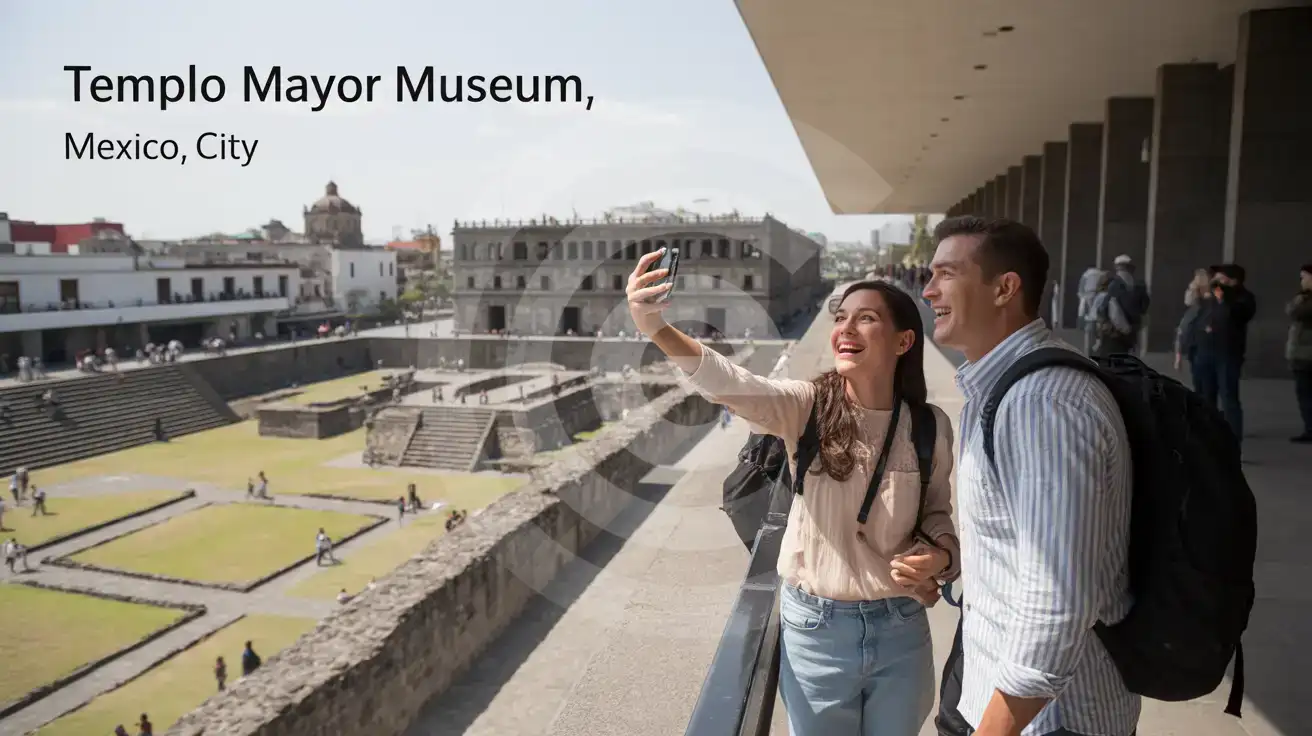
Templo Mayor Museum is one of those places where your phone is part of the visit from the first minute. You are in the middle of Centro Histórico, steps from Metropolitan Cathedral of Mexico City, the Zócalo, and busy pedestrian routes where plans change block by block. Mobile data lets you pull up the Templo Mayor Museum confirmation email, check opening details, message your travel partner on WhatsApp, and reroute with Google Maps if a street around the square is restricted for an event or security setup. That is a very different use case from sitting in a hotel on stable WiFi; here, movement is constant and every decision happens in real time.
The value continues after you leave the gate. A museum stop here often rolls straight into a walk toward Palacio Nacional, lunch in the historic core, or a Metro transfer toward Alameda or Reforma. With data on your phone, you can compare a walking route against a rideshare pickup, open Uber or DiDi without delay, translate menu items, and keep your group chat alive while everyone drifts between stops. If you are heading back toward your hotel before evening traffic tightens, live navigation matters more than static screenshots.
This is also where buying before the trip beats fixing connectivity on the day. If you land in Mexico City in the morning and visit Templo Mayor Museum that same afternoon, you do not want your first hour in the center spent hunting for a SIM shop. eSIMno plans for Templo Mayor Museum, Mexico City, Mexico let you install in advance, activate after landing, and arrive ready for the actual tasks that matter on-site: maps, booking lookups, ride apps, translation, messaging, cloud photos, and all the small checks that keep a packed Mexico City day running smoothly.
Templo Mayor Museum and the adjacent archaeological zone are a compact stop on the map, but the visit works better when you treat it as part of a broader Centro Histórico day. The site sits just east of the main square, and the easiest approach is on foot once you are already in the Zócalo area. If you are arriving straight from another neighborhood, leave extra time for street-level congestion in the historic core, especially from late morning into the afternoon.
Check the official museum page shortly before your visit for current opening days, last-entry timing, and ticket policy, because museum schedules and admission rules can change. Screenshots help, but live access is better if you need to confirm a same-day detail at the entrance. Photography rules can also vary by exhibition area, so having data ready for the current visitor information page is useful.
Inside the wider district, mobile service matters because the next move comes fast: finding lunch, locating the nearest Metro entrance, booking a car when your feet give out, or checking traffic before returning to your hotel. Templo Mayor is not an isolated ruin outside the city; it is embedded in one of the busiest visitor zones in Mexico, where connected planning saves real time.
 Recommended Recommended | Local SIM / Operator | Roaming | |
|---|---|---|---|
| FEATURES | |||
| Setup time | Few minutes | Store visit + paperwork | Auto |
| No local ID needed | Online checkout | Local ID required | Use home account |
| Speed | 4G/5G | Carrier-grade | Partner-dependent |
| Travel support | English support 24/7 | Spanish only | Home carrier hours |
| Keep home number | Dual SIM | Replaces it | Same number |
| Cost predictability | Fixed price | Bills can spike | Bill-shock risk |
| PRICING | |||
Typical pricing | See plans below | — | $12-18 / day Typical day-pass tariff varies by home carrier |
No more SIM kiosks
Skip the airport queues. Install your eSIM at home, activate when you land.

No roaming surprises
Forget the $200 phone bill three weeks after your trip. Plain pricing, no hidden fees.

Keep your home number
Dual-SIM means your physical SIM stays active for calls and texts. eSIM handles only data.

Setup in 2 minutes
Scan QR code, follow on-screen steps, you're connected. Works on any eSIM-compatible phone.


Experience seamless global connectivity with our personal eSIM service. Enjoy faster speeds, wider coverage, and the convenience of online purchasing.

Buy a Data Plan
Search for your destination and pick any data plan
Step 1
Install your eSIM
Easy installation via qr code
Step 2
Activate Your eSIM
Only active when you are ready to use data
Step 3
24/7 Customer Support
Reach our team via WhatsApp and email during business hours. Quick answers to common questions available anytime through our automated assistant.
Immediate delivery
Your eSIM arrives by email within minutes. Install it before you board your flight.
Worldwide Coverage
One eSIM, 160+ countries. Land anywhere and connect instantly — no SIM swapping, no roaming charges.
Check Compatibility
Before buying and installing an eSim, check if your phone supports one
As you feel the need to use eSIM on your phone, the first question that arises is: does your mobile support eSIMs? And do eSIM-compatible devices work in all regions worldwide?
Find helpful information to answer your questions

Refer
A FRIEND
Step into the world of E-SIM, bring your friends and benefit together!