

Review Your Cart

Your cart is empty.

You haven't added any eSIM packages yet. Start exploring our plans to get connected!

Browse our eSIM Packages
🎉 Welcome offer: 20% off with promo code FIRSTWELCOME20

Mexico Mexico   / Port of Cozumel

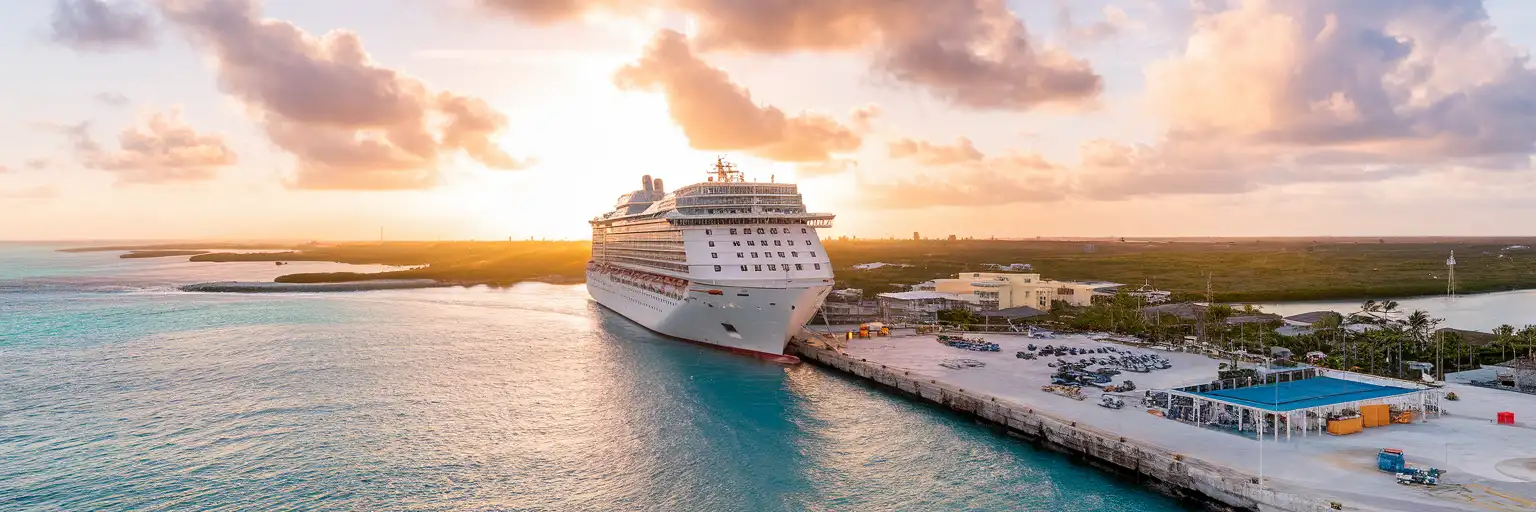
Wide exterior view of Port of Cozumel with cruise pier, docked ship, and turquoise waterfront at sunset

Port of Cozumel eSIM: Local Data That Works Across Mexico

You step off the ship at Port of Cozumel with excursion messages coming in, taxi prices to compare, and the walk or ride into Cozumel already waiting on your phone. With eSIMno, you can buy before your trip, install in minutes, and switch it on after landing so your data is ready at the port without hunting for a SIM shop.
View Plans
GET A FULL20%OFFon your first order
Use code: FIRSTWELCOME20

Stay connected,
wherever you go

Seamless global eSIM coverage

Explore our plans below

Plan Your Trip

Tell us what you'll do and how long you'll be away — we'll highlight the right plan.

7 days
1102030

What will you do?

Tap an activity above to see which plan fits your trip

Already a customer?

EARN UP TOON EVERY FRIEND'S PURCHASE
NETWORK: Movistar The speed may vary depending on the location.

Quick Facts

Language
Spanish (Español)
Currency
Mexican Peso (MXN, $)
Time Zone
Eastern Standard Time (UTC-5)
Dialing Code
+52
Power Plug
Type A, B (flat 2-pin, common across North America)
Emergency
911 (general)
eSIMno Networks
Movistar

How to Get Your eSIM

  1. Choose Your Mexico Plan Before Cruise Day
    Pick the data amount you want for Cozumel and the rest of Mexico before you leave home. That gives you one setup for port day, ferry day, beach clubs, and any onward flight or hotel check-in after Cozumel.
  2. Install Over Home WiFi
    Install the eSIM QR code while you still have reliable WiFi and time to spare. Save the activation details in your email so you are not searching through messages at the cruise terminal with luggage, sunscreen bag, and tour timings all at once.
  3. Keep It Off Until You Arrive
    Leave the eSIM installed but inactive during the trip out. Turn it on after landing or after your ship arrives and you are ready to use local data, so the plan starts when you need it at Port of Cozumel rather than earlier in transit.
  4. Use Data As You Leave The Pier
    Once you reconnect, open the apps you will actually use first: Google Maps for San Miguel routes, WhatsApp for excursion messages, and your card or banking app for purchases in pesos. You skip the line for a physical SIM and move straight toward taxis, downtown, or the waterfront mall area.
  5. Keep Using It Beyond Cozumel
    Your plan is not limited to the port. If your trip continues through San Miguel de Cozumel, on to Playa del Carmen by ferry, or later to another Mexican city, the same eSIM keeps your data working across the country without another setup.

Traveler Tips

  • If your ship docks in the morning, switch on your eSIM as you walk off the gangway so Google Maps and WhatsApp are ready before you reach the taxi area outside the cruise complex.
  • The walk from the port area into central San Miguel is short enough for many cruise visitors, but the heat climbs fast by late morning; having data lets you compare walking time versus a taxi in real time.
  • Punta Langosta and the downtown waterfront put shops, pharmacies, and cafes close together, so keep your phone on low-data mode if you are only ashore for 4-6 hours and want to stretch a smaller plan.
  • If you keep your home SIM active for voice, incoming calls still reach your usual number with no extra setup needed. For outgoing calls, use WhatsApp, FaceTime, Telegram, or another internet-based app over your data plan.
  • Screenshot your tour operator message, reservation barcode, and return-to-ship time before you leave the terminal zone. That gives you a backup if you step into a busy spot and want fast access without searching your inbox.

Why Data Matters at Port of Cozumel

Port of Cozumel is not a place where you want to arrive offline. Cruise passengers hit the pier in waves, and your first hour is all logistics: checking WhatsApp from your shore-excursion operator, opening Google Maps for the route into San Miguel, and confirming whether you are walking to Punta Langosta Mall or taking a taxi straight to Chankanaab. Each of those decisions happens in minutes, not after a long coffee stop with stable WiFi.

The port also sits inside a wider island-movement chain. One traveler needs the pickup pin for a beach club, another needs the meeting point for a reef boat, and another is comparing the route toward Punta Langosta Mall against a ride to Coral Reefs Monument. If your group splits up, data becomes the glue: live location sharing, card payment alerts, translation for quick purchases, and photo-sharing back into the family chat before the ship departs.

That is why eSIMno plans for Port of Cozumel, Cozumel, Mexico sell best before departure, not after arrival. You install once at home, then activate after arrival and walk off the ship with working data already in place. No plastic SIM, no kiosk search, no wasted shore time. And because the plan works across Mexico, it still helps after Cozumel if your trip continues by ferry, airport transfer, or hotel check-in on the mainland.

Visiting Port of Cozumel

Port of Cozumel works best when you treat it as a fast-moving arrival zone rather than a place to linger online. Cruise lines can berth at different Cozumel terminal areas, so it is worth checking your ship notice before docking and matching that with your shore plan. If you booked an independent excursion, keep the confirmation email and meeting instructions easy to open because pickup points may sit just beyond the controlled port shopping area.

If you are staying near the waterfront, downtown San Miguel is close enough for a quick ride or walk depending on heat, time ashore, and how much you are carrying. Travelers heading farther south toward beach clubs or marine parks should line up transport early in the day, because midday return traffic back toward the cruise zone compresses your schedule. If you are connecting onward by ferry or arranging airport travel later, keep those bookings stored on your phone before you leave the ship so you can move between the port, town, and onward transport without delays.

Cruise-Day Arrival Scene

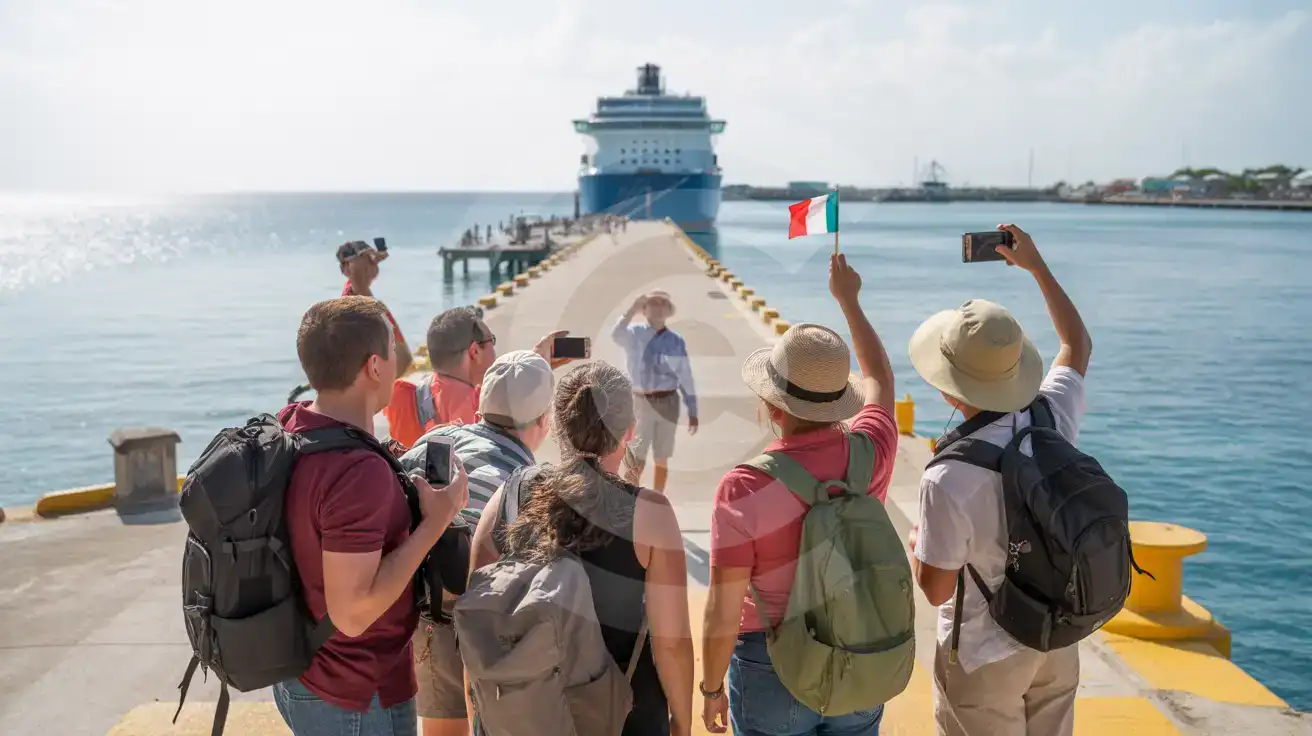
Guided tour group near the Port of Cozumel waterfront with cruise pier and ship in the background
At Port of Cozumel, Cozumel, Mexico, having your eSIM ready means maps and tour messages work the moment you head off the pier.

Compare eSIM Options at Port of Cozumel

Recommended
Local SIM / Operator
Roaming
Setup timeStore visit + paperworkAuto
No local ID neededLocal ID requiredUse home account
SpeedCarrier-gradePartner-dependent
Travel supportSpanish onlyHome carrier hours
Keep home numberReplaces itSame number
Cost predictabilityBills can spikeBill-shock risk
Typical pricing
$12-18 / day
Typical day-pass tariff varies by home carrier

PRICING — PICK YOUR ESIMNO PLAN

Light traveler
5GB / 30d
₺1399.00 TL
20% off with code FIRSTWELCOME20on your first order
≈ ₺1,119.20 TL with code
Buy now
Heavy traveler
20GB / 30d
₺3899.00 TL
20% off with code FIRSTWELCOME20on your first order
≈ ₺3,119.20 TL with code
Buy now

Frequently Asked Questions (FAQs)

Install it before your trip, then switch it on after arrival when you are ready to go ashore at Port of Cozumel. By the time you are leaving the pier for San Miguel or opening your excursion meeting point, your phone should already be pulling data.
Yes — that is the big advantage here. If Port of Cozumel is only one part of your Mexico trip and you continue to Cancún, Playa del Carmen, or Mexico City, the same plan keeps working across the country without needing another SIM setup.
For a 4-8 hour shore day at Port of Cozumel, light users handling Google Maps, WhatsApp, email, and card apps can stay comfortable on a small plan. If you plan to upload beach photos, stream video from a catamaran trip, or hotspot another device near Punta Langosta, buy more than the minimum.
Google Maps, WhatsApp, your cruise line messages, your banking app, and any ferry or excursion confirmations matter most at Port of Cozumel. Those are the tools you reach for first when you are checking a pickup point, comparing a taxi, or sharing your live location back to the group.
Yes. If your phone supports dual SIM, your home SIM can stay active for voice while your eSIM handles data around Port of Cozumel and the rest of Mexico. For outgoing calls, use data-based apps like WhatsApp or FaceTime so you do not trigger roaming charges on your home line.
You can, but it is slower and less convenient on a cruise day when you want to move straight from Port of Cozumel to town, a beach club, or the ferry area. The cleaner option is to install early and use eSIMno so activation takes only a moment once you are ready to go ashore.
GET A FULL20%OFFon your first order
Use code: FIRSTWELCOME20

Stay connected,
wherever you go

Seamless global eSIM coverage

Get Started
Cruise-port arrivals move fast in Cozumel. The moment you clear the pier, you're checking pickup instructions, opening Google Maps for the route into San Miguel, and confirming whether your beach club, reef tour, or ferry connection still runs on time. That is exactly why travelers search for a Port of Cozumel eSIM before sail date. A data plan already installed on your phone removes the slow first-hour scramble at the terminal and gives you instant access to maps, messaging, translation, and rides the second you reconnect after arrival. Port WiFi is not where you want to solve logistics. Cruise days bring thousands of passengers ashore at once, and the first tasks are practical: pull up your meeting point, message your group on WhatsApp, check card charges in your banking app, and look up current taxi guidance before you leave the controlled port area. If you're heading onward to Punta Langosta, downtown streets, or the for a same-day connection, mobile data keeps every step moving without pauses at a crowded hotspot. A Port of Cozumel eSIM also keeps working after the pier. That matters if Cozumel is just one stop on a wider trip through Mexico, whether you continue to Cancún, Playa del Carmen, or Mexico City. Buy once, install before departure, and use the same plan across the country instead of dealing with a venue-only connection. Travelers looking for internet at Port of Cozumel or a cruise-port WiFi alternative are already close to buying; the smart move is setting up the plan early so your phone is ready the minute the ship day begins.
Back to Mexico
No more SIM kiosks

No more SIM kiosks

Skip the airport queues. Install your eSIM at home, activate when you land.

no roaming charges

No roaming surprises

Forget the $200 phone bill three weeks after your trip. Plain pricing, no hidden fees.

keep your physical sim

Keep your home number

Dual-SIM means your physical SIM stays active for calls and texts. eSIM handles only data.

easy installation

Setup in 2 minutes

Scan QR code, follow on-screen steps, you're connected. Works on any eSIM-compatible phone.

Pay SafelyVisa CardMaster CardGoogle PayPayPalApple Pay

How does eSIMNo Works?

Experience seamless global connectivity with our personal eSIM service. Enjoy faster speeds, wider coverage, and the convenience of online purchasing.

Buy a Data Plan

Buy a Data Plan

Search for your destination and pick any data plan

Step 1

Install your eSIM

Install your eSIM

Easy installation via qr code

Step 2

Activate Your eSIM

Activate Your eSIM

Only active when you are ready to use data

Step 3

Advantages

24/7 Customer Support

Reach our team via WhatsApp and email during business hours. Quick answers to common questions available anytime through our automated assistant.

Immediate delivery

Your eSIM arrives by email within minutes. Install it before you board your flight.

Worldwide Coverage

One eSIM, 160+ countries. Land anywhere and connect instantly — no SIM swapping, no roaming charges.

Check Compatibility

Check Compatibility

Before buying and installing an eSim, check if your phone supports one

Check if your phone is eSIM compatible

As you feel the need to use eSIM on your phone, the first question that arises is: does your mobile support eSIMs? And do eSIM-compatible devices work in all regions worldwide?

Some phones that support eSIM technology

  • IPhone XS and Later
  • Samsung Galaxy S20 and Later
  • Pixel 4 and Later
  • Xiaomi 12T Pro and Later
All eSIM-Compatible Phones

Frequently Asked Questions (FAQs)

Find helpful information to answer your questions

Can I use the eSIM for my smartwatch?
Some smartwatches (Apple Watch Cellular, Samsung Galaxy Watch LTE) support eSIM, but they typically require a plan from your home carrier rather than a travel eSIM. eSIMno plans are designed for phones and tablets - check device compatibility before purchase if you intend to use a wearable.
Can I make phone calls or send SMS?
eSIMno is a data-only service, so you can't make traditional voice calls or send SMS through the eSIM line. However, you can use messaging and calling apps over data - WhatsApp, iMessage, FaceTime, Telegram, Signal, and Google Meet all work normally.
How can I verify if my eSIM is activated?
There are two clear indicators: (1) your phone's status bar shows the local carrier name once you arrive at your destination, and (2) the data icon (4G, LTE, or 5G) appears next to the eSIMno line in your cellular settings. If neither shows up, toggle airplane mode off and on, or restart your phone.
What network speeds can I expect?
Most eSIMno plans connect at 4G/LTE or 5G speeds depending on local network availability and your device's capabilities. Speed varies by location, network congestion, and signal strength. In major cities and tourist areas, expect speeds comparable to local mobile carriers.
Which eSIM is best for travelling to Mexico?
eSIMno is an excellent option for travelers heading to Mexico. We offer a diverse range of eSIM plans - including regional, local, and lifetime options - with reliable coverage on local networks.
Can I use the eSIM to make video calls?
Yes - apps like FaceTime, WhatsApp, Zoom, Google Meet, and Microsoft Teams all work over your eSIM data. Video calls use about 200-400 MB per hour depending on quality, so factor that into your plan choice if you make long calls regularly.
Will my home phone number receive calls while I use the eSIM?
Yes - if your home SIM stays installed and active, calls and SMS to your home number arrive normally. The eSIM only handles data; voice service stays on your home line. Just remember that incoming calls and texts to your home number while abroad may trigger roaming charges from your home carrier.
Can I install multiple eSIMs on the same phone?
Yes. Modern iPhones and Android devices support multiple eSIM profiles - typically 5 to 8 stored profiles, with 1 or 2 active simultaneously. You can install eSIMs for different countries and switch between them in settings without removing any.
Can I get a refund after purchase?
Refunds are not available once an eSIM has been installed or activated - install codes are one-time-use, so an installed eSIM is considered used even if no data has been consumed. If you have not installed your eSIM yet and want a refund, contact support within the refund window stated at checkout. We recommend reviewing plan details carefully before purchase to avoid any issues.
How do I set up the eSIM on my device?
The fastest way is straight from your order confirmation email, which now contains - for each eSIM - the QR code, a one-tap install link, and the SM-DP+ / activation codes. On the phone you'll use, tap the one-tap install link; or, to use the QR, show it on another screen or a printout and scan it with that same phone (not another phone); or enter the codes manually. The email also has an "Install eSIM" button that opens your eSIM's detail page and launches the install pop-up (sign in if prompted), and you can reach the same pop-up anytime via Profile > My eSIMs > find your plan (shown as "Ready to install") > Install. After installing, turn Data Roaming ON for your eSIMno line (iPhone: Settings > Cellular; Android: Settings > Connections/Network) - without it the eSIM installs but shows no internet. Full guide in Help & Support.
What makes eSIMno different from other eSIM services?
eSIMno partners directly with local operators in over 200 countries, eliminating intermediaries. This direct relationship lets us offer competitive pricing, extensive coverage, and faster activation than resellers who route data through third parties.
Can I switch the eSIM to a different phone after activation?
Generally no. Once an eSIM is activated on a device, it's tied to that device. If you switch phones, you'll need to install a new eSIM. Some carriers offer eSIM transfer features, but eSIMno plans don't currently support transfer between devices.

Use Your Free Credit

You can earn up to 15% commission from your friends' purchases with your Reference code. Plus, your friends will get $2 off their first purchase when they use your code!

FIND OUT HOW
Refer a friend

Refer

A FRIEND

Step into the world of E-SIM, bring your friends and benefit together!