


Review Your Cart

Your cart is empty.

You haven't added any eSIM packages yet. Start exploring our plans to get connected!

Browse our eSIM Packages
🎉 Welcome offer: 20% off with promo code FIRSTWELCOME20

Egypt Egypt   / Giza Pyramid Complex

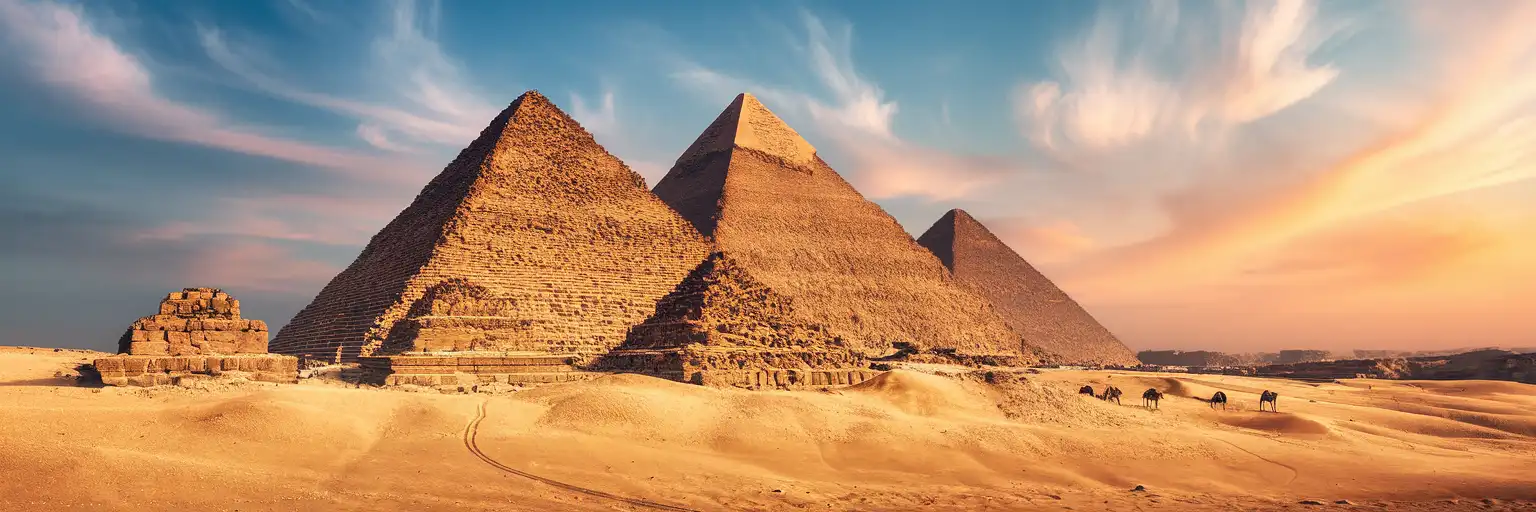
The Great Pyramid of Khufu and Pyramid of Khafre rising from the Giza Plateau at golden hour with desert sand in the foreground

Giza Pyramid Complex eSIM: Egypt Data That Works Nationwide

You're standing on the Giza Plateau with your timed-entry ticket QR ready to scan, photos of the Great Pyramid queuing to upload, and a rideshare pickup to coordinate back toward Grand Egyptian Museum for the afternoon. With eSIMno, your Egypt data activates before you board — so your phone connects the moment you land at Cairo International.
View Plans
GET A FULL20%OFFon your first order
Use code: FIRSTWELCOME20

Stay connected,
wherever you go

Seamless global eSIM coverage

Explore our plans below

Plan Your Trip

Tell us what you'll do and how long you'll be away — we'll highlight the right plan.

7 days
1102030

What will you do?

Tap an activity above to see which plan fits your trip

Already a customer?

EARN UP TOON EVERY FRIEND'S PURCHASE
NETWORK: Etisalat The speed may vary depending on the location.

Quick Facts

Time Zone
E. Europe Standard Time (UTC+2)
Dialing Code
+20
Currency
Egyptian Pound (EGP, E£)
Power Plug
Type C, E, F (round 2-pin, common across most of Europe)
Language
Arabic (عربي)
Emergency
122 (police), 123 (ambulance), 180 (fire)
eSIMno Networks
Etisalat

How to Get Your eSIM

  1. Choose Your Egypt Plan
    Pick from data packages on this page — 7-day and 14-day options work well for a pyramid visit plus Cairo exploration or a longer Nile extension.
  2. Install Before Your Flight
    Download the eSIM profile at home over stable WiFi. The QR code arrives by email within minutes of purchase. Installation takes under 3 minutes.
  3. Keep Both SIMs Ready
    Your home SIM stays active for incoming calls and texts. The eSIMno plan handles data — maps, rideshare apps, photo uploads, translation tools.
  4. Activate After Landing at Cairo International
    Once your aircraft reaches the gate and you switch off airplane mode, your phone connects to Etisalat within seconds. Data works before you clear passport control.
  5. Navigate to the Pyramids Connected
    Your taxi or rideshare ride from the airport to Giza takes 45-90 minutes depending on traffic. Track the route live on Google Maps, confirm your hotel check-in, and queue photos for upload while you ride.

Traveler Tips

  • Arrive at the plateau gate by 8:00 AM to beat tour-bus crowds — your eSIM helps you track live traffic from your hotel and coordinate an early taxi pickup.
  • The Great Pyramid interior entry tickets sell out by mid-morning. Load the official booking site on data before you arrive to check slot availability.
  • Wear closed-toe shoes with grip — the plateau sand and pyramid base stones are uneven. Sun-protective layers and water are essential; shade is almost nonexistent.
  • Download offline Arabic-to-English translation before your visit. Signs at the site mix Arabic and English, but vendor negotiations often benefit from quick phrase lookup.
  • The panoramic viewpoint near Menkaure's pyramid sits 1.5 km from the main entrance. Budget 2-3 hours minimum to walk the full loop comfortably.
  • Keep your phone charged above 50% — GPS navigation, photo uploads, and translation drain battery fast under desert sun reflection.

Why Data Matters at the Giza Pyramid Complex

The Giza Plateau stretches across open desert with minimal infrastructure between the three main pyramids, the Sphinx enclosure, and the panoramic viewpoint to the southwest. Your phone becomes your primary tool for the entire visit — and there's no reliable public WiFi across the site.

Ticket and Entry Flow

Timed-entry confirmations for the Great Pyramid interior arrive as email PDFs or booking-app QR codes. The gate scanner at the Khufu entrance requires a loaded screen, not a screenshot — if the confirmation email hasn't downloaded, you're stuck in the queue refreshing on weak signal. Your eSIMno plans for Giza Pyramid Complex, Giza, Egypt keep that email loading instantly. The Khafre and Menkaure pyramids use similar confirmation flows when interior access is open.

Navigation and Rideshare Coordination

The plateau has three public entrances — the main Pyramids Road gate, the Sphinx-side gate near the Valley Temple, and a desert road entry for panorama access. Google Maps and Uber Egypt both work for coordinating pickup, but drivers need precise pin drops. WhatsApp voice messages to your driver cut through the language gap faster than typing. Careem operates as an Uber alternative; both apps need live data to track your driver's approach.

Photo Uploads and Translation

The desert light produces exceptional photographs — and your phone's photo library fills fast. Background cloud sync to iCloud or Google Photos keeps storage free for the next shot. Translation apps like Google Translate pull hieroglyphic explanations from plaques near the boat pit and the Solar Boat Museum. Currency converter apps help when negotiating camel rides (expect 200-400 EGP for a short loop, though prices drift with inflation and negotiation).

Visiting the Giza Pyramid Complex

The complex opens daily around 8:00 AM, with last entry to pyramid interiors closing earlier than the general site. Hours shift during Ramadan and public holidays — check the official Ministry of Tourism channels before your visit date. General plateau tickets run a few hundred Egyptian pounds for foreign visitors; interior access to Khufu's pyramid costs significantly more and sells limited daily slots. Student discounts require valid international ID.

Getting There

From central Cairo or Zamalek, taxi and rideshare apps show 45-90 minutes depending on Nile bridge traffic. Cairo Metro Line 2 reaches Giza station, but the final leg to the pyramids still requires taxi or microbus — the metro alone won't get you to the gate. The Grand Egyptian Museum sits near the plateau's northern edge; combining both in one day works if you start early at the pyramids and shift to air-conditioned galleries by early afternoon.

What to Expect On-Site

Walking distances are longer than maps suggest — the loop from the main entrance to the Sphinx and back to the panorama viewpoint covers 3-4 km of uneven sand and stone. Camel and horse rides are available but negotiation is expected. Photography is permitted outdoors; tripods, drones, and professional equipment require permits. Inside the pyramid chambers, flash photography is restricted and some passages are too narrow for comfortable phone use anyway. Modest dress is advisable throughout Egypt, though this is an archaeological site rather than a religious one.

Connected at the Pyramids

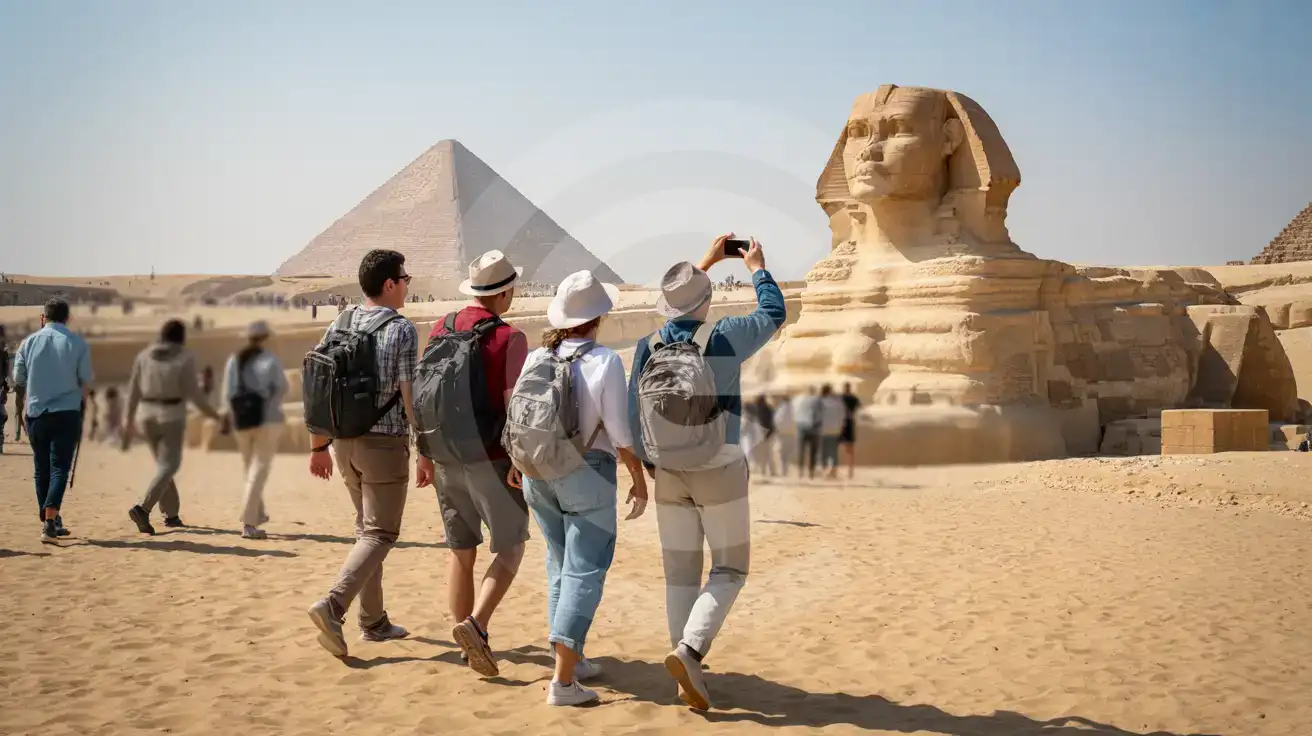
Three friends walking toward the Great Sphinx at Giza with the Pyramid of Khafre in the background, one holding a smartphone to photograph the scene
Activate your Egypt eSIM before departure so your phone connects the moment you reach the Giza Plateau.

Compare eSIM Options at Giza Pyramid Complex

Recommended
Local SIM / Operator
Roaming
Setup timeStore visit + paperworkAuto
No local ID neededLocal ID requiredUse home account
SpeedCarrier-gradePartner-dependent
Travel supportArabic onlyHome carrier hours
Keep home numberReplaces itSame number
Cost predictabilityBills can spikeBill-shock risk
Typical pricing
$12-18 / day
Typical day-pass tariff varies by home carrier

PRICING — PICK YOUR ESIMNO PLAN

Light traveler
5GB / 30d
$15.90
20% off with code FIRSTWELCOME20on your first order
≈ $12.72 USD with code
Buy now
Heavy traveler
20GB / 30d
$30.90
20% off with code FIRSTWELCOME20on your first order
≈ $24.72 USD with code
Buy now

Frequently Asked Questions (FAQs)

Install the eSIM profile at home over WiFi before your flight. Once your aircraft lands at Cairo International and you switch off airplane mode, the Etisalat network connects within seconds — your data works before you clear passport control and well before your taxi reaches the Giza Plateau.

The plateau is open desert with clear line-of-sight to surrounding towers. Signal holds strong from the main entrance through the Khufu and Khafre areas, down to the Sphinx enclosure, and out to the panoramic viewpoint near Menkaure. You'll have data for tickets, navigation, and photo uploads across the full walking loop.

Yes. Your home SIM stays active for incoming calls and texts while the eSIMno plan handles all data — maps, rideshare apps, translations, photo uploads. For outgoing calls, use WhatsApp or FaceTime over your eSIM data to avoid roaming charges on your home line.

Rideshare apps like Uber Egypt and Careem work from the airport arrivals terminal. The drive to the Giza Plateau takes 45-90 minutes depending on Nile bridge traffic. Track your route live on Google Maps and message your driver directly through WhatsApp if needed — all running on your eSIM data from the moment you land.

The same Egypt plan covers the Grand Egyptian Museum, which sits near the plateau's northern edge. Your data continues working through the museum galleries, the café, and the pickup zone afterward. One eSIM plan covers the entire Giza area and beyond.

Your eSIMno Egypt plan works nationwide. The same Etisalat coverage that connects you at the Giza Plateau keeps working on the overnight train to Luxor, at the Valley of the Kings, along the Nile cruise route to Aswan, and at Abu Simbel. No SIM swaps, no new activations — one plan, full country coverage.

GET A FULL20%OFFon your first order
Use code: FIRSTWELCOME20

Stay connected,
wherever you go

Seamless global eSIM coverage

Get Started
The Giza Pyramid Complex sits on a desert plateau where cellular signal travels unobstructed from the main entrance to the panoramic viewpoint near Menkaure's pyramid. Your eSIM connects through Etisalat's local network, giving you the same coverage Egyptian residents use for everyday tasks. Activate the profile at home over WiFi before your flight departs, and by the time your taxi clears the Giza traffic and drops you at the visitor gate, your phone is already pulling directions. Data demands stack quickly across a plateau visit. The timed-entry confirmation email needs to load at the gate scanner. The audio guide downloads pull museum-quality narration for each pyramid. Translation apps help with hieroglyphic context signs. Photos upload to cloud backup while you wait for the camel-ride operator. Rideshare apps coordinate the return pickup from the Sphinx-side exit when your legs are done with the sand. Public WiFi options at the site are minimal and unreliable — the eSIM keeps your connection independent. Your Egypt eSIM works beyond the plateau. The same plan covers the Grand Egyptian Museum transfer, the Khan el-Khalili bazaar browsing session, the Citadel day trip, and any extension to Luxor or Aswan. One activation, one plan, full national coverage on Etisalat infrastructure. No kiosk queues at the airport, no SIM card swaps, no hunting for local shops that might be closed during afternoon prayers.
Back to Egypt
No more SIM kiosks

No more SIM kiosks

Skip the airport queues. Install your eSIM at home, activate when you land.

no roaming charges

No roaming surprises

Forget the $200 phone bill three weeks after your trip. Plain pricing, no hidden fees.

keep your physical sim

Keep your home number

Dual-SIM means your physical SIM stays active for calls and texts. eSIM handles only data.

easy installation

Setup in 2 minutes

Scan QR code, follow on-screen steps, you're connected. Works on any eSIM-compatible phone.

Pay SafelyVisa CardMaster CardGoogle PayPayPalApple Pay

How does eSIMNo Works?

Experience seamless global connectivity with our personal eSIM service. Enjoy faster speeds, wider coverage, and the convenience of online purchasing.

Buy a Data Plan

Buy a Data Plan

Search for your destination and pick any data plan

Step 1

Install your eSIM

Install your eSIM

Easy installation via qr code

Step 2

Activate Your eSIM

Activate Your eSIM

Only active when you are ready to use data

Step 3

Advantages

24/7 Customer Support

Reach our team via WhatsApp and email during business hours. Quick answers to common questions available anytime through our automated assistant.

Immediate delivery

Your eSIM arrives by email within minutes. Install it before you board your flight.

Worldwide Coverage

One eSIM, 160+ countries. Land anywhere and connect instantly — no SIM swapping, no roaming charges.

Check Compatibility

Check Compatibility

Before buying and installing an eSim, check if your phone supports one

Check if your phone is eSIM compatible

As you feel the need to use eSIM on your phone, the first question that arises is: does your mobile support eSIMs? And do eSIM-compatible devices work in all regions worldwide?

Some phones that support eSIM technology

  • IPhone XS and Later
  • Samsung Galaxy S20 and Later
  • Pixel 4 and Later
  • Xiaomi 12T Pro and Later
All eSIM-Compatible Phones

Frequently Asked Questions (FAQs)

Find helpful information to answer your questions

How long is the validity of the Egypt eSIM plans?
The validity of eSIM plans varies from 7 days to 90 days depending on the plan you choose. Lifetime options are also available for travelers who don't want their data to expire after a fixed period.
Can I make phone calls or send SMS?
eSIMno is a data-only service, so you can't make traditional voice calls or send SMS through the eSIM line. However, you can use messaging and calling apps over data - WhatsApp, iMessage, FaceTime, Telegram, Signal, and Google Meet all work normally.
How can I purchase the Egypt eSIM?
You can purchase your eSIM directly from the eSIMno website - select a Egypt plan and complete the payment. Within minutes you'll receive an order confirmation email that contains everything you need to install: a QR code, a one-tap install link, the SM-DP+ address and activation code, plus an "Install eSIM" button. You can install straight from that email, or sign in anytime and go to Profile > My eSIMs > Install to get the same options.
Can I use the eSIM to make video calls?
Yes - apps like FaceTime, WhatsApp, Zoom, Google Meet, and Microsoft Teams all work over your eSIM data. Video calls use about 200-400 MB per hour depending on quality, so factor that into your plan choice if you make long calls regularly.
Should I enable data roaming for the eSIM?
Yes - you must enable data roaming for the eSIM line, even though there are no roaming charges. The eSIM connects to a local partner network and your phone treats this as roaming. Enable it: iPhone > Settings > Cellular > eSIMno line > Data Roaming ON; Android > Settings > Network > SIMs > eSIMno > Roaming ON. This setting only affects the eSIM, not your home SIM.
Can I use the eSIM for my smartwatch?
Some smartwatches (Apple Watch Cellular, Samsung Galaxy Watch LTE) support eSIM, but they typically require a plan from your home carrier rather than a travel eSIM. eSIMno plans are designed for phones and tablets - check device compatibility before purchase if you intend to use a wearable.
Can I tether or use Personal Hotspot with my eSIM?
Yes. Your eSIMno plan supports tethering and Personal Hotspot at no extra charge. Activate the Personal Hotspot feature in your device settings and connect other devices as you would with any cellular plan. Data used while tethering counts toward your plan allowance.
How can I verify if my eSIM is activated?
There are two clear indicators: (1) your phone's status bar shows the local carrier name once you arrive at your destination, and (2) the data icon (4G, LTE, or 5G) appears next to the eSIMno line in your cellular settings. If neither shows up, toggle airplane mode off and on, or restart your phone.
Can I install multiple eSIMs on the same phone?
Yes. Modern iPhones and Android devices support multiple eSIM profiles - typically 5 to 8 stored profiles, with 1 or 2 active simultaneously. You can install eSIMs for different countries and switch between them in settings without removing any.
Can I install my eSIM before traveling?
Yes - setting it up before your trip is the easiest approach. Your confirmation email contains the QR code, a one-tap install link and the manual SM-DP+ / activation codes (the same options are also available via sign in > Profile > My eSIMs > Install). While on Wi-Fi at home, install it with the one-tap link on your phone, or - to use the QR - show it on another screen or a printout and scan it with the phone you are setting up (not another phone). Installing does not start your plan: the validity countdown only begins when the eSIM connects to a mobile network inside your plan's coverage area. Keep the eSIM line and its Data Roaming off until you are ready to start - if your plan covers the country you are in right now, turning the line on connects and starts the countdown immediately, even if you do not browse anything. Please note: once installed, an eSIM is considered used and is no longer eligible for a refund.
Is unlimited data really unlimited?
Unlimited plans provide unlimited data at high speed (4G/5G) up to a fair-use threshold defined per plan. Beyond that threshold, speeds may be reduced to 128 Kbps for the remainder of the validity period - still usable for messaging and basic browsing, but slower for streaming and video calls.
Can I use the eSIM right after purchase or do I need to wait?
Yes - you can install it immediately after purchase. Your order email arrives within minutes and contains the QR code, a one-tap install link and the manual codes, plus an "Install eSIM" button; you can also sign in > My eSIMs > Install any time. Installing right away does not start your plan - the validity countdown only begins when the eSIM connects to a mobile network inside your plan's coverage area. Keep the eSIM line and Data Roaming off until you are ready to start; if your plan covers the country you are in right now, turning the line on starts the countdown immediately.

Use Your Free Credit

You can earn up to 15% commission from your friends' purchases with your Reference code. Plus, your friends will get $2 off their first purchase when they use your code!

FIND OUT HOW
Refer a friend

Refer

A FRIEND

Step into the world of E-SIM, bring your friends and benefit together!