

Review Your Cart

Your cart is empty.

You haven't added any eSIM packages yet. Start exploring our plans to get connected!

Browse our eSIM Packages
🎉 Welcome offer: 20% off with promo code FIRSTWELCOME20

Egypt Egypt   / Great Pyramid of Giza

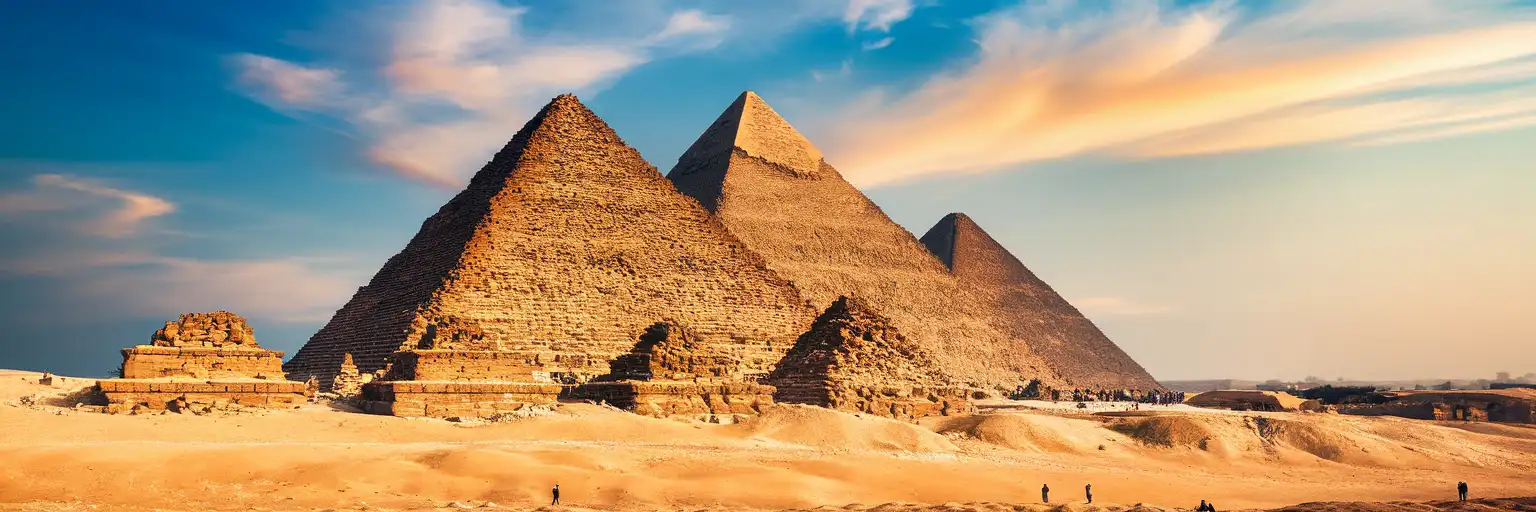
The Great Pyramid of Giza at golden hour with the Pyramid of Khafre behind on the Giza Plateau

Great Pyramid of Giza eSIM: Egypt Data That Works Nationwide

You're standing on the Giza Plateau with your timed-entry ticket QR ready to scan, photos of the Great Pyramid queuing to upload, and a rideshare pickup to coordinate back toward the Grand Egyptian Museum for the afternoon. With eSIMno, your Egypt data activates the moment you switch off airplane mode after landing — no SIM kiosk queue at Cairo International, no hunting for plateau WiFi that barely reaches past the ticket booth.
View Plans
GET A FULL20%OFFon your first order
Use code: FIRSTWELCOME20

Stay connected,
wherever you go

Seamless global eSIM coverage

Explore our plans below

Plan Your Trip

Tell us what you'll do and how long you'll be away — we'll highlight the right plan.

7 days
1102030

What will you do?

Tap an activity above to see which plan fits your trip

Already a customer?

EARN UP TOON EVERY FRIEND'S PURCHASE
NETWORK: Etisalat The speed may vary depending on the location.

Quick Facts

Language
Arabic (عربي)
Currency
Egyptian Pound (EGP, E£)
Time Zone
E. Europe Standard Time (UTC+2)
Dialing Code
+20
Power Plug
Type C, E, F (round 2-pin, common across most of Europe)
Emergency
122 (police), 123 (ambulance), 180 (fire)
eSIMno Networks
Etisalat

How to Get Your eSIM

  1. Choose Your Egypt Plan
    Pick your data allowance based on trip length — a half-day at the pyramids plus Grand Egyptian Museum visit uses less than a week exploring Cairo, Luxor, and the Red Sea coast.
  2. Install at Home Before Your Flight
    Download the eSIM profile over your home WiFi before heading to the airport. The entire setup takes 3-5 minutes and requires no physical card.
  3. Keep Your Home SIM Active
    Your phone's dual-SIM mode lets the eSIMno data line handle maps, uploads, and rideshare apps while your home number stays reachable for incoming calls.
  4. Activate After Landing at Cairo International
    Once your flight taxis to the gate and the crew clears phone use, switch off airplane mode. Your eSIM connects through Etisalat before you reach the immigration queue.
  5. Navigate Straight to Giza
    Open Uber or Careem in the arrivals hall, confirm your driver, and track the route as you head toward the plateau — your data is already working.

Traveler Tips

  • Arrive at the Giza Plateau by 8:00 AM to beat tour-bus crowds and summer heat — the King's Chamber interior tickets sell out early on busy days.
  • Book the separate Great Pyramid interior entry ticket in advance through the official channel; the QR code on your phone saves time at the supplementary gate.
  • Wear sturdy closed-toe shoes and bring water — the terrain is sandy, uneven, and vendors are persistent between monuments.
  • Download offline maps of the Giza Necropolis before you arrive; cellular signal stays strong across the open plateau but offline backup costs nothing.
  • Use Uber or Careem for the return trip to central Cairo — fare estimates load instantly and you avoid negotiating with taxi drivers in Arabic.

Why Data Matters at the Great Pyramid

The Giza Plateau sprawls across desert terrain with the Great Pyramid of Khufu, the Pyramid of Khafre, the Pyramid of Menkaure, and the Great Sphinx spread across a kilometer of sand and stone. Free WiFi exists at the main ticket booth near the Mena House entrance, but coverage drops the moment you walk toward the monuments — and the midday heat makes standing around hunting for signal miserable.

Ticket QR Codes and Entry Flow

General plateau admission runs around 540 EGP for foreign adults; the King's Chamber interior supplement costs roughly 900 EGP more (prices shift frequently — verify before booking). Both tickets generate QR codes that scan at separate checkpoints. Your phone needs data to pull up confirmations, especially if you booked through a third-party platform that emails the barcode. The Grand Gallery climb involves a hunched walk through low passages — having your ticket ready before you reach the entrance saves juggling a phone in tight quarters.

Rideshare and Navigation

Uber and Careem both operate in Cairo; the 18 km ride from downtown or Tahrir Square to the plateau entrance takes 20-40 minutes depending on traffic and costs roughly 150-250 EGP. Real-time tracking lets you watch the driver navigate Nazlet El-Semman streets and coordinate pickup at the plateau exit after your visit. Google Maps with live traffic helps you estimate whether to leave extra buffer for afternoon congestion back toward central Cairo or the Grand Egyptian Museum.

Translation and Vendor Negotiation

Persistent vendors sell scarabs, postcards, and camel rides across the plateau. Google Translate's Arabic camera mode helps when signage or pricing is unclear. Currency converter apps let you sanity-check quoted prices against current EGP exchange rates — useful when a vendor quotes in dollars but expects local currency.

Your eSIMno plans for Great Pyramid of Giza, Cairo, Egypt keep working after you leave the plateau — whether you're heading to the Grand Egyptian Museum for the Tutankhamun galleries, crossing the Nile to Zamalek for dinner, or extending your trip to Sharm El Sheikh or Hurghada on the Red Sea coast.

Visiting the Great Pyramid

The Giza Plateau opens daily around 8:00 AM and closes by 5:00 PM (extended to 7:00 PM in summer); pyramid interiors close earlier, around 4:00 PM. Friday mornings draw more local visitors. The Sound and Light Show runs evening sessions in rotating languages — English nights vary by schedule.

Getting There

From Giza Metro station on Line 2, a taxi or rideshare takes 20-30 minutes to the main entrance near Mena House. From Cairo International Airport, the full journey runs 45-75 minutes depending on traffic. The Marriott Mena House hotel sits at the plateau's edge and makes a useful landmark for driver coordination.

What to Expect

General plateau tickets cover the exteriors of all three pyramids, the Sphinx, and the Valley Temple of Khafre. Interior entry to Khufu's pyramid requires the supplementary ticket — the King's Chamber climb involves steep, low-ceilinged passages not suited for claustrophobia or back issues. Khafre and Menkaure interiors cost less and have shorter queues. The panoramic viewpoint southwest of the complex is reachable by camel, horse, or vehicle from the main entrance area.

Capturing the Pyramids

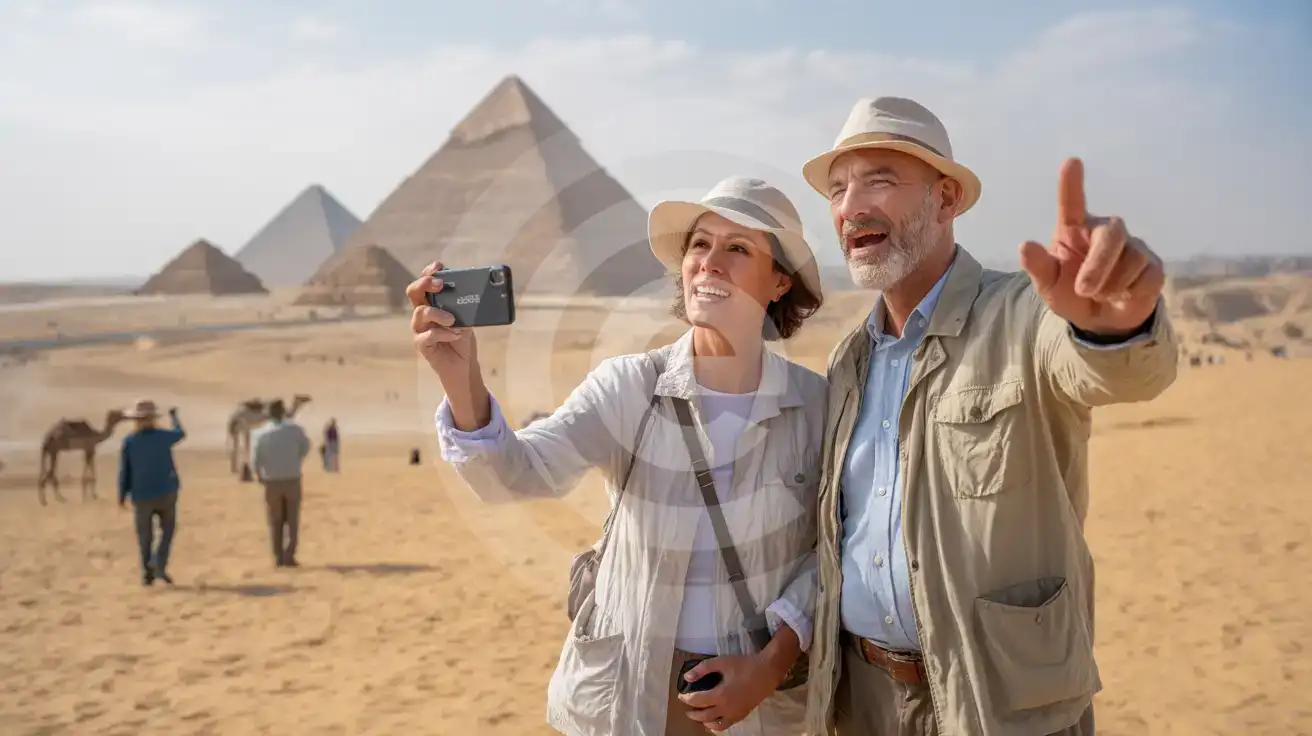
Senior couple photographing the three pyramids of Giza from the panoramic viewpoint at golden hour
Activate your eSIM before departure so photos from the Giza panoramic viewpoint upload while you're still on the plateau.

Compare eSIM Options at Great Pyramid of Giza

Recommended
Local SIM / Operator
Roaming
Setup timeStore visit + paperworkAuto
No local ID neededLocal ID requiredUse home account
SpeedCarrier-gradePartner-dependent
Travel supportArabic onlyHome carrier hours
Keep home numberReplaces itSame number
Cost predictabilityBills can spikeBill-shock risk
Typical pricing
$12-18 / day
Typical day-pass tariff varies by home carrier

PRICING — PICK YOUR ESIMNO PLAN

Light traveler
5GB / 30d
$15.90
20% off with code FIRSTWELCOME20on your first order
≈ $12.72 USD with code
Buy now
Heavy traveler
20GB / 30d
$30.90
20% off with code FIRSTWELCOME20on your first order
≈ $24.72 USD with code
Buy now

Frequently Asked Questions (FAQs)

Install the eSIM profile at home over WiFi before your flight to Cairo. Once your aircraft taxis to the gate at Cairo International and the crew clears phone use, switch off airplane mode — your data connects through Etisalat before you reach the immigration queue, and by the time you're coordinating your Uber pickup to the Giza Plateau, Maps directions are already loading.

Cellular signal weakens inside the pyramid's interior passages and the King's Chamber itself — the limestone blocks are thick. Download your ticket QR code and any offline content before entering. Signal returns the moment you exit back onto the open plateau.

The plateau sits 18 km southwest of central Cairo. From Cairo International, Uber or Careem takes 45-75 minutes depending on traffic; fare estimates load in the app the moment you land. Alternatively, take the metro to Giza station (Line 2), then a short taxi or rideshare to the Mena House entrance.

Yes — your eSIMno plan covers Egypt nationwide. The Grand Egyptian Museum sits 2 km from the Giza Plateau; the same data that worked at the pyramids keeps working inside the Tutankhamun galleries, across the Nile in downtown Cairo, or down to the Red Sea resorts.

General plateau admission and the separate King's Chamber interior ticket both generate QR codes when purchased through official or third-party platforms. Having your phone ready to display the barcode speeds entry at both checkpoints — especially useful during peak morning hours when tour groups queue.

Arrive right at 8:00 AM opening to beat tour-bus crowds and intense desert heat. The cool season from November through March is most comfortable. King's Chamber interior tickets sell out early on busy days — book ahead and have your confirmation loaded before you reach the supplementary gate.

GET A FULL20%OFFon your first order
Use code: FIRSTWELCOME20

Stay connected,
wherever you go

Seamless global eSIM coverage

Get Started
The Great Pyramid of Giza sits 18 km southwest of central Cairo, reachable by rideshare from your hotel or a taxi from Giza Metro station on Line 2. Your phone handles the heavy lifting from the moment you land at Cairo International — pulling up your ticket confirmation, coordinating the driver through Uber or Careem, and keeping Google Maps running as the car navigates Nazlet El-Semman traffic toward the plateau entrance near Mena House. Once you're on the plateau, data keeps working where WiFi doesn't. The King's Chamber entry queue moves faster when you've already got your supplementary ticket barcode loaded. Photos of the Grand Gallery's corbelled ceiling upload while you walk toward the panoramic viewpoint southwest of the complex. Translation apps help when vendors approach with scarab souvenirs and persistent pricing. Your eSIMno plan covers Egypt nationwide — the same data that works at the pyramids keeps working at the Grand Egyptian Museum 2 km away, across the Nile in Zamalek, or down to Sharm El Sheikh if your trip extends to the Red Sea. Activate before your flight departs, and your phone connects through Etisalat the moment the aircraft reaches the gate at Cairo International.
Back to Egypt
No more SIM kiosks

No more SIM kiosks

Skip the airport queues. Install your eSIM at home, activate when you land.

no roaming charges

No roaming surprises

Forget the $200 phone bill three weeks after your trip. Plain pricing, no hidden fees.

keep your physical sim

Keep your home number

Dual-SIM means your physical SIM stays active for calls and texts. eSIM handles only data.

easy installation

Setup in 2 minutes

Scan QR code, follow on-screen steps, you're connected. Works on any eSIM-compatible phone.

Pay SafelyVisa CardMaster CardGoogle PayPayPalApple Pay

How does eSIMNo Works?

Experience seamless global connectivity with our personal eSIM service. Enjoy faster speeds, wider coverage, and the convenience of online purchasing.

Buy a Data Plan

Buy a Data Plan

Search for your destination and pick any data plan

Step 1

Install your eSIM

Install your eSIM

Easy installation via qr code

Step 2

Activate Your eSIM

Activate Your eSIM

Only active when you are ready to use data

Step 3

Advantages

24/7 Customer Support

Reach our team via WhatsApp and email during business hours. Quick answers to common questions available anytime through our automated assistant.

Immediate delivery

Your eSIM arrives by email within minutes. Install it before you board your flight.

Worldwide Coverage

One eSIM, 160+ countries. Land anywhere and connect instantly — no SIM swapping, no roaming charges.

Check Compatibility

Check Compatibility

Before buying and installing an eSim, check if your phone supports one

Check if your phone is eSIM compatible

As you feel the need to use eSIM on your phone, the first question that arises is: does your mobile support eSIMs? And do eSIM-compatible devices work in all regions worldwide?

Some phones that support eSIM technology

  • IPhone XS and Later
  • Samsung Galaxy S20 and Later
  • Pixel 4 and Later
  • Xiaomi 12T Pro and Later
All eSIM-Compatible Phones

Frequently Asked Questions (FAQs)

Find helpful information to answer your questions

What payment methods does eSIMno accept?
eSIMno accepts major credit and debit cards (Visa, Mastercard, American Express), PayPal, Apple Pay, and Google Pay. All transactions are processed through secure encrypted gateways, and we don't store full card details on our servers.
Does the eSIM work on cruise ships or airplanes?
eSIMs use ground-based cellular networks, so they don't work in flight or at sea outside coastal coverage. They activate as soon as you connect to a partner network on land. For in-flight or maritime data, you'll need the airline or ship's onboard Wi-Fi.
When should I set up my eSIM?
A Wi-Fi connection is required to install your eSIM, so we recommend setting it up before you leave home. Activation can happen later, either right before departure or after you land at your destination - but the initial QR scan needs Wi-Fi.
How long is the validity of the Egypt eSIM plans?
The validity of eSIM plans varies from 7 days to 90 days depending on the plan you choose. Lifetime options are also available for travelers who don't want their data to expire after a fixed period.
Should I enable data roaming for the eSIM?
Yes - you must enable data roaming for the eSIM line, even though there are no roaming charges. The eSIM connects to a local partner network and your phone treats this as roaming. Enable it: iPhone > Settings > Cellular > eSIMno line > Data Roaming ON; Android > Settings > Network > SIMs > eSIMno > Roaming ON. This setting only affects the eSIM, not your home SIM.
Can I use the eSIM right after purchase or do I need to wait?
Yes - you can install it immediately after purchase. Your order email arrives within minutes and contains the QR code, a one-tap install link and the manual codes, plus an "Install eSIM" button; you can also sign in > My eSIMs > Install any time. Installing right away does not start your plan - the validity countdown only begins when the eSIM connects to a mobile network inside your plan's coverage area. Keep the eSIM line and Data Roaming off until you are ready to start; if your plan covers the country you are in right now, turning the line on starts the countdown immediately.
How do I set up the eSIM on my device?
The fastest way is straight from your order confirmation email, which now contains - for each eSIM - the QR code, a one-tap install link, and the SM-DP+ / activation codes. On the phone you'll use, tap the one-tap install link; or, to use the QR, show it on another screen or a printout and scan it with that same phone (not another phone); or enter the codes manually. The email also has an "Install eSIM" button that opens your eSIM's detail page and launches the install pop-up (sign in if prompted), and you can reach the same pop-up anytime via Profile > My eSIMs > find your plan (shown as "Ready to install") > Install. After installing, turn Data Roaming ON for your eSIMno line (iPhone: Settings > Cellular; Android: Settings > Connections/Network) - without it the eSIM installs but shows no internet. Full guide in Help & Support.
Is the eSIM connection secure?
eSIM connections are as secure as standard cellular connections - encrypted by the carrier network. For added security on public networks (cafes, airports), use a VPN. The eSIM profile itself is digitally signed and can't be cloned like a physical SIM.
Can I get a refund after purchase?
Refunds are not available once an eSIM has been installed or activated - install codes are one-time-use, so an installed eSIM is considered used even if no data has been consumed. If you have not installed your eSIM yet and want a refund, contact support within the refund window stated at checkout. We recommend reviewing plan details carefully before purchase to avoid any issues.
How fast does the eSIM activate after I switch off airplane mode?
Activation typically takes 10-30 seconds after airplane mode is switched off, depending on local network availability. In some cases it's nearly instant; in remote areas it may take a minute or two. If it doesn't connect within 5 minutes, restart your phone or check that data roaming is enabled.
What data plans are available for the Egypt eSIM?
eSIMno provides various data plans ranging from 1 GB to unlimited data, with options from 7 days to 90 days of service. Plans also include regional and lifetime options for travelers who want flexibility across multiple destinations.
What network speeds can I expect?
Most eSIMno plans connect at 4G/LTE or 5G speeds depending on local network availability and your device's capabilities. Speed varies by location, network congestion, and signal strength. In major cities and tourist areas, expect speeds comparable to local mobile carriers.

Use Your Free Credit

You can earn up to 15% commission from your friends' purchases with your Reference code. Plus, your friends will get $2 off their first purchase when they use your code!

FIND OUT HOW
Refer a friend

Refer

A FRIEND

Step into the world of E-SIM, bring your friends and benefit together!