


Review Your Cart

Your cart is empty.

You haven't added any eSIM packages yet. Start exploring our plans to get connected!

Browse our eSIM Packages
🎉 Welcome offer: 20% off with promo code FIRSTWELCOME20

Egypt Egypt   / Giza Governorate

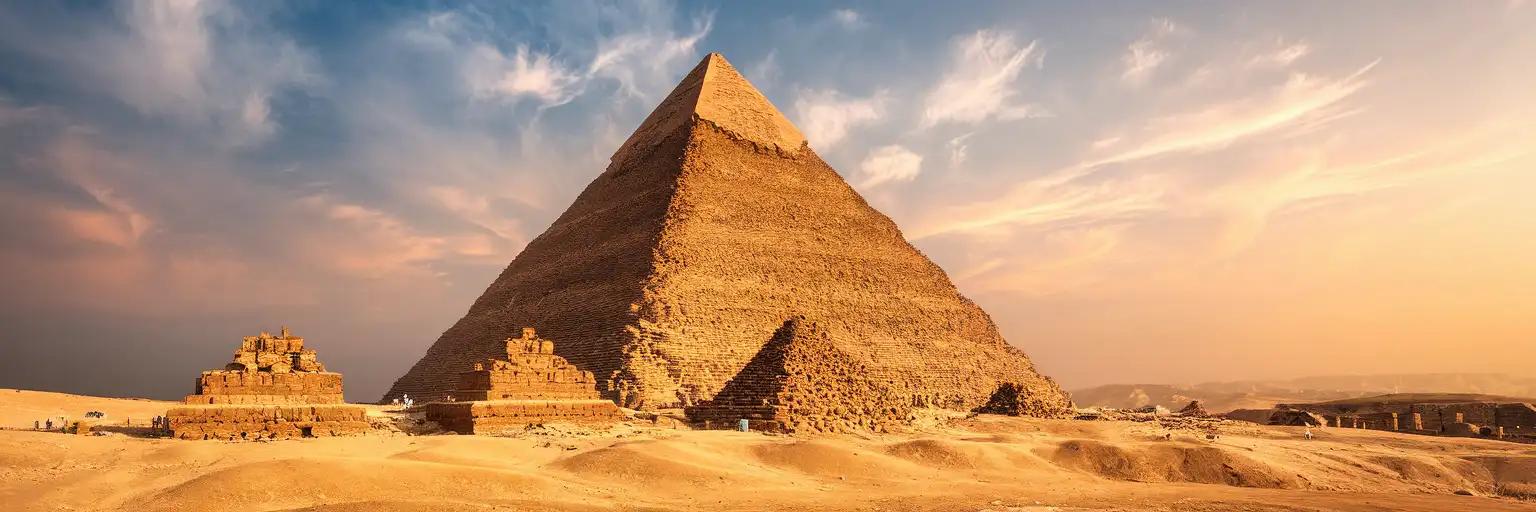
Wide golden-hour exterior view of the Great Pyramid of Giza on the Giza Plateau in Giza Governorate, Cairo, Egypt

Giza Governorate eSIM: Egypt Data That Works Nationwide

You are heading for Giza Governorate with navigation to the pyramid plateau, your hotel check-in details, and pickup messages from Cairo International Airport still sitting on your phone. With eSIMno, you can buy your Egypt data plan before the trip, install in minutes, and switch it on after landing so your connection is ready for Giza and the rest of your route across Egypt.
View Plans
GET A FULL20%OFFon your first order
Use code: FIRSTWELCOME20

Stay connected,
wherever you go

Seamless global eSIM coverage

Explore our plans below

Plan Your Trip

Tell us what you'll do and how long you'll be away — we'll highlight the right plan.

7 days
1102030

What will you do?

Tap an activity above to see which plan fits your trip

Already a customer?

EARN UP TOON EVERY FRIEND'S PURCHASE
NETWORK: Etisalat The speed may vary depending on the location.

Quick Facts

Language
Arabic (عربي)
Currency
Egyptian Pound (EGP, E£)
Time Zone
E. Europe Standard Time (UTC+2)
Dialing Code
+20
Power Plug
Type C, E, F (round 2-pin, common across most of Europe)
Emergency
122 (police), 123 (ambulance), 180 (fire)
eSIMno Networks
Etisalat

How to Get Your eSIM

  1. Choose Your Egypt Plan Before The Trip
    Buy your eSIM while you still have stable home WiFi, so you are not comparing options after arrival in Cairo traffic or outside the Giza plateau entrances.
  2. Install It Before You Fly
    Scan the QR code and finish setup at home or at your departure airport lounge. That leaves only activation for later, which is easier when your bag, passport, and transfer are already sorted.
  3. Keep It Off Until After Landing
    Once your flight has arrived and phone use is allowed, switch on the eSIM after landing. That timing is the safest way to start service only when you are ready to use data in Egypt.
  4. Use It On The Drive Toward Giza
    The route from Cairo airport to Giza can take well over an hour depending on traffic. Live Google Maps, WhatsApp messages with your driver, hotel confirmation emails, and translation tools are all easier with mobile data already active.
  5. Stay Covered Beyond The Pyramids
    Your eSIM is not just for one stop. After Giza Governorate, the same plan keeps working as you move through Cairo, connect to Grand Egyptian Museum, or continue elsewhere in Egypt.

Traveler Tips

  • Start your Giza day early. Morning entry lines at the pyramid plateau move faster than late midday, and working data helps if your driver asks you to meet at a different gate or parking point.
  • Bring downloaded screenshots of bookings, but keep live data ready for the return journey. Traffic around Al Haram Road and the plateau approach can change your pickup timing by 20 to 40 minutes, and live navigation matters more than a static map.
  • If you keep your home SIM active for voice, your home number still receives incoming calls with no extra setup. For outgoing calls in Giza Governorate, use WhatsApp or another internet-calling app over your data-only eSIM instead of native roaming calls.
  • Carry small cash for local purchases, but keep your phone connected for currency conversion in Egyptian Pound (EGP, E£) when comparing camel rides, snacks, or driver quotes near the plateau.
  • Plan your second stop before you leave the site. Whether you are heading to central Cairo or the Grand Egyptian Museum, having data ready means you can book a ride, message your guide, and reroute immediately instead of waiting outside in the heat.

Why Data Matters at Giza Governorate

Giza is not a place where you want to arrive with a dead connection and hope things sort themselves out. The trip from Cairo International Airport to the pyramid side of the city can stretch well past an hour, and the moment plans shift, your phone becomes the tool that keeps the day moving. Drivers and guides in Cairo regularly confirm pickup points over WhatsApp, while Google Maps is what keeps you from being dropped at the wrong entrance on the Giza Plateau. Add a hotel message, a browser search for the nearest ATM, and a quick translation into Arabic, and you are already relying on data before the visit has really started.

Once you are in Giza Governorate, there are several real-world moments where mobile data saves time. If you are comparing ride options from the pyramid area to Grand Egyptian Museum, checking traffic back toward Cairo, or coordinating sunset plans near Marriott Mena House, Cairo, you need live updates, not cached screens. A working connection also helps with ticket emails, guide confirmations, Google Translate, and cloud backups for the photos you shoot around the plateau. That is why eSIMno plans for Giza Governorate, Cairo, Egypt make sense before the trip rather than after arrival: install once, activate after landing, and keep the same data plan working through Giza and the rest of Egypt.

Visiting Giza Governorate

A Giza visit works best when the logistics are settled before you leave your hotel. The pyramid area is an outdoor site with long walking stretches, limited shade, and security checks at entry points, so having your booking confirmation, guide contact, and return transport details ready on your phone saves standing around in the heat. Footwear matters because the ground is sandy and uneven in parts, and a water stop before entering is smart if you are staying for several hours.

If your day also includes the Sphinx side, a lunch stop, or a museum visit afterward, build in time for traffic rather than planning tight back-to-back reservations. Late afternoon light is popular for photos, which means the ride-hailing rush also builds toward sunset. Keeping your phone charged is as important as carrying cash, because the practical side of a Giza day is coordination: confirming where to exit, where to meet your driver, and which route back into Cairo is moving fastest at that moment.

Connected Around The Giza Plateau

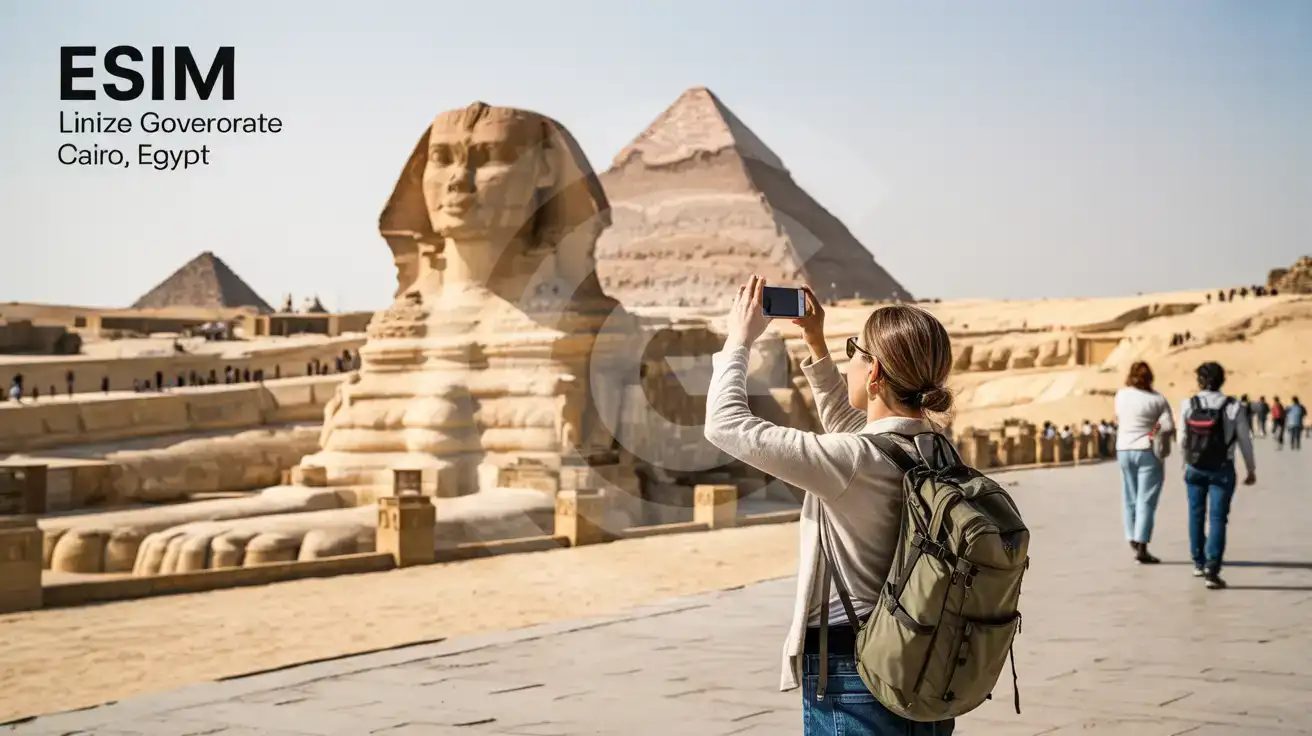
Solo female traveler photographing the Great Sphinx of Giza in Giza Governorate, Cairo, Egypt
At the Great Sphinx in Giza Governorate, Cairo, Egypt, set up your eSIM before departure so maps and ride apps work the moment plans change.

Compare eSIM Options at Giza Governorate

Recommended
Local SIM / Operator
Roaming
Setup timeStore visit + paperworkAuto
No local ID neededLocal ID requiredUse home account
SpeedCarrier-gradePartner-dependent
Travel supportArabic onlyHome carrier hours
Keep home numberReplaces itSame number
Cost predictabilityBills can spikeBill-shock risk
Typical pricing
$12-18 / day
Typical day-pass tariff varies by home carrier

PRICING — PICK YOUR ESIMNO PLAN

Light traveler
5GB / 30d
₺699.00 TL
20% off with code FIRSTWELCOME20on your first order
≈ ₺559.20 TL with code
Buy now
Heavy traveler
20GB / 30d
₺1399.00 TL
20% off with code FIRSTWELCOME20on your first order
≈ ₺1,119.20 TL with code
Buy now

Frequently Asked Questions (FAQs)

Activate it after landing in Cairo, once phone use is allowed and you are ready to head toward Giza Governorate. That way your data starts when you need Google Maps, WhatsApp, and ride-booking on the drive from Cairo International Airport to the pyramid area.
Yes — if your phone supports dual-SIM, your home SIM can stay active for incoming voice calls while your eSIM handles data around Giza Governorate. When you are coordinating a pickup near the pyramids or messaging a guide, use data-based apps instead of placing native roaming calls through your home line.
For one day in Giza Governorate, light use for maps, messaging, translation, and ride-hailing stays modest, while heavy photo backup and video uploads need more. If your plan includes the pyramid plateau, the Grand Egyptian Museum, and a return into Cairo on the same day, choosing a larger data allowance gives you breathing room.
The simplest route is a prebooked car or ride-hailing trip straight from Cairo International Airport to your hotel or meeting point in Giza Governorate. Because Cairo traffic can add a long delay, mobile data helps you message the driver, confirm the pickup point, and watch the live route instead of guessing where the car is.
Yes, it helps a lot in Giza Governorate because the day usually involves more than one moving part: ticket emails, guide messages, map directions, translation, and your return ride. Using eSIMno means those essentials are already working when you reach the pyramid side of Cairo instead of depending on a WiFi login outdoors.
GET A FULL20%OFFon your first order
Use code: FIRSTWELCOME20

Stay connected,
wherever you go

Seamless global eSIM coverage

Get Started
Giza Governorate is one of those places where you want data working before the day starts, not after you find a kiosk. A visit to the pyramid area quickly turns into a chain of phone tasks: confirming a driver pickup, checking the exact entrance your guide sent, pulling up your hotel booking, translating a short Arabic message, and finding your route back toward central Cairo when the visit ends. Installing an Egypt eSIM before departure removes that first-arrival scramble and lets you connect after landing instead of burning time on airport SIM counters or weak public WiFi. The practical need for mobile data around Giza is simple: plans change fast on the ground. Traffic between the plateau, downtown Cairo, and newer districts can shift your timing, and that means you need live maps, ride-hailing, messaging, and browser access throughout the day. If you are meeting a guide near the Great Pyramid, moving on to the Grand Egyptian Museum, or heading back toward your hotel after sunset, a data-only eSIM keeps the apps you already use running without swapping plastic SIM cards. That is far easier than depending on venue WiFi or hotel lobby access while you are already out exploring. Buying one Egypt plan also gives you flexibility beyond Giza Governorate. If your trip continues into Cairo, the Red Sea resorts, or another stop later in the itinerary, your data does not stop at the pyramid gate. That is the real advantage of setting up early: one install, activation after landing, and usable mobile data across your whole Egypt trip instead of solving connectivity one neighborhood at a time.
Back to Egypt
No more SIM kiosks

No more SIM kiosks

Skip the airport queues. Install your eSIM at home, activate when you land.

no roaming charges

No roaming surprises

Forget the $200 phone bill three weeks after your trip. Plain pricing, no hidden fees.

keep your physical sim

Keep your home number

Dual-SIM means your physical SIM stays active for calls and texts. eSIM handles only data.

easy installation

Setup in 2 minutes

Scan QR code, follow on-screen steps, you're connected. Works on any eSIM-compatible phone.

Pay SafelyVisa CardMaster CardGoogle PayPayPalApple Pay

How does eSIMNo Works?

Experience seamless global connectivity with our personal eSIM service. Enjoy faster speeds, wider coverage, and the convenience of online purchasing.

Buy a Data Plan

Buy a Data Plan

Search for your destination and pick any data plan

Step 1

Install your eSIM

Install your eSIM

Easy installation via qr code

Step 2

Activate Your eSIM

Activate Your eSIM

Only active when you are ready to use data

Step 3

Advantages

24/7 Customer Support

Reach our team via WhatsApp and email during business hours. Quick answers to common questions available anytime through our automated assistant.

Immediate delivery

Your eSIM arrives by email within minutes. Install it before you board your flight.

Worldwide Coverage

One eSIM, 160+ countries. Land anywhere and connect instantly — no SIM swapping, no roaming charges.

Check Compatibility

Check Compatibility

Before buying and installing an eSim, check if your phone supports one

Check if your phone is eSIM compatible

As you feel the need to use eSIM on your phone, the first question that arises is: does your mobile support eSIMs? And do eSIM-compatible devices work in all regions worldwide?

Some phones that support eSIM technology

  • IPhone XS and Later
  • Samsung Galaxy S20 and Later
  • Pixel 4 and Later
  • Xiaomi 12T Pro and Later
All eSIM-Compatible Phones

Frequently Asked Questions (FAQs)

Find helpful information to answer your questions

Is the eSIM connection secure?
eSIM connections are as secure as standard cellular connections - encrypted by the carrier network. For added security on public networks (cafes, airports), use a VPN. The eSIM profile itself is digitally signed and can't be cloned like a physical SIM.
Can I extend my eSIM plan validity?
The validity of a package that is already running cannot be extended, but you can top up: a top-up adds a new package with its own data AND its own validity days. Packages run one at a time - the top-up waits in queue and activates automatically when your current package ends (data used up or days expired), and its own days start counting from that moment. In practice this keeps you connected longer, even though the current package's own end date does not move.
How can I purchase the Egypt eSIM?
You can purchase your eSIM directly from the eSIMno website - select a Egypt plan and complete the payment. Within minutes you'll receive an order confirmation email that contains everything you need to install: a QR code, a one-tap install link, the SM-DP+ address and activation code, plus an "Install eSIM" button. You can install straight from that email, or sign in anytime and go to Profile > My eSIMs > Install to get the same options.
How long is the validity of the Egypt eSIM plans?
The validity of eSIM plans varies from 7 days to 90 days depending on the plan you choose. Lifetime options are also available for travelers who don't want their data to expire after a fixed period.
Do I need to remove my eSIM after my trip?
You don't have to remove it. Once your data plan expires, the eSIM simply stops providing data. You can leave the dormant profile on your phone and reuse it next time by purchasing a new plan, or delete it from cellular settings to free up an eSIM slot.
Will my eSIM work in airports immediately after landing?
Yes - eSIMs typically connect within seconds of switching off airplane mode at the gate. Major airports have strong cellular coverage from local partner networks, so you'll have data before reaching baggage claim. No setup needed at arrival.
Which eSIM is best for travelling to Egypt?
eSIMno is an excellent option for travelers heading to Egypt. We offer a diverse range of eSIM plans - including regional, local, and lifetime options - with reliable coverage on local networks.
How do I activate the Egypt eSIM?
Your eSIMno order confirmation email contains your QR code, your SM-DP+ address and activation code, a one-tap install link, and an "Install eSIM" button - so you can install right from the email. The same options are also on the website: sign in at esimno.com and go to Profile > My eSIMs > your plan > Install. To install, use any ONE of these methods: (1) on the phone you are setting up, tap the one-tap install link/button (iPhone on iOS 17.4+ or Android 9+); (2) use the QR code - because a phone cannot scan its own screen, show this QR on another screen (computer/tablet) or a printout and scan it WITH the phone you are setting up (never with someone else's phone, or the eSIM would install on that phone); or (3) enter the SM-DP+ address and activation code manually. Your Egypt eSIM activates automatically when you connect to a local network at your destination.
Can I keep my WhatsApp number while using an eSIM?
Yes. Your WhatsApp number stays linked to your home SIM, so all your chats, contacts, and groups remain unchanged. WhatsApp uses data (not the SIM line directly) for messages and calls, so it works seamlessly over your eSIMno data.
Should I enable data roaming for the eSIM?
Yes - you must enable data roaming for the eSIM line, even though there are no roaming charges. The eSIM connects to a local partner network and your phone treats this as roaming. Enable it: iPhone > Settings > Cellular > eSIMno line > Data Roaming ON; Android > Settings > Network > SIMs > eSIMno > Roaming ON. This setting only affects the eSIM, not your home SIM.
What happens if I pause my trip and return home?
Your eSIM keeps its validity period running whether you're using it or not - pausing your trip doesn't pause the timer. If you return home, the eSIM stays dormant on your device until you travel again or it expires. You can disable it in cellular settings to avoid accidental usage.
What customer support is available if I have issues?
eSIMno offers 24/7 support via WhatsApp and email. Our human support team - not bots - handles installation help, troubleshooting, billing questions, and refund inquiries. Most issues are resolved within minutes during business hours and within a few hours overnight.

Use Your Free Credit

You can earn up to 15% commission from your friends' purchases with your Reference code. Plus, your friends will get $2 off their first purchase when they use your code!

FIND OUT HOW
Refer a friend

Refer

A FRIEND

Step into the world of E-SIM, bring your friends and benefit together!