Review Your Cart

Your cart is empty.

You haven't added any eSIM packages yet. Start exploring our plans to get connected!

Browse our eSIM Packages
🎉 Welcome offer: 20% off with promo code FIRSTWELCOME20

United States United States   / Red Rock Canyon National Conservation Area

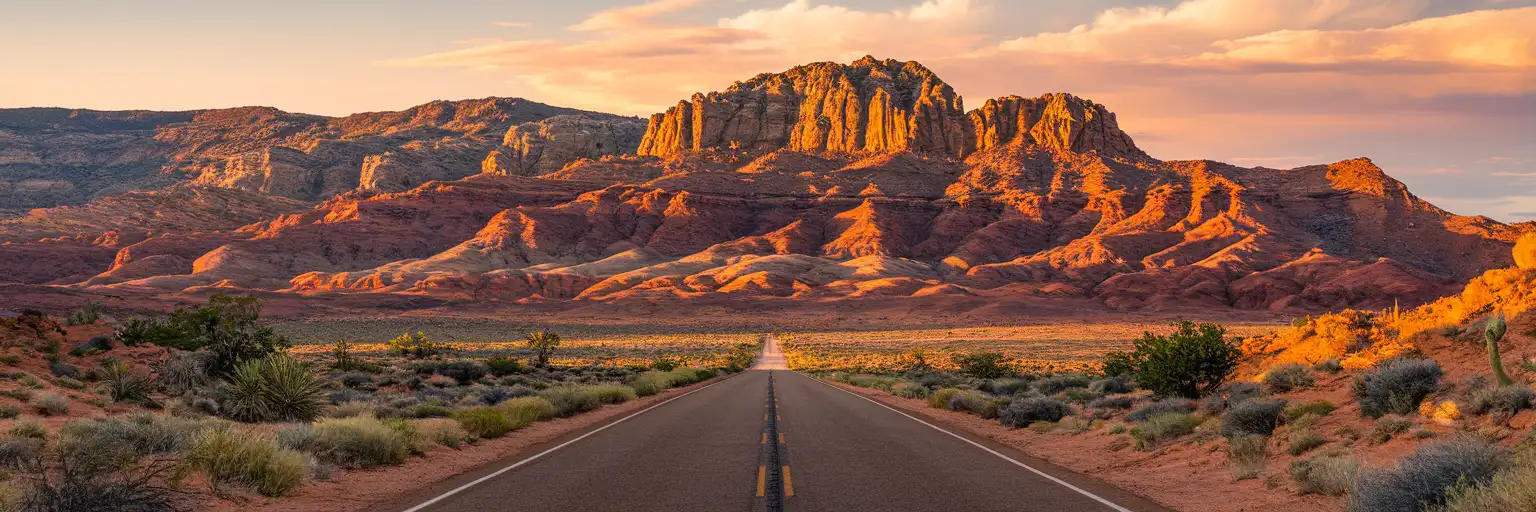
Wide golden-hour view of the red sandstone cliffs and desert approach road at Red Rock Canyon National Conservation Area near Las Vegas

Red Rock Canyon eSIM: Las Vegas Data That Works Across the US

You're heading out to Red Rock Canyon after landing in Las Vegas, Nevada, and the first thing that matters is having data ready for timed-entry checks, Scenic Drive navigation, and the drive back before sunset. eSIMno lets you buy in minutes, install before your trip, and switch it on after landing so you're not hunting for a SIM shop before you even leave the airport. One plan covers Red Rock Canyon and keeps working across the entire United States if your trip continues beyond Nevada.
View Plans
GET A FULL20%OFFon your first order
Use code: FIRSTWELCOME20

Stay connected,
wherever you go

Seamless global eSIM coverage

Explore our plans below

Plan Your Trip

Tell us what you'll do and how long you'll be away — we'll highlight the right plan.

7 days
1102030

What will you do?

Tap an activity above to see which plan fits your trip

Already a customer?

EARN UP TOON EVERY FRIEND'S PURCHASE
NETWORK: AT&T & Verizon Wireless The speed may vary depending on the location.

Quick Facts

Language
English
Currency
US Dollar (USD, $)
Time Zone
Pacific Time (UTC-8)
Dialing Code
+1
Power Plug
Type A, B (flat 2-pin, common across North America)
Emergency
911 (police, fire, ambulance)
eSIMno Networks
AT&T, Verizon Wireless

How to Get Your eSIM

  1. Choose Your US Plan Before The Trip
    Pick the data amount you want for Red Rock Canyon, Las Vegas, and the rest of your United States itinerary. If you're combining the canyon with the Strip, Hoover Dam, or another US city, one nationwide plan keeps the same data running throughout the trip.
  2. Install While You Still Have Stable Wi-Fi
    Set up the eSIM QR at home or at your hotel the night before an early canyon departure. That gives you time to label the line clearly on your phone and avoids doing setup in the rental-car center or rideshare pickup area.
  3. Leave It Off Until After Landing
    If you're flying into Harry Reid International Airport, keep the eSIM installed but inactive during the flight. Turn it on after landing, once airplane mode is off, so the plan starts when you can actually use data for navigation and arrival tasks.
  4. Use It On The Drive Out To Red Rock
    The first high-value use case is the route from Las Vegas to the Scenic Drive entrance: live traffic on Charleston Boulevard, reservation email access, weather checks, and messaging anyone meeting you at the visitor area or trailhead.
  5. Keep Your Home SIM For Voice
    eSIMno is data-only. Your home SIM can stay active for incoming calls with no extra setup, while your eSIMno data handles maps, WhatsApp, FaceTime, Google Meet, trail research, and every internet-based task during your Red Rock Canyon day.

Traveler Tips

  • If you're driving the 13-mile Scenic Drive loop, download your route after landing so turn-by-turn navigation stays ready between overlooks and trailheads.
  • Timed-entry and reservation details matter most in the cooler months from October through May, so keep your confirmation email easy to open before you reach the entry area.
  • Start your canyon trip with a full battery and a car charger; photo stops, AllTrails checks, and the return drive to Summerlin or the Strip can run 4-6 hours total.
  • For rides back to Las Vegas, request Uber or Lyft only once you're at a clear pickup point near the visitor area or paved lot, not halfway down a trail.
  • If you're keeping your home SIM active for voice, use WhatsApp or FaceTime Audio for outgoing calls over data instead of placing native roaming calls from the park road.

Why Data Matters at Red Rock Canyon

Red Rock Canyon is one of those places where your phone does real work before you even step onto a trail. The park sits about 30 minutes by car from central Las Vegas, and that drive is when live data starts paying off: Google Maps reroutes around congestion on Charleston Boulevard, the Red Rock Canyon reservation email stays accessible if you need to re-open it at the gate, and weather apps help you judge wind, heat, or storm buildup before committing to a longer hike. Add a rental-car booking, a group chat for staggered arrivals, and an Uber or Lyft backup for the return, and this stops being a simple sightseeing stop and turns into a connected day with multiple moving parts.

Inside and around Red Rock Canyon, the need shifts from arrival logistics to on-the-ground decisions. Trail apps like AllTrails help you compare Calico Tanks, Ice Box Canyon, and Keystone Thrust in real time, especially if parking fills at your first choice. If you're traveling with kids or splitting up for different trail lengths, live location sharing and messaging matter far more here than at a casino resort where everybody can reconnect in one lobby. On the way back, your phone is handling restaurant reservations in Summerlin, gas-station lookup on the west side of Las Vegas, and fresh ETA sharing with your hotel or evening show booking. That's why eSIMno plans for Red Rock Canyon National Conservation Area, Las Vegas, Nevada, United States make sense before the trip starts: your data is ready for the park itself and keeps working long after you leave the canyon road.

Visiting Red Rock Canyon

Red Rock Canyon National Conservation Area is managed as a protected desert recreation area west of Las Vegas, with the visitor flow centered on the entrance station, visitor center, and the one-way scenic loop. For practical planning, the key point is that access conditions change by season and by time of day. During busy months, late-morning arrivals can mean slower entry flow and tighter parking at the headline trailheads, so early starts are the cleaner option for hikers, families, and anyone trying to finish before the strongest afternoon sun.

Private car access is the standard setup for this visit. Travelers reach the park from Las Vegas via the west side road network rather than by direct public transit, which means your booking emails, navigation, weather checks, and return plans all need to be sorted before you leave the city. Bring water before arrival, since this is not a venue where you want to rely on finding quick convenience stops once you're already committed to the park road. If you're visiting with children, shorter viewpoint stops and the visitor center area are easier to manage than longer exposed trails, especially on hot days.

Family Day At The Scenic Overlooks

Parent and child at a Calico Hills overlook inside Red Rock Canyon National Conservation Area with striped red sandstone cliffs behind them
At Red Rock Canyon National Conservation Area, set up your eSIM before the drive so maps and reservations stay ready all day.

Compare eSIM Options at Red Rock Canyon National Conservation Area

Recommended
Local SIM / Operator
Roaming
Setup timeStore visit + paperworkAuto
No local ID neededSSN/Credit checkUse home account
SpeedCarrier-gradePartner-dependent
Travel supportEnglish onlyHome carrier hours
Keep home numberReplaces itSame number
Cost predictabilityBills can spikeBill-shock risk
5GB / 30 daysLight traveler
15GB / 30 days
$45.00
~$45.00/mo + taxes & fees.
$12-18 / day
$15.00
Typical day-pass tariff varies by home carrier
10GB / 30 daysStandard travelerMost popular
20GB / 30 daysHeavy traveler

Frequently Asked Questions (FAQs)

Install it before the trip, then switch it on after landing in Las Vegas or before you leave your hotel for the drive to Red Rock Canyon National Conservation Area. That timing keeps your data ready for Google Maps, reservation emails, and the route out via Charleston Boulevard without starting the plan too early.

Yes. eSIMno is data-only, so your home SIM can stay active for incoming voice calls while you're out at Red Rock Canyon National Conservation Area. For outgoing calls, use WhatsApp, FaceTime, Telegram, or another internet-based app over data instead of placing native roaming calls.

For a 4-6 hour visit, light use like Google Maps, messaging, and opening a reservation email stays fairly small, while photo backup, video uploads, and repeated AllTrails checks push usage much higher. If your Red Rock Canyon day is part of a longer Nevada or US trip, choosing a larger eSIMno plan is the safer call.

The practical route is by car or rideshare, with the park about 17 miles west of the Las Vegas resort corridor. Because there is no direct high-frequency public transit into Red Rock Canyon National Conservation Area, having data for navigation, pickup coordination, and return timing matters much more here than on Strip-only days.

Yes, it helps a lot to have your reservation confirmation and any Red Rock Canyon National Conservation Area entry details easy to reopen on your phone, especially during busy seasons when timed-entry rules are in force. Having data also gives you a quick fallback if you need to pull up the booking email again at the entrance.

GET A FULL20%OFFon your first order
Use code: FIRSTWELCOME20

Stay connected,
wherever you go

Seamless global eSIM coverage

Get Started
Red Rock Canyon National Conservation Area sits about 17 miles west of the Las Vegas Strip, and that short distance is exactly why travelers get caught out. It looks like a quick half-day detour, but once you're on Charleston Boulevard or NV-159, your phone becomes the tool for live route checks, reservation emails, weather radar, and trailhead lookup. Cell data matters more here than in a casino corridor because there is no convenient fallback once you're outside the hotel zone. Buying your eSIM in advance means you can land, leave the airport, and head straight toward the canyon with data already working. This is not a page for general Las Vegas planning; it's for the traveler going specifically to Red Rock Canyon National Conservation Area and needing internet that works on the way there and while moving between viewpoints. Timed-entry confirmations, Google Maps reroutes, Uber or Lyft pickup coordination back in Summerlin, and messaging the rest of your group all happen on the same trip. An eSIM removes the extra stop for a physical SIM and gives you a cleaner setup for a national park day where reception matters most before and after each hike. The bigger advantage is trip continuity. A Red Rock Canyon visit rarely stays limited to one location: travelers combine it with the Las Vegas Strip, Hoover Dam, Spring Mountain Ranch, or a second city later in the same US trip. A nationwide eSIM plan keeps the same data service running through airport arrival, desert park access roads, hotel check-in, and onward domestic flights. That is far simpler than buying local data for one stop and replacing it again two days later.
Back to United States
No more SIM kiosks

No more SIM kiosks

Skip the airport queues. Install your eSIM at home, activate when you land.

no roaming charges

No roaming surprises

Forget the $200 phone bill three weeks after your trip. Plain pricing, no hidden fees.

keep your physical sim

Keep your home number

Dual-SIM means your physical SIM stays active for calls and texts. eSIM handles only data.

easy installation

Setup in 2 minutes

Scan QR code, follow on-screen steps, you're connected. Works on any eSIM-compatible phone.

Pay SafelyVisa CardMaster CardGoogle PayPayPalApple Pay

How does eSIMNo Works?

Experience seamless global connectivity with our personal eSIM service. Enjoy faster speeds, wider coverage, and the convenience of online purchasing.

Buy a Data Plan

Buy a Data Plan

Search for your destination and pick any data plan

Step 1

Install your eSIM

Install your eSIM

Easy installation via qr code

Step 2

Activate Your eSIM

Activate Your eSIM

Only active when you are ready to use data

Step 3

Advantages

24/7 Customer Support

Reach our team via WhatsApp and email during business hours. Quick answers to common questions available anytime through our automated assistant.

Immediate delivery

Your eSIM arrives by email within minutes. Install it before you board your flight.

Worldwide Coverage

One eSIM, 160+ countries. Land anywhere and connect instantly — no SIM swapping, no roaming charges.

Check Compatibility

Check Compatibility

Before buying and installing an eSim, check if your phone supports one

Check if your phone is eSIM compatible

As you feel the need to use eSIM on your phone, the first question that arises is: does your mobile support eSIMs? And do eSIM-compatible devices work in all regions worldwide?

Some phones that support eSIM technology

  • IPhone XS and Later
  • Samsung Galaxy S20 and Later
  • Pixel 4 and Later
  • Xiaomi 12T Pro and Later
All eSIM-Compatible Phones

Frequently Asked Questions (FAQs)

Find helpful information to answer your questions

Is the eSIM connection secure?
eSIM connections are as secure as standard cellular connections - encrypted by the carrier network. For added security on public networks (cafes, airports), use a VPN. The eSIM profile itself is digitally signed and can't be cloned like a physical SIM.
Do I need to deactivate my original SIM?
We recommend turning off cellular data and data roaming on your original SIM while abroad to avoid accidental roaming charges. You don't need to physically remove the SIM - just disable data and set the eSIM as your primary data line.
Can I install my eSIM before traveling?
Yes - setting it up before your trip is the easiest approach. Your confirmation email contains the QR code, a one-tap install link and the manual SM-DP+ / activation codes (the same options are also available via sign in > Profile > My eSIMs > Install). While on Wi-Fi at home, install it with the one-tap link on your phone, or - to use the QR - show it on another screen or a printout and scan it with the phone you are setting up (not another phone). Installing does not start your plan: the validity countdown only begins when the eSIM connects to a mobile network inside your plan's coverage area. Keep the eSIM line and its Data Roaming off until you are ready to start - if your plan covers the country you are in right now, turning the line on connects and starts the countdown immediately, even if you do not browse anything. Please note: once installed, an eSIM is considered used and is no longer eligible for a refund.
How can I verify if my eSIM is activated?
There are two clear indicators: (1) your phone's status bar shows the local carrier name once you arrive at your destination, and (2) the data icon (4G, LTE, or 5G) appears next to the eSIMno line in your cellular settings. If neither shows up, toggle airplane mode off and on, or restart your phone.
What is the price range for the United-states eSIM plans?
Prices commence at $4.90 and vary according to data allowance and plan duration. Larger data plans and longer durations cost more, but the per-GB rate decreases with bigger packages.
What should I do if I see a 'No network' message after activating my eSIM?
If you see a 'No network' message after activation, try these steps in order: (1) Toggle airplane mode on for 10 seconds, then off. (2) Confirm data roaming is enabled for the eSIM line. (3) Manually select a network in cellular settings. (4) Restart your phone. If the issue continues, contact eSIMno support via WhatsApp or email.
Can I use the eSIM to make video calls?
Yes - apps like FaceTime, WhatsApp, Zoom, Google Meet, and Microsoft Teams all work over your eSIM data. Video calls use about 200-400 MB per hour depending on quality, so factor that into your plan choice if you make long calls regularly.
How long is the validity of the United-states eSIM plans?
The validity of eSIM plans varies from 7 days to 90 days depending on the plan you choose. Lifetime options are also available for travelers who don't want their data to expire after a fixed period.
Which eSIM is best for travelling to United-states?
eSIMno is an excellent option for travelers heading to United-states. We offer a diverse range of eSIM plans - including regional, local, and lifetime options - with reliable coverage on local networks.
When should I set up my eSIM?
A Wi-Fi connection is required to install your eSIM, so we recommend setting it up before you leave home. Activation can happen later, either right before departure or after you land at your destination - but the initial QR scan needs Wi-Fi.
Can I make phone calls or send SMS?
eSIMno is a data-only service, so you can't make traditional voice calls or send SMS through the eSIM line. However, you can use messaging and calling apps over data - WhatsApp, iMessage, FaceTime, Telegram, Signal, and Google Meet all work normally.
What customer support is available if I have issues?
eSIMno offers 24/7 support via WhatsApp and email. Our human support team - not bots - handles installation help, troubleshooting, billing questions, and refund inquiries. Most issues are resolved within minutes during business hours and within a few hours overnight.

Use Your Free Credit

You can earn up to 15% commission from your friends' purchases with your Reference code. Plus, your friends will get $2 off their first purchase when they use your code!

FIND OUT HOW
Refer a friend

Refer

A FRIEND

Step into the world of E-SIM, bring your friends and benefit together!