Review Your Cart

Your cart is empty.

You haven't added any eSIM packages yet. Start exploring our plans to get connected!

Browse our eSIM Packages
🎉 Welcome offer: 20% off with promo code FIRSTWELCOME20

United States United States   / Hoover Dam

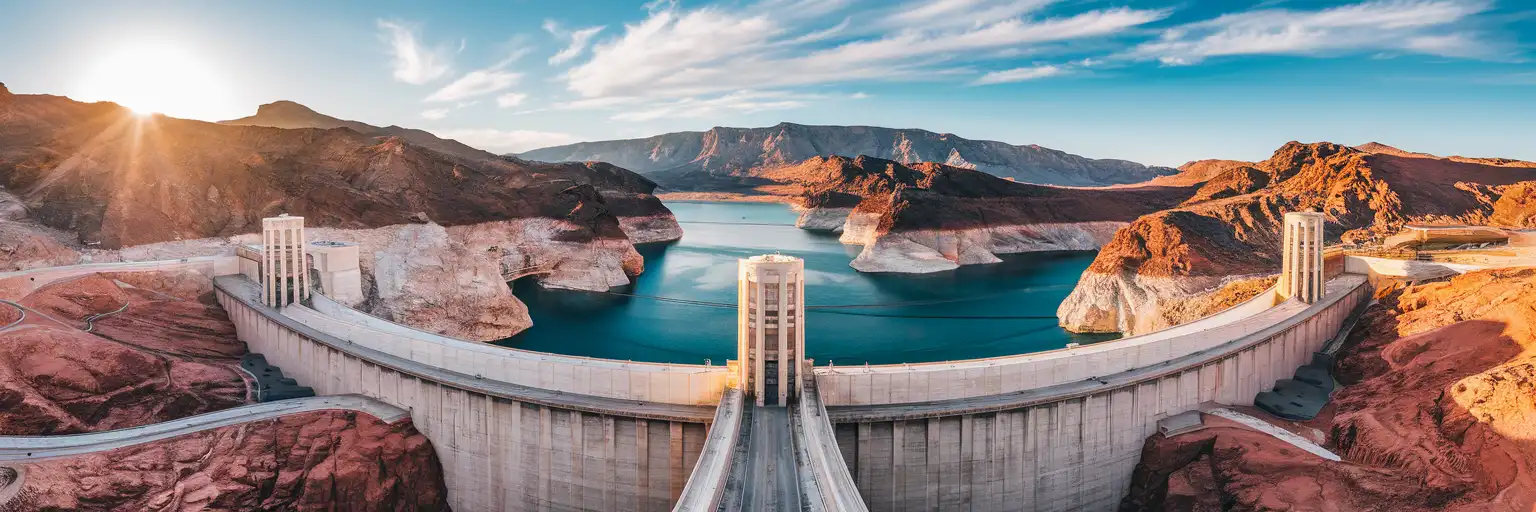
Hoover Dam concrete arch spanning Black Canyon with Lake Mead's turquoise waters and desert canyon walls at golden hour

Hoover Dam eSIM: Nevada Data That Works Across the US

You're driving out to Hoover Dam from Las Vegas Strip with your parking reservation, tour confirmation, and canyon photos already demanding data before you're even out of cell range. eSIMno gives you USA-wide coverage on AT&T and Verizon, so your Maps, tickets, and group chat keep working from the Strip to the dam and back.
View Plans
GET A FULL20%OFFon your first order
Use code: FIRSTWELCOME20

Stay connected,
wherever you go

Seamless global eSIM coverage

Explore our plans below

Plan Your Trip

Tell us what you'll do and how long you'll be away — we'll highlight the right plan.

7 days
1102030

What will you do?

Tap an activity above to see which plan fits your trip

Already a customer?

EARN UP TOON EVERY FRIEND'S PURCHASE
NETWORK: AT&T & Verizon Wireless The speed may vary depending on the location.

Quick Facts

Time Zone
Pacific Time (PT) on Nevada side / Mountain Time (MT) on Arizona side
Dialing Code
+1
Currency
US Dollar (USD, $)
Power Plug
Type A, B (flat 2-pin, common across North America)
Language
English
Emergency
911 (police, fire, ambulance)
eSIMno Networks
AT&T, Verizon Wireless

How to Get Your eSIM

  1. Pick Your USA Plan
    Choose a data package that covers your Vegas trip and Hoover Dam excursion — plans work nationwide, not just at the dam.
  2. Install Before You Fly
    Download the eSIM profile over your home WiFi. Takes 2 minutes and doesn't activate until you're ready.
  3. Activate After Landing at Harry Reid
    Once your flight taxis to the gate at Harry Reid International, switch off airplane mode. Your phone connects to AT&T or Verizon within seconds.
  4. Navigate the Desert Drive
    Use Google Maps or Apple Maps with live traffic as you head southeast on US-93 toward Boulder City and the dam. Real-time updates beat static directions through the Henderson interchange.
  5. Stay Connected at the Dam
    Pull up tour confirmations, share canyon photos instantly, and check parking status — your data works across the observation deck, visitor center, and both state sides of the dam.

Traveler Tips

  • Book the Powerplant Tour or Dam Tour online in advance — your confirmation email with QR code needs data to display at the security checkpoint.
  • The dam straddles Pacific and Mountain time zones. Your phone's automatic time zone setting needs data to switch correctly as you walk from Nevada to Arizona.
  • Arrive before 10:00 AM to beat tour bus crowds and secure closer parking at the visitor center lot.
  • Download offline maps for the US-93 corridor between Las Vegas and Hoover Dam as backup — cell coverage is strong but canyon walls can create brief shadows.
  • Keep your home SIM active for incoming calls. Use WhatsApp, FaceTime, or Google Meet over eSIM data for outgoing calls to avoid roaming charges.
  • The Mike O'Callaghan–Pat Tillman Memorial Bridge pedestrian walkway offers the best dam photo angle — data lets you share shots immediately instead of waiting for hotel WiFi.

Why Data Matters at Hoover Dam

Hoover Dam sits in Black Canyon, 45 minutes from the Las Vegas Strip via US-93. The drive passes through Henderson and Boulder City, and real-time navigation makes the difference when you're watching for the dam access road turnoff, checking parking lot capacity, and coordinating with your group's rental car. Google Maps with live traffic shows backup at the security checkpoint before you commit to the final approach.

At the visitor center, your tour confirmation lives on your phone. The Powerplant Tour and Dam Tour both require timed-entry — the QR code on your email needs data to load at the checkpoint. Inside the dam, the guided route takes you 530 feet down into the power plant galleries where you'll want to snap photos and share them with your group chat. Cell signal from AT&T and Verizon reaches the observation deck, the memorial plaza, and the intake tower viewing points along the canyon rim.

The dam spans two time zones: Pacific Time on the Nevada side, Mountain Time on Arizona. Your phone's automatic time zone relies on cell data to switch correctly as you cross. International visitors use translation apps for the exhibit signage. Everyone uses rideshare apps — Uber and Lyft both serve the Las Vegas pickup for your return, and surge pricing checks before you leave the dam save surprises. The eSIMno plans for Hoover Dam, Las Vegas, Nevada, United States keep working whether you head back to the Strip, extend to Red Rock Canyon, or drive south toward the Grand Canyon West Skywalk.

Visiting Hoover Dam

The visitor center opens daily, with hours shifting seasonally — check the Bureau of Reclamation's official site before you drive out. Security screening is mandatory; leave large bags and coolers in your vehicle. Photography is permitted throughout the public areas, though tripods and drones require advance permits from the Bureau.

Parking fills by mid-morning on weekends and holidays. The main lot sits adjacent to the visitor center; overflow parking along the access road adds a 10-minute walk. The observation deck and memorial plaza are free to access. Guided tours (Powerplant Tour, Dam Tour) require advance tickets with timed entry — your confirmation email serves as the QR ticket at the checkpoint.

Wear closed-toe shoes and bring water; summer temperatures exceed 110°F on the canyon rim. The pedestrian walkway on the Mike O'Callaghan–Pat Tillman Memorial Bridge is a 15-minute walk from the visitor center and offers the classic downstream dam view. Restrooms and a café operate inside the visitor center. The drive back to Las Vegas takes 45-60 minutes depending on Strip traffic.

Connected at the Canyon Rim

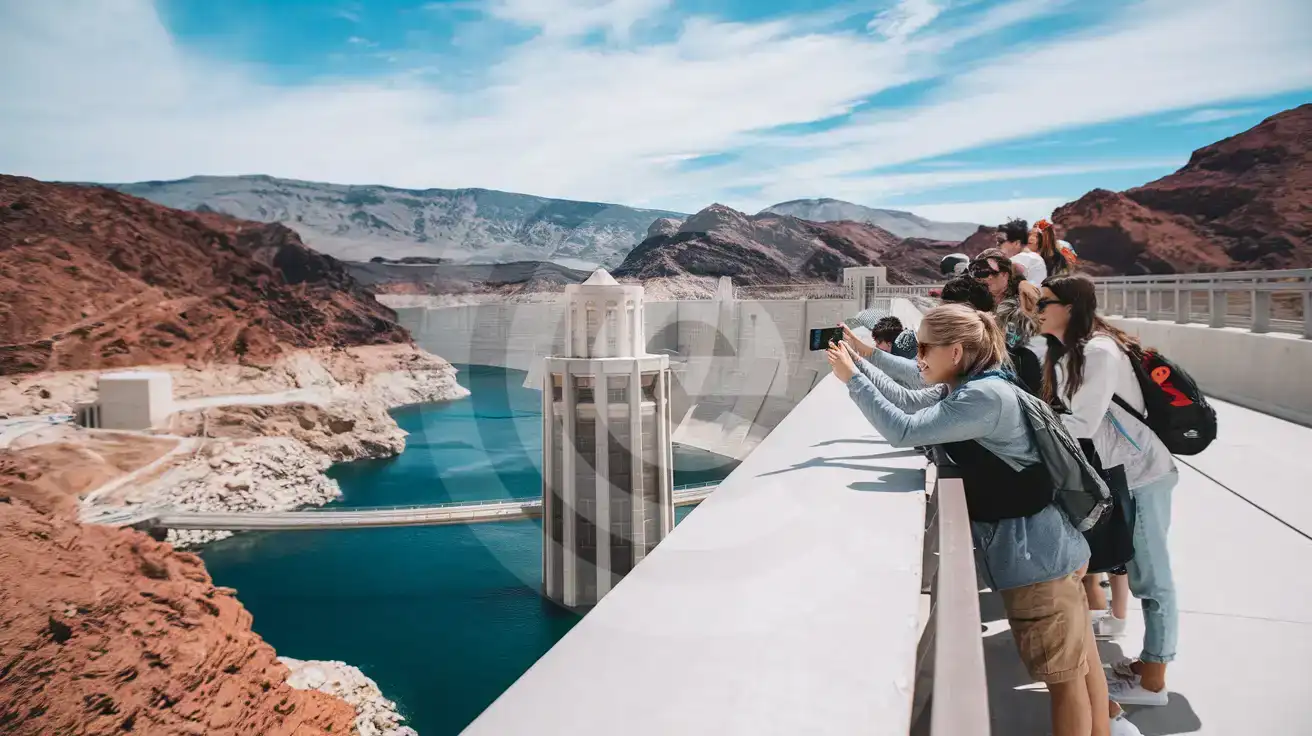
Group of friends photographing Hoover Dam from the Memorial Bridge pedestrian walkway with Black Canyon and Lake Mead visible below
Activate your eSIM before leaving Las Vegas so your dam photos upload instantly from the bridge walkway.

Compare eSIM Options at Hoover Dam

Recommended
Local SIM / Operator
Roaming
Setup timeStore visit + paperworkAuto
No local ID neededSSN/Credit checkUse home account
SpeedCarrier-gradePartner-dependent
Travel supportEnglish onlyHome carrier hours
Keep home numberReplaces itSame number
Cost predictabilityBills can spikeBill-shock risk
5GB / 30 daysLight traveler
15GB / 30 days
₺2106.38 TL
~$45.00/mo + taxes & fees.
$12-18 / day
₺702.13 TL
Typical day-pass tariff varies by home carrier
10GB / 30 daysStandard travelerMost popular
20GB / 30 daysHeavy traveler

Frequently Asked Questions (FAQs)

Activate after your flight lands at Harry Reid International Airport. By the time you're picking up your rental car or catching an Uber to the Strip, your phone is already pulling Maps directions and checking tour availability for tomorrow's dam visit.
AT&T and Verizon both cover the dam, visitor center, observation deck, and memorial plaza. Signal reaches the intake tower viewing areas and the pedestrian walkway on the bypass bridge. Brief shadows can occur deep inside the power plant galleries during guided tours, but coverage returns as you exit.
Yes. The Powerplant Tour and Dam Tour use timed-entry QR codes sent to your email. You'll need data to display your confirmation at the security checkpoint before entering. eSIMno keeps your ticket accessible without hunting for visitor center WiFi.
The US-93 corridor through Henderson and Boulder City has strong AT&T and Verizon coverage. Real-time navigation updates help you spot the dam access road turnoff and check parking lot status before you arrive. Download an offline map as backup for the canyon approach.
Absolutely. The plan covers the entire United States. After the dam, your data keeps working at Red Rock Canyon, Valley of Fire State Park, the Grand Canyon, or anywhere else your road trip takes you — same eSIM, no reconfiguration needed.
The eSIMno plan is data-only. Keep your home SIM active for incoming calls — they reach you normally. For outgoing calls, use WhatsApp, FaceTime, or Google Meet over your eSIM data to avoid roaming charges from your home carrier.
GET A FULL20%OFFon your first order
Use code: FIRSTWELCOME20

Stay connected,
wherever you go

Seamless global eSIM coverage

Get Started
Hoover Dam sits 45 minutes southeast of Las Vegas in Black Canyon, straddling the Nevada-Arizona border. The drive through the desert looks straightforward on a static map, but real-time navigation matters when you're threading the US-93 interchange, checking parking lot status at the visitor center, and coordinating arrival times with your group. An eSIM activated before you leave your hotel means your phone pulls live traffic updates through Henderson and Boulder City without hunting for signal. Once you're at the dam, data keeps the visit moving. The observation deck and intake tower tours require timed-entry confirmations on your phone. The memorial plaza spans both time zones — Mountain and Pacific — and your calendar app needs data to sync correctly. Photos of Lake Mead and the bypass bridge upload instantly to your group chat instead of waiting for hotel WiFi hours later. Translation and accessibility apps work immediately for international visitors. The eSIMno plans for Hoover Dam, Las Vegas, Nevada, United States connect through AT&T and Verizon, covering the dam, the canyon rim, and every mile back to Las Vegas. The same plan works if you extend your trip to Red Rock Canyon, Valley of Fire, or the Grand Canyon. Install over WiFi before you leave home, activate after your Vegas flight lands, and your data is ready before you even pick up the rental car.
Back to United States
No more SIM kiosks

No more SIM kiosks

Skip the airport queues. Install your eSIM at home, activate when you land.

no roaming charges

No roaming surprises

Forget the $200 phone bill three weeks after your trip. Plain pricing, no hidden fees.

keep your physical sim

Keep your home number

Dual-SIM means your physical SIM stays active for calls and texts. eSIM handles only data.

easy installation

Setup in 2 minutes

Scan QR code, follow on-screen steps, you're connected. Works on any eSIM-compatible phone.

Pay SafelyVisa CardMaster CardGoogle PayPayPalApple Pay

How does eSIMNo Works?

Experience seamless global connectivity with our personal eSIM service. Enjoy faster speeds, wider coverage, and the convenience of online purchasing.

Buy a Data Plan

Buy a Data Plan

Search for your destination and pick any data plan

Step 1

Install your eSIM

Install your eSIM

Easy installation via qr code

Step 2

Activate Your eSIM

Activate Your eSIM

Only active when you are ready to use data

Step 3

Advantages

24/7 Customer Support

Reach our team via WhatsApp and email during business hours. Quick answers to common questions available anytime through our automated assistant.

Immediate delivery

Your eSIM arrives by email within minutes. Install it before you board your flight.

Worldwide Coverage

One eSIM, 160+ countries. Land anywhere and connect instantly — no SIM swapping, no roaming charges.

Check Compatibility

Check Compatibility

Before buying and installing an eSim, check if your phone supports one

Check if your phone is eSIM compatible

As you feel the need to use eSIM on your phone, the first question that arises is: does your mobile support eSIMs? And do eSIM-compatible devices work in all regions worldwide?

Some phones that support eSIM technology

  • IPhone XS and Later
  • Samsung Galaxy S20 and Later
  • Pixel 4 and Later
  • Xiaomi 12T Pro and Later
All eSIM-Compatible Phones

Frequently Asked Questions (FAQs)

Find helpful information to answer your questions

What happens when my data plan runs out?
When you use up your data allowance, your connection stops until you top up or purchase a new plan. You can top up directly from the eSIMno Center while connected to Wi-Fi, or buy a new plan if your validity period has expired.
Will I get notifications when my data is running low?
Yes. eSIMno sends email and push notifications when you've used 50%, 80%, and 100% of your data allowance. You can also check usage anytime in the eSIMno Center or in your phone's cellular settings to track consumption in real time.
Will the eSIM work on my iPad?
Yes, if your iPad model supports eSIM. iPad Pro (3rd generation and later), iPad Air (3rd generation and later), iPad mini (5th generation and later), and standard iPad (7th generation and later with cellular) all support eSIM. Installation works the same way as on iPhone.
What makes eSIMno different from other eSIM services?
eSIMno partners directly with local operators in over 200 countries, eliminating intermediaries. This direct relationship lets us offer competitive pricing, extensive coverage, and faster activation than resellers who route data through third parties.
How fast does the eSIM activate after I switch off airplane mode?
Activation typically takes 10-30 seconds after airplane mode is switched off, depending on local network availability. In some cases it's nearly instant; in remote areas it may take a minute or two. If it doesn't connect within 5 minutes, restart your phone or check that data roaming is enabled.
Can I tether or use Personal Hotspot with my eSIM?
Yes. Your eSIMno plan supports tethering and Personal Hotspot at no extra charge. Activate the Personal Hotspot feature in your device settings and connect other devices as you would with any cellular plan. Data used while tethering counts toward your plan allowance.
Can I install my eSIM before traveling?
Yes - setting it up before your trip is the easiest approach. Your confirmation email contains the QR code, a one-tap install link and the manual SM-DP+ / activation codes (the same options are also available via sign in > Profile > My eSIMs > Install). While on Wi-Fi at home, install it with the one-tap link on your phone, or - to use the QR - show it on another screen or a printout and scan it with the phone you are setting up (not another phone). Installing does not start your plan: the validity countdown only begins when the eSIM connects to a mobile network inside your plan's coverage area. Keep the eSIM line and its Data Roaming off until you are ready to start - if your plan covers the country you are in right now, turning the line on connects and starts the countdown immediately, even if you do not browse anything. Please note: once installed, an eSIM is considered used and is no longer eligible for a refund.
Can I get a refund after purchase?
Refunds are not available once an eSIM has been installed or activated - install codes are one-time-use, so an installed eSIM is considered used even if no data has been consumed. If you have not installed your eSIM yet and want a refund, contact support within the refund window stated at checkout. We recommend reviewing plan details carefully before purchase to avoid any issues.
How can I check my data usage?
Log in to the eSIMno Center on our website or mobile app to see your remaining data balance and usage history. You can also check usage in your phone's cellular data settings - most devices show data consumed per line.
What payment methods does eSIMno accept?
eSIMno accepts major credit and debit cards (Visa, Mastercard, American Express), PayPal, Apple Pay, and Google Pay. All transactions are processed through secure encrypted gateways, and we don't store full card details on our servers.
How can I purchase the United-states eSIM?
You can purchase your eSIM directly from the eSIMno website - select a United-states plan and complete the payment. Within minutes you'll receive an order confirmation email that contains everything you need to install: a QR code, a one-tap install link, the SM-DP+ address and activation code, plus an "Install eSIM" button. You can install straight from that email, or sign in anytime and go to Profile > My eSIMs > Install to get the same options.
Can I use the eSIM on more than one device?
Each eSIM profile is tied to a single device once activated. If you need data on multiple devices (e.g., phone and tablet), you can either purchase separate eSIMs for each device or use the Personal Hotspot feature on your phone to share data with other devices.

Use Your Free Credit

You can earn up to 15% commission from your friends' purchases with your Reference code. Plus, your friends will get $2 off their first purchase when they use your code!

FIND OUT HOW
Refer a friend

Refer

A FRIEND

Step into the world of E-SIM, bring your friends and benefit together!