Review Your Cart

Your cart is empty.

You haven't added any eSIM packages yet. Start exploring our plans to get connected!

Browse our eSIM Packages
🎉 Welcome offer: 20% off with promo code FIRSTWELCOME20

United States United States   / Seattle-Tacoma International Airport

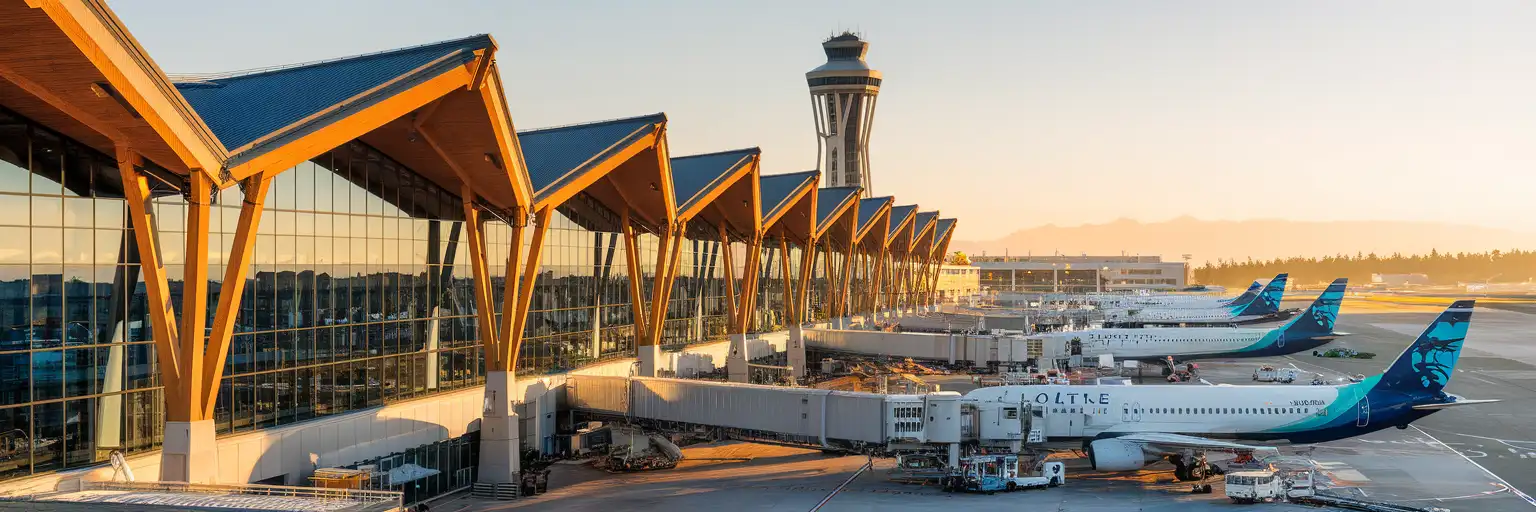
Seattle-Tacoma International Airport main terminal exterior at golden hour with Olympic Mountains in the background

Seattle-Tacoma Airport eSIM: SEA Data That Works Across All 50 States

Your flight is taxiing toward the gate at Seattle-Tacoma International Airport and you're already confirming your Pioneer Square hotel transfer, checking Link Light Rail schedules to Capitol Hill, and pulling up tonight's Pike Place Market dinner reservation. With eSIMno, your phone connects the moment you switch off airplane mode — no SIM kiosk queue, no hunting for airport WiFi passwords.
View Plans
GET A FULL20%OFFon your first order
Use code: FIRSTWELCOME20

Stay connected,
wherever you go

Seamless global eSIM coverage

Explore our plans below

Plan Your Trip

Tell us what you'll do and how long you'll be away — we'll highlight the right plan.

7 days
1102030

What will you do?

Tap an activity above to see which plan fits your trip

Already a customer?

EARN UP TOON EVERY FRIEND'S PURCHASE
NETWORK: AT&T & Verizon Wireless The speed may vary depending on the location.

Quick Facts

Time Zone
Pacific Time (UTC-8 / UTC-7 DST)
Dialing Code
+1
Currency
US Dollar (USD, $)
Power Plug
Type A, B (flat 2-pin, common across North America)
Language
English
Emergency
911 (police, fire, ambulance)
eSIMno Networks
AT&T, Verizon Wireless

How to Get Your eSIM

  1. Pick your USA data plan
    Choose from flexible data packages sized for a quick layover or an extended West Coast road trip — all plans work nationwide on AT&T and Verizon Wireless.
  2. Install at home before your flight
    Scan the QR code over your home WiFi and save the eSIM profile to your phone. The whole process takes under 3 minutes and requires no physical card.
  3. Board with your eSIM ready
    Your profile sits dormant during the flight. Keep your home SIM active for any last-minute calls at your departure gate.
  4. Activate after touchdown at SEA
    Once the captain clears phone use, switch off airplane mode and enable your eSIM line. By the time you're walking the International Arrivals Facility sky bridge, your phone is pulling Link Light Rail schedules and rideshare ETAs.
  5. Stay connected across the USA
    Your plan works at Sea-Tac, through downtown Seattle, and anywhere else you travel in the country — one activation, no roaming surprises.

Traveler Tips

  • The Link Light Rail to downtown Seattle departs from the 4th-floor skybridge every 8-10 minutes — have your Transit GO Ticket app or ORCA card ready before you reach the platform.
  • International arrivals clear CBP in the new grand hall adjacent to Concourse A; allow 90 minutes minimum connection time for international-to-domestic transfers.
  • Rideshare pickups are on the 3rd floor of the parking garage — confirm your driver's location via the app before you leave the terminal.
  • Keep your home SIM active for incoming calls; use WhatsApp, FaceTime, or Google Meet over your eSIMno data for outbound calls to avoid roaming charges.
  • Download offline maps for the Olympic Peninsula or Mount Rainier before leaving SEA — cellular coverage thins in the national parks.

Why You Need an eSIM at Sea-Tac

Seattle-Tacoma International Airport funnels over 50 million passengers a year through a single main terminal, two satellite concourses, and an underground train system that runs every 2-4 minutes. The moment you switch off airplane mode, you're competing with thousands of other devices for the free terminal WiFi — and that WiFi requires a registration flow that frustrates jet-lagged arrivals. An eSIMno plan for Seattle-Tacoma International Airport, Seattle, Washington, United States bypasses the captive-portal friction entirely.

Arrival Flow at SEA

International passengers arriving at the South Satellite cross the 240-meter IAF Sky Bridge — a stunning glass walkway 26 meters above active taxiways — before clearing U.S. Customs in the grand hall next to Concourse A. CBP wait times average 15-30 minutes but spike past an hour during the 2-5 PM Asia-arrival bank. With data already live, you can message the people picking you up, check your hotel reservation, and pull up the NEXUS / Global Entry lane directions while you shuffle through the queue.

Getting to Downtown Seattle

The Link Light Rail 1 Line station sits at the end of a covered skybridge from the parking garage's 4th floor. Trains reach Westlake Station in 38 minutes for around $3.00 on an ORCA card or contactless tap. Real-time arrival boards update on the Transit GO Ticket app and Google Maps — both require data. Rideshare pickups happen on the 3rd floor of the garage; confirming your driver's exact location via Uber or Lyft before you leave the terminal saves a 10-minute wander through the wrong parking aisle.

Connections and Onward Travel

Domestic-to-domestic connections through the main terminal need 60 minutes minimum; the Satellite Transit System train adds 6-10 minutes to any gate-to-gate walk. Real-time gate-change alerts on the Alaska Airlines or Delta app beat the overhead announcements by several minutes — but only if your phone has data. Planning a side trip to the San Juan Islands? The ferry reservations through Washington State Ferries load faster on cellular than on the spotty terminal WiFi.

Visiting Seattle-Tacoma International Airport

Sea-Tac operates 24 hours, though retail and dining shut down between 9 PM and 11 PM. The last northbound Link Light Rail train to Seattle departs around 1:00 AM on weekdays (slightly earlier Sundays) — after that, taxi or rideshare are the only options. Overnight passengers can rest in the pre-security baggage claim area or book Minute Suites airside in Concourse A.

Three Alaska Lounges (Concourse C, Concourse D, North Satellite flagship), two Delta Sky Clubs on Concourse A, and The Club at SEA (Priority Pass) in Concourses A and B offer showers, WiFi, and power outlets. The cell phone waiting lot near the airport entrance on South 170th Street is free with a 60-minute limit — drivers can track your flight status live and time their pickup perfectly.

Inside Sea-Tac

Solo female traveler walking through Seattle-Tacoma International Airport's cedar-paneled Central Terminal concourse with smartphone in hand
Activate your eSIM before boarding so your phone connects the moment you taxi into Sea-Tac.

Compare eSIM Options at Seattle-Tacoma International Airport

Recommended
Local SIM / Operator
Roaming
Setup timeStore visit + paperworkAuto
No local ID neededSSN/Credit checkUse home account
SpeedCarrier-gradePartner-dependent
Travel supportEnglish onlyHome carrier hours
Keep home numberReplaces itSame number
Cost predictabilityBills can spikeBill-shock risk
5GB / 30 daysLight traveler
15GB / 30 days
$45.00
~$45.00/mo + taxes & fees.
$12-18 / day
$15.00
Typical day-pass tariff varies by home carrier
10GB / 30 daysStandard travelerMost popular
20GB / 30 daysHeavy traveler

Frequently Asked Questions (FAQs)

Install the eSIM profile at home over WiFi before your flight. Once your aircraft reaches the gate at SEA and the captain clears phone use, switch off airplane mode — by the time you're walking the IAF Sky Bridge toward customs, your phone is already pulling Link Light Rail schedules and rideshare ETAs.

Your eSIMno plan connects through AT&T and Verizon Wireless nationwide. It works at Sea-Tac, through downtown Seattle's Pioneer Square and Capitol Hill, and anywhere else you travel in the United States — one purchase covers your entire trip.

The Link Light Rail 1 Line connects the airport to Westlake Station in downtown Seattle in 38 minutes. Trains depart every 8-10 minutes from the station accessed via a covered skybridge from the parking garage's 4th floor. Fare is around $3.00 paid via ORCA card or contactless tap.

Yes — keep your home SIM in dual-SIM mode for incoming calls. Your home number reaches you normally without any setup. For outgoing calls, use WhatsApp, FaceTime, or Google Meet over your eSIMno data to avoid roaming charges from your home carrier.

A short domestic layover at SEA — checking gate updates on the Alaska or Delta app, messaging your ride, pulling up a restaurant menu at Beecher's or Skillet Diner — uses under 200 MB. International arrivals clearing CBP and navigating to the Link Light Rail may use 300-500 MB with maps, rideshare, and messaging combined.

Sea-Tac offers free 24-hour WiFi, but the captive-portal registration adds friction when you're rushing to catch a connection or confirm a rideshare. During peak arrival banks — especially the 2-5 PM Asia wave — the network slows under load. An eSIM gives you dedicated cellular data that bypasses the shared WiFi entirely.

GET A FULL20%OFFon your first order
Use code: FIRSTWELCOME20

Stay connected,
wherever you go

Seamless global eSIM coverage

Get Started
Seattle-Tacoma International Airport handles the Pacific Northwest's busiest passenger flow, and every arrival needs working data before they reach the curb. The International Arrivals Facility sky bridge — the longest airport pedestrian bridge in the world at 240 meters — funnels international passengers through a stunning walk above active taxiways, but it also means extra minutes before you clear customs. An eSIM activated before departure means your rideshare app, hotel confirmation, and transit directions load while you're still in the immigration queue. SEA's single-terminal layout spreads across four concourses plus two remote satellites reached by underground train. Walking end-to-end takes 15-20 minutes, and real-time gate updates on your phone beat the overhead announcements every time. The Link Light Rail station connects via a covered skybridge from the parking garage's 4th floor — trains run every 8-10 minutes and reach Westlake Station in downtown Seattle in 38 minutes for around $3.00. Whether you're connecting through Sea-Tac to catch a ferry from the Seattle Waterfront, heading to a Mariners game at T-Mobile Park, or continuing to Portland or Vancouver, your eSIMno plan keeps working across the entire country. Activate at home, land with data, and skip the connectivity scramble that delays everyone else at the arrivals curb.
Back to United States
No more SIM kiosks

No more SIM kiosks

Skip the airport queues. Install your eSIM at home, activate when you land.

no roaming charges

No roaming surprises

Forget the $200 phone bill three weeks after your trip. Plain pricing, no hidden fees.

keep your physical sim

Keep your home number

Dual-SIM means your physical SIM stays active for calls and texts. eSIM handles only data.

easy installation

Setup in 2 minutes

Scan QR code, follow on-screen steps, you're connected. Works on any eSIM-compatible phone.

Pay SafelyVisa CardMaster CardGoogle PayPayPalApple Pay

How does eSIMNo Works?

Experience seamless global connectivity with our personal eSIM service. Enjoy faster speeds, wider coverage, and the convenience of online purchasing.

Buy a Data Plan

Buy a Data Plan

Search for your destination and pick any data plan

Step 1

Install your eSIM

Install your eSIM

Easy installation via qr code

Step 2

Activate Your eSIM

Activate Your eSIM

Only active when you are ready to use data

Step 3

Advantages

24/7 Customer Support

Reach our team via WhatsApp and email during business hours. Quick answers to common questions available anytime through our automated assistant.

Immediate delivery

Your eSIM arrives by email within minutes. Install it before you board your flight.

Worldwide Coverage

One eSIM, 160+ countries. Land anywhere and connect instantly — no SIM swapping, no roaming charges.

Check Compatibility

Check Compatibility

Before buying and installing an eSim, check if your phone supports one

Check if your phone is eSIM compatible

As you feel the need to use eSIM on your phone, the first question that arises is: does your mobile support eSIMs? And do eSIM-compatible devices work in all regions worldwide?

Some phones that support eSIM technology

  • IPhone XS and Later
  • Samsung Galaxy S20 and Later
  • Pixel 4 and Later
  • Xiaomi 12T Pro and Later
All eSIM-Compatible Phones

Frequently Asked Questions (FAQs)

Find helpful information to answer your questions

How do I activate the United-states eSIM?
Your eSIMno order confirmation email contains your QR code, your SM-DP+ address and activation code, a one-tap install link, and an "Install eSIM" button - so you can install right from the email. The same options are also on the website: sign in at esimno.com and go to Profile > My eSIMs > your plan > Install. To install, use any ONE of these methods: (1) on the phone you are setting up, tap the one-tap install link/button (iPhone on iOS 17.4+ or Android 9+); (2) use the QR code - because a phone cannot scan its own screen, show this QR on another screen (computer/tablet) or a printout and scan it WITH the phone you are setting up (never with someone else's phone, or the eSIM would install on that phone); or (3) enter the SM-DP+ address and activation code manually. Your United-states eSIM activates automatically when you connect to a local network at your destination.
Can I make phone calls or send SMS?
eSIMno is a data-only service, so you can't make traditional voice calls or send SMS through the eSIM line. However, you can use messaging and calling apps over data - WhatsApp, iMessage, FaceTime, Telegram, Signal, and Google Meet all work normally.
Can I tether or use Personal Hotspot with my eSIM?
Yes. Your eSIMno plan supports tethering and Personal Hotspot at no extra charge. Activate the Personal Hotspot feature in your device settings and connect other devices as you would with any cellular plan. Data used while tethering counts toward your plan allowance.
When should I set up my eSIM?
A Wi-Fi connection is required to install your eSIM, so we recommend setting it up before you leave home. Activation can happen later, either right before departure or after you land at your destination - but the initial QR scan needs Wi-Fi.
Are there any hidden fees or extra charges?
No. The price you see at checkout is the total price - no activation fees, no hidden taxes, no roaming surcharges. Your data plan is fixed-price, and you'll never receive a surprise bill from your home carrier as long as you keep cellular data off on your home SIM.
Which eSIM is best for travelling to United-states?
eSIMno is an excellent option for travelers heading to United-states. We offer a diverse range of eSIM plans - including regional, local, and lifetime options - with reliable coverage on local networks.
How can I check my data usage?
Log in to the eSIMno Center on our website or mobile app to see your remaining data balance and usage history. You can also check usage in your phone's cellular data settings - most devices show data consumed per line.
How do I delete an eSIM I no longer need?
On iPhone: Settings > Cellular > tap the eSIM line > Remove eSIM. On Android: Settings > Network & Internet > SIMs > tap the eSIM > Erase. Deleting the eSIM frees up a profile slot. Make sure you don't need it anymore - once deleted, you can't reinstall the same profile.
How long is the validity of the United-states eSIM plans?
The validity of eSIM plans varies from 7 days to 90 days depending on the plan you choose. Lifetime options are also available for travelers who don't want their data to expire after a fixed period.
What should I do if I see a 'No network' message after activating my eSIM?
If you see a 'No network' message after activation, try these steps in order: (1) Toggle airplane mode on for 10 seconds, then off. (2) Confirm data roaming is enabled for the eSIM line. (3) Manually select a network in cellular settings. (4) Restart your phone. If the issue continues, contact eSIMno support via WhatsApp or email.
Do I need to remove my eSIM after my trip?
You don't have to remove it. Once your data plan expires, the eSIM simply stops providing data. You can leave the dormant profile on your phone and reuse it next time by purchasing a new plan, or delete it from cellular settings to free up an eSIM slot.
Should I enable data roaming for the eSIM?
Yes - you must enable data roaming for the eSIM line, even though there are no roaming charges. The eSIM connects to a local partner network and your phone treats this as roaming. Enable it: iPhone > Settings > Cellular > eSIMno line > Data Roaming ON; Android > Settings > Network > SIMs > eSIMno > Roaming ON. This setting only affects the eSIM, not your home SIM.

Use Your Free Credit

You can earn up to 15% commission from your friends' purchases with your Reference code. Plus, your friends will get $2 off their first purchase when they use your code!

FIND OUT HOW
Refer a friend

Refer

A FRIEND

Step into the world of E-SIM, bring your friends and benefit together!