Review Your Cart

Your cart is empty.

You haven't added any eSIM packages yet. Start exploring our plans to get connected!

Browse our eSIM Packages
🎉 Welcome offer: 20% off with promo code FIRSTWELCOME20

United States United States   / Boston Logan International Airport

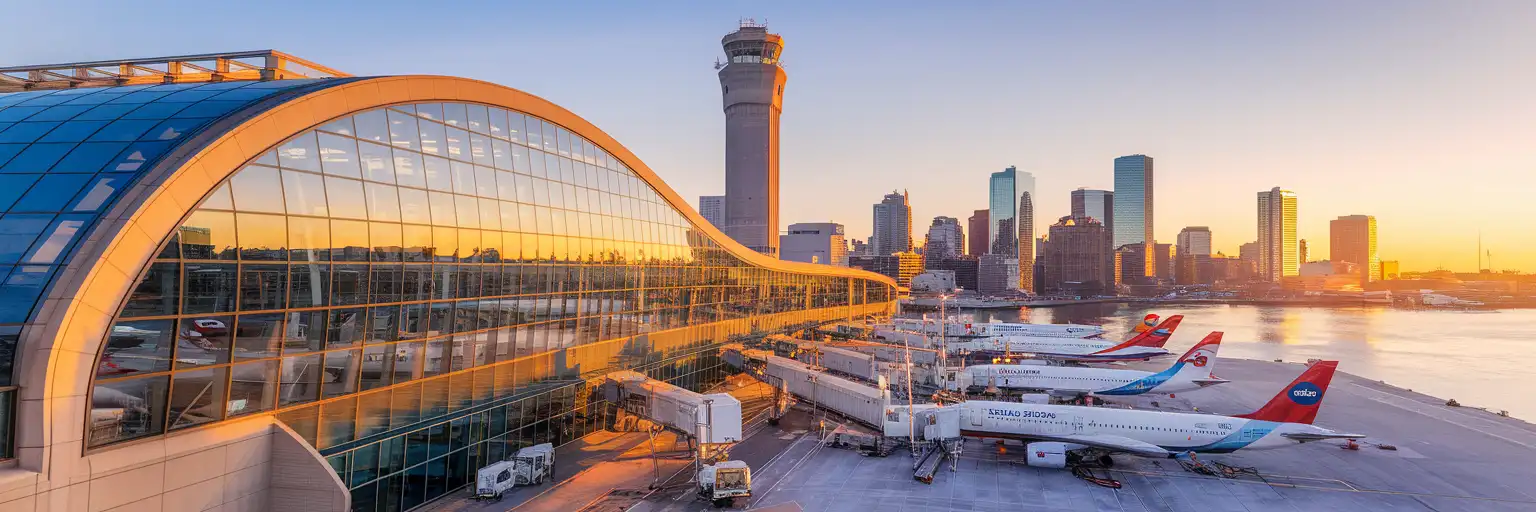
Boston Logan International Airport terminal facade with control tower and Boston Harbor at golden hour

Boston Logan Airport eSIM: Local Data That Works Across the USA

Your flight taxis to the gate at Boston Logan International Airport and you're already pulling up the MBTA Blue Line schedule to downtown, messaging your pickup, and checking which rideshare zone handles Terminal B arrivals. With eSIMno, you can buy your USA eSIM before departure, install over home WiFi, and switch it on the moment you power off airplane mode after touchdown — no kiosk queue, no registration hassle, just immediate data.
View Plans
GET A FULL20%OFFon your first order
Use code: FIRSTWELCOME20

Stay connected,
wherever you go

Seamless global eSIM coverage

Explore our plans below

Plan Your Trip

Tell us what you'll do and how long you'll be away — we'll highlight the right plan.

7 days
1102030

What will you do?

Tap an activity above to see which plan fits your trip

Already a customer?

EARN UP TOON EVERY FRIEND'S PURCHASE
NETWORK: AT&T & Verizon Wireless The speed may vary depending on the location.

Quick Facts

Time Zone
Eastern Time (UTC-5 / UTC-4 DST)
Dialing Code
+1
Currency
US Dollar (USD, $)
Power Plug
Type A, B (flat 2-pin, common across North America)
Language
English
Emergency
911 (police, fire, ambulance)
eSIMno Networks
AT&T, Verizon Wireless

How to Get Your eSIM

  1. Pick your USA data plan
    Choose from 1GB to 20GB options based on your trip length. A 5-day Boston visit with maps, rideshare, and messaging runs comfortably on 3-5GB.
  2. Install before your flight
    Complete the eSIM setup over your home WiFi — the QR code install takes under 3 minutes. Label it 'USA Travel' so you can find it fast in Settings.
  3. Activate after landing at BOS
    Once your aircraft reaches the gate and you switch off airplane mode, enable your eSIM data line. Signal locks on before you reach the jet bridge.
  4. Navigate arrivals with live data
    Pull up the Massport shuttle schedule, check your rideshare pickup zone (Terminal B uses Door 1A), or message your hotel — all working while others hunt for WiFi.
  5. Keep your home SIM for calls
    Incoming calls reach your normal number automatically. For outgoing calls, use WhatsApp, FaceTime, or Google Meet over your eSIM data to avoid roaming charges.

Traveler Tips

  • International arrivals clear customs at Terminal E — peak European arrivals hit between 2-5 PM when multiple widebodies land simultaneously. Budget 90+ minutes for international-to-domestic connections.
  • The free Massport shuttle Routes 22 and 33 connect all terminals to Airport Station on the Blue Line every 5-10 minutes. From there, downtown State or Government Center is 5-7 minutes away.
  • Terminals C and E connect airside via the elevated C-E Connector walkway (~5-8 minute walk). Connections involving Terminals A or B require exiting, taking the landside shuttle, and re-clearing security.
  • Download your boarding pass and hotel confirmation to your phone before departure — BOS WiFi requires registration that slows you down when you just want to move.
  • The Silver Line SL1 runs from each terminal curb directly to South Station in 20-30 minutes. Inbound from Logan is free; outbound costs around $2.40.
  • Rideshare pickup zones are terminal-specific: Door L for Terminal A, Door 1A for Terminal B. Having the app open with live driver location beats standing at the wrong door.

Why You Need an eSIM at BOS

Boston Logan International Airport handles over 40 million passengers annually across four terminals, and the arrival flow moves fast once you clear the jet bridge. Your phone becomes the coordination hub: checking which Massport shuttle route reaches Airport Station quickest, confirming your Uber pickup zone at Terminal B's Door 1A, pulling up the MBTA trip planner to see if the Blue Line or Silver Line SL1 gets you to your hotel faster. Free airport WiFi exists but requires registration — by the time you've entered your email and accepted terms, the eSIM user next to you has already booked their ride.

The data demands stack up quickly at Logan. International arrivals at Terminal E face customs queues that can stretch 45-60 minutes during the afternoon European wave — having your group chat open to update whoever's picking you up saves everyone from circling the cell phone lot. Domestic connections between non-linked terminals (A to C, B to E) require the landside shuttle and re-screening, making real-time gate-change alerts essential when your connection window tightens. And if your checked bag doesn't appear on the carousel, filing a claim through the airline app beats standing in another line.

Your eSIMno plans for Boston Logan International Airport, Boston, Massachusetts, United States connect through AT&T and Verizon — the same networks locals use from Beacon Hill to Back Bay to Cape Cod. That means your data keeps working when you board the commuter rail to Providence, catch a game at Fenway Park, or take a day trip to Salem. Buy once at home, activate after touchdown, skip the kiosk queue entirely.

Getting From BOS to Boston

Logan sits across Boston Harbor from downtown, roughly 5 km as the crow flies but separated by tunnels that can back up during rush hour. The fastest public transit option is the MBTA Blue Line: take the free Massport shuttle (Route 22 or 33) from any terminal to Airport Station, then ride 5-7 minutes to State or Government Center in the city center. Total door-to-door time runs 20-25 minutes off-peak.

Silver Line to South Station

The SL1 bus rapid transit departs from each terminal's curb and runs through the Ted Williams Tunnel directly to South Station in 20-30 minutes. From South Station you can transfer to the Red Line, Amtrak, or commuter rail. Inbound from Logan is free; outbound fares run around $2.40.

Rideshare and Taxi

Uber and Lyft pickup zones are terminal-specific — Terminal A uses Door L, Terminal B uses Door 1A, Terminal C uses the central island. Fares to downtown run $20-35 standard, surging to $45-70 during peak hours. Taxis from the official stands cost $25-40 plus tunnel tolls. Real-time surge tracking in the app helps you decide whether to wait out a spike or grab the train instead.

Arriving at Boston Logan

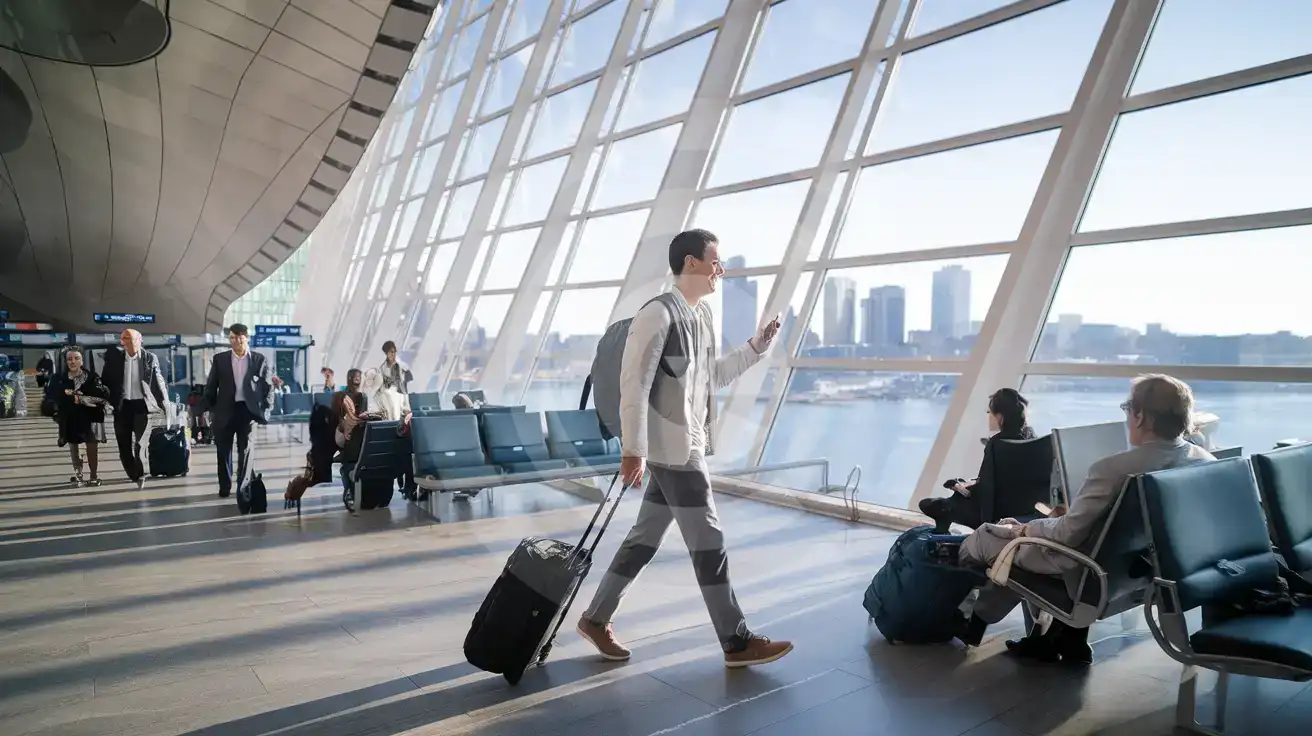
Solo male traveler walking through Boston Logan Terminal A concourse with Boston Harbor visible through glass walls
Activate your eSIM after landing at BOS so rideshare booking and Blue Line schedules load before you reach the curb.

Compare eSIM Options at Boston Logan International Airport

Recommended
Local SIM / Operator
Roaming
Setup timeStore visit + paperworkAuto
No local ID neededSSN/Credit checkUse home account
SpeedCarrier-gradePartner-dependent
Travel supportEnglish onlyHome carrier hours
Keep home numberReplaces itSame number
Cost predictabilityBills can spikeBill-shock risk
5GB / 30 daysLight traveler
15GB / 30 days
₺2106.38 TL
~$45.00/mo + taxes & fees.
$12-18 / day
₺702.13 TL
Typical day-pass tariff varies by home carrier
10GB / 30 daysStandard travelerMost popular
20GB / 30 daysHeavy traveler

Frequently Asked Questions (FAQs)

Activate after your aircraft reaches the gate and you switch off airplane mode. By the time you're walking the jet bridge toward Terminal E customs or the Terminal B connector, your phone is already pulling up the Massport shuttle schedule and your rideshare app.
The fastest option is the MBTA Blue Line: take the free Massport shuttle (Route 22 or 33) to Airport Station, then ride 5-7 minutes to State or Government Center. The Silver Line SL1 runs directly to South Station in 20-30 minutes — inbound from Logan is free.
Yes — your home SIM stays active for incoming calls while the eSIMno data line handles everything internet-related. For outgoing calls, use WhatsApp, FaceTime, or Google Meet over your eSIM data to avoid roaming charges on your home carrier.
Absolutely. Your plan connects through nationwide networks, so coverage continues from Logan through Fenway Park, the Freedom Trail, Harvard Square in Cambridge, day trips to Cape Cod, and anywhere else in the United States your itinerary takes you.
A 3-5 day visit with maps, rideshare, messaging, and occasional photo uploads runs comfortably on 3-5GB. If you're streaming video or working remotely from your hotel, consider 10GB or higher.
Terminals C and E connect airside via the elevated C-E Connector walkway — about 5-8 minutes. Connections involving Terminals A or B require the landside shuttle and re-screening, so budget 60-75 minutes. Real-time gate alerts on your phone help you adjust if your inbound flight runs late.
GET A FULL20%OFFon your first order
Use code: FIRSTWELCOME20

Stay connected,
wherever you go

Seamless global eSIM coverage

Get Started
Boston Logan International Airport sits just 5 km from downtown across Boston Harbor, making it one of the closest major airports to a city center in the United States. That proximity means your first data tasks hit fast: checking the free Massport shuttle timing to Airport Station, confirming whether the Silver Line SL1 is running to South Station, or booking a rideshare from the designated pickup zone at your terminal. Having your eSIM active before you even leave the jet bridge turns that arrival crunch into a smooth sequence instead of a WiFi hunt. The four passenger terminals — A, B, C, and E — each have their own rideshare pickup points and shuttle stops, and the inter-terminal connections vary: Terminals C and E link airside via the elevated connector walkway, but transfers involving A or B require the landside shuttle and re-screening. Real-time shuttle tracking and gate-change alerts on your phone beat the overhead monitors every time, especially when you're navigating a tight domestic connection or coordinating with someone picking you up curbside. Your eSIMno plan connects through AT&T and Verizon networks, giving you the same coverage locals use from the moment you land at BOS through every stop on your trip — whether that's the Freedom Trail, a Red Sox game at Fenway Park, or a day trip up to Cape Cod. Buy once, use nationwide.
Back to United States
No more SIM kiosks

No more SIM kiosks

Skip the airport queues. Install your eSIM at home, activate when you land.

no roaming charges

No roaming surprises

Forget the $200 phone bill three weeks after your trip. Plain pricing, no hidden fees.

keep your physical sim

Keep your home number

Dual-SIM means your physical SIM stays active for calls and texts. eSIM handles only data.

easy installation

Setup in 2 minutes

Scan QR code, follow on-screen steps, you're connected. Works on any eSIM-compatible phone.

Pay SafelyVisa CardMaster CardGoogle PayPayPalApple Pay

How does eSIMNo Works?

Experience seamless global connectivity with our personal eSIM service. Enjoy faster speeds, wider coverage, and the convenience of online purchasing.

Buy a Data Plan

Buy a Data Plan

Search for your destination and pick any data plan

Step 1

Install your eSIM

Install your eSIM

Easy installation via qr code

Step 2

Activate Your eSIM

Activate Your eSIM

Only active when you are ready to use data

Step 3

Advantages

24/7 Customer Support

Reach our team via WhatsApp and email during business hours. Quick answers to common questions available anytime through our automated assistant.

Immediate delivery

Your eSIM arrives by email within minutes. Install it before you board your flight.

Worldwide Coverage

One eSIM, 160+ countries. Land anywhere and connect instantly — no SIM swapping, no roaming charges.

Check Compatibility

Check Compatibility

Before buying and installing an eSim, check if your phone supports one

Check if your phone is eSIM compatible

As you feel the need to use eSIM on your phone, the first question that arises is: does your mobile support eSIMs? And do eSIM-compatible devices work in all regions worldwide?

Some phones that support eSIM technology

  • IPhone XS and Later
  • Samsung Galaxy S20 and Later
  • Pixel 4 and Later
  • Xiaomi 12T Pro and Later
All eSIM-Compatible Phones

Frequently Asked Questions (FAQs)

Find helpful information to answer your questions

Can I use the eSIM for my smartwatch?
Some smartwatches (Apple Watch Cellular, Samsung Galaxy Watch LTE) support eSIM, but they typically require a plan from your home carrier rather than a travel eSIM. eSIMno plans are designed for phones and tablets - check device compatibility before purchase if you intend to use a wearable.
Can I get a refund after purchase?
Refunds are not available once an eSIM has been installed or activated - install codes are one-time-use, so an installed eSIM is considered used even if no data has been consumed. If you have not installed your eSIM yet and want a refund, contact support within the refund window stated at checkout. We recommend reviewing plan details carefully before purchase to avoid any issues.
What should I do if I see a 'No network' message after activating my eSIM?
If you see a 'No network' message after activation, try these steps in order: (1) Toggle airplane mode on for 10 seconds, then off. (2) Confirm data roaming is enabled for the eSIM line. (3) Manually select a network in cellular settings. (4) Restart your phone. If the issue continues, contact eSIMno support via WhatsApp or email.
Will I get notifications when my data is running low?
Yes. eSIMno sends email and push notifications when you've used 50%, 80%, and 100% of your data allowance. You can also check usage anytime in the eSIMno Center or in your phone's cellular settings to track consumption in real time.
Does the eSIM work in rural areas and small towns?
Coverage depends on the partner network's reach in United-states. Major cities, tourist areas, and highways typically have strong 4G/5G coverage. Remote rural areas may have weaker signal or fall back to 3G. Download offline maps before heading off the beaten path.
Is unlimited data really unlimited?
Unlimited plans provide unlimited data at high speed (4G/5G) up to a fair-use threshold defined per plan. Beyond that threshold, speeds may be reduced to 128 Kbps for the remainder of the validity period - still usable for messaging and basic browsing, but slower for streaming and video calls.
How do I activate the United-states eSIM?
Your eSIMno order confirmation email contains your QR code, your SM-DP+ address and activation code, a one-tap install link, and an "Install eSIM" button - so you can install right from the email. The same options are also on the website: sign in at esimno.com and go to Profile > My eSIMs > your plan > Install. To install, use any ONE of these methods: (1) on the phone you are setting up, tap the one-tap install link/button (iPhone on iOS 17.4+ or Android 9+); (2) use the QR code - because a phone cannot scan its own screen, show this QR on another screen (computer/tablet) or a printout and scan it WITH the phone you are setting up (never with someone else's phone, or the eSIM would install on that phone); or (3) enter the SM-DP+ address and activation code manually. Your United-states eSIM activates automatically when you connect to a local network at your destination.
How long is the validity of the United-states eSIM plans?
The validity of eSIM plans varies from 7 days to 90 days depending on the plan you choose. Lifetime options are also available for travelers who don't want their data to expire after a fixed period.
What happens if I pause my trip and return home?
Your eSIM keeps its validity period running whether you're using it or not - pausing your trip doesn't pause the timer. If you return home, the eSIM stays dormant on your device until you travel again or it expires. You can disable it in cellular settings to avoid accidental usage.
Can I use the eSIM to make video calls?
Yes - apps like FaceTime, WhatsApp, Zoom, Google Meet, and Microsoft Teams all work over your eSIM data. Video calls use about 200-400 MB per hour depending on quality, so factor that into your plan choice if you make long calls regularly.
Can I share data from my eSIM with someone else's phone?
Yes, through Personal Hotspot. Activate hotspot on your phone, share the password, and the other device connects to your data. Data used by connected devices counts toward your eSIM plan, so monitor usage to avoid running out faster than expected.
Does the eSIM work on cruise ships or airplanes?
eSIMs use ground-based cellular networks, so they don't work in flight or at sea outside coastal coverage. They activate as soon as you connect to a partner network on land. For in-flight or maritime data, you'll need the airline or ship's onboard Wi-Fi.

Use Your Free Credit

You can earn up to 15% commission from your friends' purchases with your Reference code. Plus, your friends will get $2 off their first purchase when they use your code!

FIND OUT HOW
Refer a friend

Refer

A FRIEND

Step into the world of E-SIM, bring your friends and benefit together!