
Review Your Cart

Your cart is empty.

You haven't added any eSIM packages yet. Start exploring our plans to get connected!

Browse our eSIM Packages
🎉 Welcome offer: 20% off with promo code FIRSTWELCOME20

Italy Italy   / Pantheon

The Pantheon's columned portico and triangular pediment at golden hour viewed from Piazza della Rotonda in Rome

Pantheon eSIM: Rome Data That Works Across All Italy

You're walking through Piazza della Rotonda toward the Pantheon's bronze doors with your timed-entry ticket QR ready to scan, photos of that oculus light beam queuing to upload, and a taxi pickup to coordinate back to Leonardo da Vinci International Airport afterward. With eSIMno, your Italy data activates before takeoff so your phone connects the moment you land in Rome.
View Plans
GET A FULL20%OFFon your first order
Use code: FIRSTWELCOME20

Stay connected,
wherever you go

Seamless global eSIM coverage

Explore our plans below

Plan Your Trip

Tell us what you'll do and how long you'll be away — we'll highlight the right plan.

7 days
1102030

What will you do?

Tap an activity above to see which plan fits your trip

Already a customer?

EARN UP TOON EVERY FRIEND'S PURCHASE
NETWORK: Vodafone & Wind Tre The speed may vary depending on the location.

Quick Facts

Language
Italian (Italiano)
Currency
Euro (EUR, €)
Time Zone
Central European Standard Time (UTC+1)
Dialing Code
+39
Power Plug
Type C, E, F (round 2-pin, common across most of Europe)
Emergency
112
eSIMno Networks
Vodafone, Wind Tre

How to Get Your eSIM

  1. Choose your Italy data plan
    Pick from 1GB to 20GB options based on your Rome itinerary length — streaming the audio guide inside the Pantheon, uploading photos at every piazza, and coordinating rideshares all add up quickly.
  2. Install at home over WiFi
    Scan the QR code on your couch the night before your flight to Fiumicino. The profile loads in under two minutes and sits dormant until you activate.
  3. Activate after landing in Rome
    Switch off airplane mode once your plane taxis to the gate at FCO. Your phone connects to Vodafone or Wind Tre within seconds — no passport scan, no SIM-card tray tool, no kiosk queue.
  4. Navigate straight to the Pantheon
    Pull up Google Maps or Citymapper for the Leonardo Express to Termini (32 minutes, departures every 15 min), then Metro Line A toward Battistini to Barberini — a 12-minute walk south through narrow streets brings you to Piazza della Rotonda.
  5. Keep your home SIM for calls
    Your eSIMno plan is data-only. Incoming calls reach your home number normally; outgoing calls go through WhatsApp, FaceTime, or Telegram over your new Italian data.

Traveler Tips

  • Book timed-entry tickets online at least 48 hours ahead — the €5 admission plus €2 reservation fee beats the 45-minute walk-up queue that snakes across Piazza della Rotonda on summer mornings.
  • Arrive by 9:15 AM on weekdays to catch the oculus light beam at its sharpest angle before tour groups fill the rotunda by 10:30 AM.
  • Mass is celebrated Saturday at 5:00 PM and Sunday at 10:30 AM — tourist visits pause during services, so plan your data-dependent activities around those windows.
  • Dress code applies: shoulders and knees covered, no hats inside. Pack a light scarf in your daypack if you're in summer clothes.
  • The Pantheon's interior holds strong cellular signal despite the thick concrete walls — upload your oculus photos without stepping back outside.
  • Download offline Rome maps before your visit in case you wander into the narrow lanes around Campo de' Fiori where building density occasionally blocks GPS lock.

Why Data Matters at the Pantheon

The Pantheon sits at the center of Rome's most walkable historic quarter, and every errand around it runs through your phone. Your timed-entry confirmation arrives as a QR code — pull it up at the bronze doors without fumbling for a printed ticket. Inside, the official audio guide streams to your earbuds while you stand beneath the 8.7-metre oculus watching the light shaft move across the coffered ceiling.

Step outside and the piazza demands more data. Coordinate a taxi pickup through FreeNow or IT Taxi for the 15-minute ride to Trastevere. Check live wait times at the Trevi Fountain (a 10-minute walk northeast) before committing to the detour. Pull up TheFork to book a table at Armando al Pantheon — the trattoria 30 metres from the portico that fills by 12:30 PM. Share the Raphael tomb photo to your family group chat before you've crossed the square.

Public WiFi exists at a few cafés around Piazza della Rotonda, but captive-portal logins and seat-purchase expectations make it unreliable for quick tasks. Your eSIMno plans for Pantheon, Rome, Italy keep you on Vodafone or Wind Tre networks across the entire historic center — from the Pantheon's marble floor to the Spanish Steps 800 metres north, from Sant'Ignazio's trompe-l'œil ceiling 3 minutes east to Piazza Navona's Bernini fountains 5 minutes west.

Visiting the Pantheon

Hours and Access

The Pantheon opens daily around 9:00 AM and closes at 7:00 PM (6:00 PM Sundays), with last entry 15-30 minutes before closing. Religious services suspend tourist access Saturday evenings and Sunday mornings — check the official Basilica di Santa Maria ad Martyres site the morning of your visit for any schedule shifts.

Getting There

Metro Line A stops at Barberini or Spagna, both 12-15 minutes on foot through pedestrian lanes. Bus lines 40, 64, and 87 stop at Largo di Torre Argentina, a 7-minute walk south. From Termini station, the 64 bus runs every 6-8 minutes and drops you within sight of the Pantheon's dome.

What to Expect Inside

The interior is a single circular space — no side chapels to get lost in. Raphael's tomb sits on the left as you enter; the royal tombs of Vittorio Emanuele II and Umberto I face each other across the rotunda. Photography is permitted without flash. The marble floor slopes gently toward drainage holes beneath the oculus, so rain falls directly inside during storms — a memorable experience if your timing aligns.

Inside the Pantheon

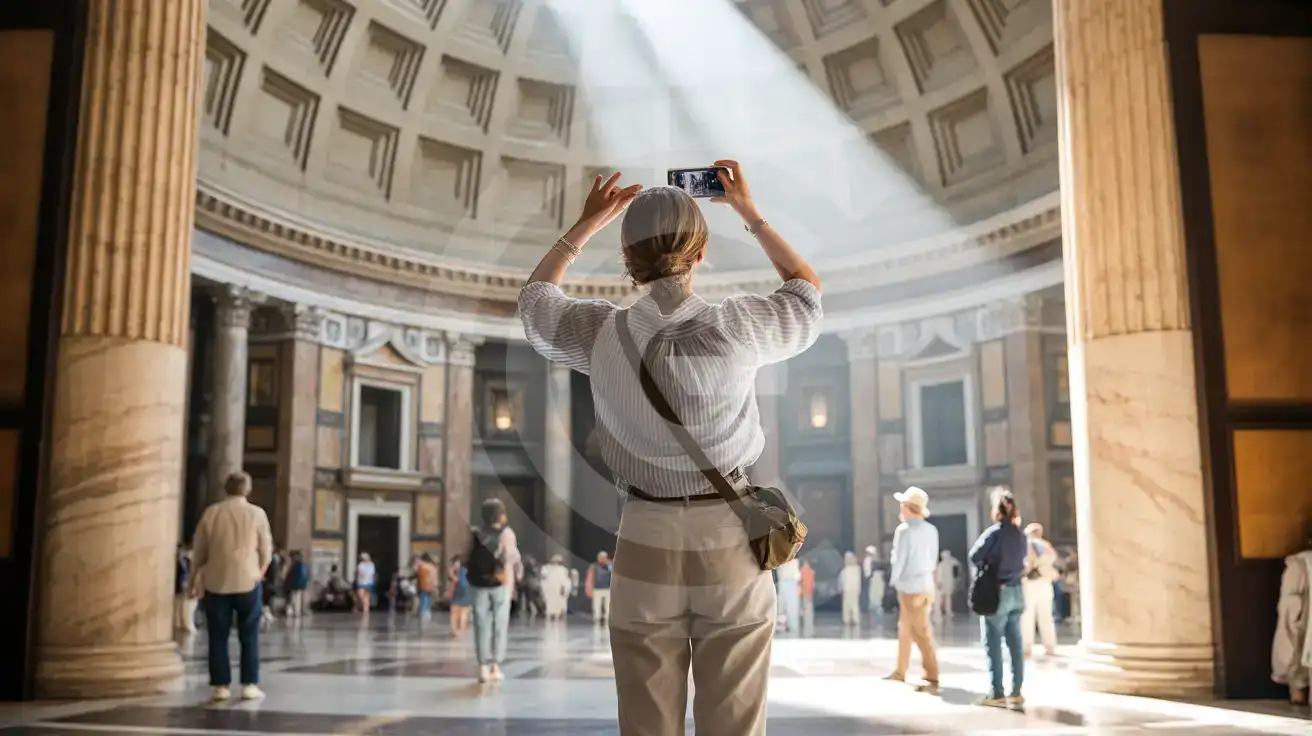
Solo female traveler photographing the Pantheon's coffered dome and oculus with her smartphone inside the rotunda
Activate your eSIM before flying to Rome so your timed-entry QR loads instantly at the Pantheon doors.

Compare eSIM Options at Pantheon

Recommended
Local SIM / Operator
Roaming
Setup timeStore visit + paperworkAuto
No local ID neededLocal ID requiredUse home account
SpeedCarrier-gradePartner-dependent
Travel supportItalian onlyHome carrier hours
Keep home numberReplaces itSame number
Cost predictabilityBills can spikeBill-shock risk
Typical pricing
$12-18 / day
Typical day-pass tariff varies by home carrier

PRICING — PICK YOUR ESIMNO PLAN

Light traveler
5GB / 30d
₺433.90 TL
20% off with code FIRSTWELCOME20on your first order
≈ ₺347.12 TL with code
Buy now
Heavy traveler
20GB / 30d
₺1099.00 TL
20% off with code FIRSTWELCOME20on your first order
≈ ₺879.20 TL with code
Buy now

Frequently Asked Questions (FAQs)

Install the eSIM profile at home over WiFi the night before your flight. Activate after landing at Fiumicino — by the time you're boarding the Leonardo Express to Termini, your phone is already pulling directions to Piazza della Rotonda.
Cellular signal holds strong inside the rotunda despite the 6-metre-thick concrete dome. You can upload oculus photos, stream the audio guide, and message your group without stepping back outside to Piazza della Rotonda.
Take the Leonardo Express from FCO to Roma Termini (32 minutes, departures every 15 minutes). From Termini, Metro Line A toward Battistini to Barberini takes 4 minutes, then walk 12 minutes south through Via del Tritone and the narrow lanes — your eSIMno data keeps Google Maps working the whole way.
Yes. Your eSIMno plan is data-only, so your home SIM stays active for incoming calls and texts. Use WhatsApp, FaceTime, or Telegram over your Italian data for outgoing calls — that avoids roaming charges on your home network.
Your Italy eSIM covers the entire country on the same Vodafone and Wind Tre networks. Head to Florence for the Uffizi, Venice for the Grand Canal, or Naples for Pompeii — no new SIM needed, same plan works nationwide.
Arrive right at opening around 9:00 AM on weekdays — by 10:30 AM tour groups fill the rotunda. Avoid Saturday afternoons before the 5:00 PM Mass and Sunday mornings when tourist access pauses for the 10:30 AM service.
GET A FULL20%OFFon your first order
Use code: FIRSTWELCOME20

Stay connected,
wherever you go

Seamless global eSIM coverage

Get Started
The Pantheon draws visitors into Rome's ancient heart where timed-entry QR codes, real-time navigation, and rideshare coordination all demand reliable mobile data. Your eSIMno plan connects through Vodafone and Wind Tre the moment you switch off airplane mode at Fiumicino — no kiosk queue, no passport handover, no activation delay while jet lag sets in. Inside the rotunda, cellular signal holds steady under that 43-metre unreinforced concrete dome. Upload photos of the oculus light shaft, pull up the audio guide on your phone, and message your group about the meeting point at Raphael's tomb. When you step back into Piazza della Rotonda, your data keeps working — coordinating a taxi to Trastevere, checking Trevi Fountain crowd levels, booking a table through TheFork before the dinner rush. Your Italy eSIM covers far more than this single monument. Head south to Naples for Pompeii day trips, north to Florence for Uffizi reservations, or east to Venice for vaporetto schedules — the same plan works nationwide on the same local networks. Buy once, travel everywhere.
Back to Italy
No more SIM kiosks

No more SIM kiosks

Skip the airport queues. Install your eSIM at home, activate when you land.

no roaming charges

No roaming surprises

Forget the $200 phone bill three weeks after your trip. Plain pricing, no hidden fees.

keep your physical sim

Keep your home number

Dual-SIM means your physical SIM stays active for calls and texts. eSIM handles only data.

easy installation

Setup in 2 minutes

Scan QR code, follow on-screen steps, you're connected. Works on any eSIM-compatible phone.

Pay SafelyVisa CardMaster CardGoogle PayPayPalApple Pay

How does eSIMNo Works?

Experience seamless global connectivity with our personal eSIM service. Enjoy faster speeds, wider coverage, and the convenience of online purchasing.

Buy a Data Plan

Buy a Data Plan

Search for your destination and pick any data plan

Step 1

Install your eSIM

Install your eSIM

Easy installation via qr code

Step 2

Activate Your eSIM

Activate Your eSIM

Only active when you are ready to use data

Step 3

Advantages

24/7 Customer Support

Reach our team via WhatsApp and email during business hours. Quick answers to common questions available anytime through our automated assistant.

Immediate delivery

Your eSIM arrives by email within minutes. Install it before you board your flight.

Worldwide Coverage

One eSIM, 160+ countries. Land anywhere and connect instantly — no SIM swapping, no roaming charges.

Check Compatibility

Check Compatibility

Before buying and installing an eSim, check if your phone supports one

Check if your phone is eSIM compatible

As you feel the need to use eSIM on your phone, the first question that arises is: does your mobile support eSIMs? And do eSIM-compatible devices work in all regions worldwide?

Some phones that support eSIM technology

  • IPhone XS and Later
  • Samsung Galaxy S20 and Later
  • Pixel 4 and Later
  • Xiaomi 12T Pro and Later
All eSIM-Compatible Phones

Frequently Asked Questions (FAQs)

Find helpful information to answer your questions

Is the eSIM connection secure?
eSIM connections are as secure as standard cellular connections - encrypted by the carrier network. For added security on public networks (cafes, airports), use a VPN. The eSIM profile itself is digitally signed and can't be cloned like a physical SIM.
Can I make phone calls or send SMS?
eSIMno is a data-only service, so you can't make traditional voice calls or send SMS through the eSIM line. However, you can use messaging and calling apps over data - WhatsApp, iMessage, FaceTime, Telegram, Signal, and Google Meet all work normally.
Is unlimited data really unlimited?
Unlimited plans provide unlimited data at high speed (4G/5G) up to a fair-use threshold defined per plan. Beyond that threshold, speeds may be reduced to 128 Kbps for the remainder of the validity period - still usable for messaging and basic browsing, but slower for streaming and video calls.
Can I use the eSIM to make video calls?
Yes - apps like FaceTime, WhatsApp, Zoom, Google Meet, and Microsoft Teams all work over your eSIM data. Video calls use about 200-400 MB per hour depending on quality, so factor that into your plan choice if you make long calls regularly.
What is the price range for the Italy eSIM plans?
Prices commence at ₺214.90 TL and vary according to data allowance and plan duration. Larger data plans and longer durations cost more, but the per-GB rate decreases with bigger packages.
What should I do if I lose my activation QR code?
You can't really lose it - your QR code is in your order confirmation email, and also in the install pop-up on the website. To reopen it any time before activation, tap "Install eSIM" in your order email, or sign in at esimno.com and go to Profile > My eSIMs > Install. Both show the QR code together with the one-tap install link and the manual SM-DP+ / activation code. Note the install codes are one-time-use: once the eSIM is installed on a device they can't be reused - reopen the installer (My eSIMs > Install) to display a fresh QR if you need one.
How do I top up my Italy eSIM?
To top up your Italy eSIM data, log in to the 'My eSIMs' section in the eSIMno Center on our website or mobile app. Select the eSIM you want to top up and follow the on-screen instructions to add more data without losing your current connection.
How do I set up the eSIM on my device?
The fastest way is straight from your order confirmation email, which now contains - for each eSIM - the QR code, a one-tap install link, and the SM-DP+ / activation codes. On the phone you'll use, tap the one-tap install link; or, to use the QR, show it on another screen or a printout and scan it with that same phone (not another phone); or enter the codes manually. The email also has an "Install eSIM" button that opens your eSIM's detail page and launches the install pop-up (sign in if prompted), and you can reach the same pop-up anytime via Profile > My eSIMs > find your plan (shown as "Ready to install") > Install. After installing, turn Data Roaming ON for your eSIMno line (iPhone: Settings > Cellular; Android: Settings > Connections/Network) - without it the eSIM installs but shows no internet. Full guide in Help & Support.
Do I need to remove my eSIM after my trip?
You don't have to remove it. Once your data plan expires, the eSIM simply stops providing data. You can leave the dormant profile on your phone and reuse it next time by purchasing a new plan, or delete it from cellular settings to free up an eSIM slot.
Can I use the eSIM for my smartwatch?
Some smartwatches (Apple Watch Cellular, Samsung Galaxy Watch LTE) support eSIM, but they typically require a plan from your home carrier rather than a travel eSIM. eSIMno plans are designed for phones and tablets - check device compatibility before purchase if you intend to use a wearable.
Can I switch the eSIM to a different phone after activation?
Generally no. Once an eSIM is activated on a device, it's tied to that device. If you switch phones, you'll need to install a new eSIM. Some carriers offer eSIM transfer features, but eSIMno plans don't currently support transfer between devices.
When should I set up my eSIM?
A Wi-Fi connection is required to install your eSIM, so we recommend setting it up before you leave home. Activation can happen later, either right before departure or after you land at your destination - but the initial QR scan needs Wi-Fi.

Use Your Free Credit

You can earn up to 15% commission from your friends' purchases with your Reference code. Plus, your friends will get $2 off their first purchase when they use your code!

FIND OUT HOW
Refer a friend

Refer

A FRIEND

Step into the world of E-SIM, bring your friends and benefit together!